QR codes for spa booking: a practical UK guide
TL;DR:
- A QR code for spa booking offers a quick, app-free way for clients to access booking or check-in pages. Using dynamic codes provides flexibility and detailed scan analytics, increasing operational efficiency and marketing insights. Proper implementation and GDPR compliance are essential to maximize the benefits and protect client data.
A QR code for spa booking is a scannable square image that routes your client directly to a booking page, a check-in form, or a payment link the moment they point their phone camera at it. No app required, no typing a URL. The client scans, the booking page opens, and the appointment is confirmed within seconds. If you want to test this today, create a dynamic QR code pointing to your booking page and run a one-day trial with your reception team. Qrlytics is the recommended platform for managing that code, tracking every scan, and updating the destination without reprinting a single sign.
Table of Contents
- Why traditional booking routines slow your spa down
- How does a QR code actually route a client to a booking?
- What are the real business benefits of QR codes for spas?
- Where can you actually place QR codes across the spa journey?
- How do you create a QR code for your booking page?
- How do you integrate QR booking into your existing systems?
- What do UK GDPR and ICO guidance mean for your QR booking setup?
- Which KPIs should you track for your QR booking campaigns?
- Why use a dedicated QR management platform, and how does Qrlytics fit?
- Your implementation checklist and timeline
- Key takeaways
- The case for getting this right from the start
- Try Qrlytics for your spa’s booking QR codes
- Useful sources
- FAQ
Why traditional booking routines slow your spa down
Phone calls and paper forms are the two biggest sources of friction in spa operations, and most managers know it. A receptionist handling back-to-back calls cannot simultaneously greet arriving clients, and every manual entry into a diary or spreadsheet is a double-booking waiting to happen.
The knock-on effects are real and measurable in daily operations:
- Phone tag and missed calls mean potential clients book elsewhere rather than wait for a callback.
- Paper intake forms slow check-in, create transcription errors, and produce GDPR headaches around storage and disposal.
- No digital record at point of contact makes follow-up marketing almost impossible without manual data entry.
- Higher no-show rates when clients have no self-service option to reschedule without calling during business hours.
- Limited upsell opportunity at check-in when staff are occupied with admin rather than client conversation.
- Printed promotional materials with no trackable link, so you never know which leaflet or poster actually drove a booking.
A QR code for spa booking removes most of these friction points in one step. The client self-serves; your staff focus on the treatment.
How does a QR code actually route a client to a booking?
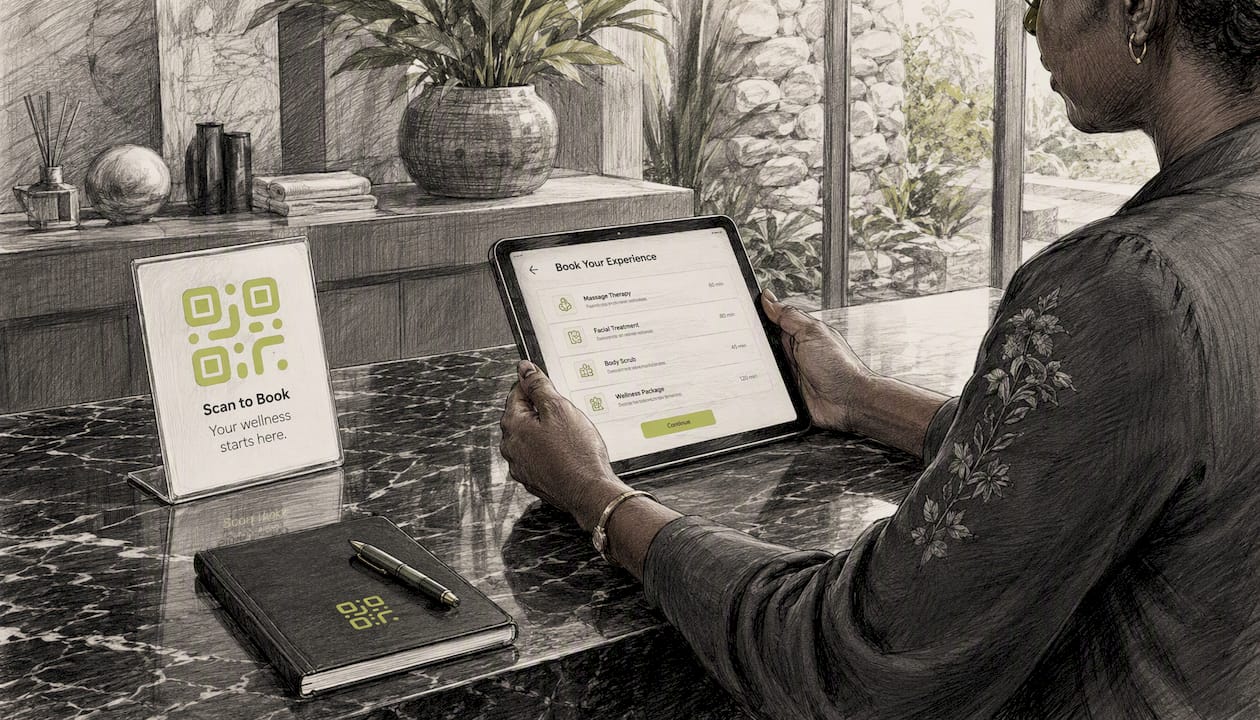
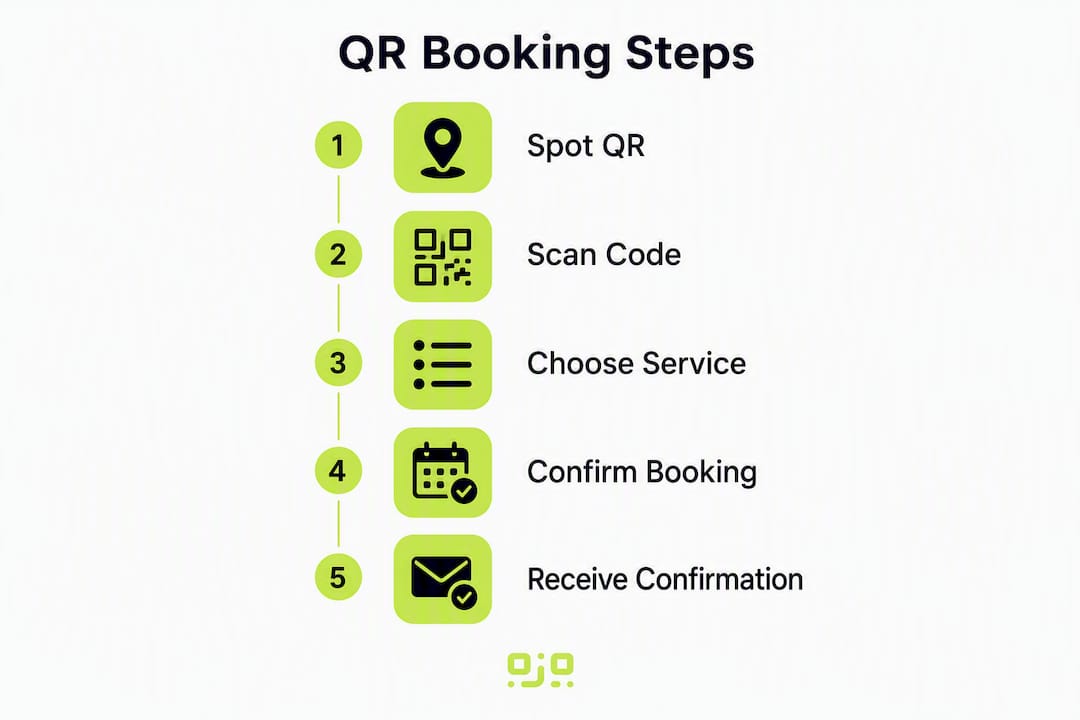
The journey from scan to confirmed appointment takes roughly four steps. A client sees your QR code on a sign, receipt, or business card. They open their phone camera (no separate app needed on iOS or Android), point it at the code, and tap the notification that appears. Their browser opens the destination URL — your booking page, intake form, or payment link. They complete the booking and receive a confirmation. That is the entire flow.
Where it gets more nuanced is the difference between static and dynamic codes.
A static QR code encodes the destination URL directly into the image. Once printed, it cannot be changed. A dynamic code points to a short redirect URL managed by your QR platform; the platform then forwards the client to whatever destination you have set. You can update that destination at any time without touching the printed code.
| Feature | Static QR code | Dynamic QR code |
|---|---|---|
| Editable destination | No | Yes |
| Scan analytics | None | Full (device, location, time) |
| Re-usable across campaigns | Limited | Yes |
| Custom branding | Basic | Full (logo, colour, shape) |
| Cost profile | Free or one-off | Subscription or managed plan |
For most spa applications, dynamic codes are the better choice. Med spa operators consistently find that the ability to update destinations after print and access scan analytics is what makes QR codes genuinely useful rather than just decorative. A static code printed on leaflets becomes a liability the moment you change your booking platform or update your offers.
What are the real business benefits of QR codes for spas?
The headline benefit is convenience, but the operational gains go further than that.
Faster check-in. Clients who complete an intake form before they arrive spend less time at reception and more time relaxing. A QR code on your appointment confirmation email linking to a pre-treatment form can cut check-in time noticeably, particularly for first-time visitors.
Reduced admin and fewer errors. When clients book directly through a digital flow, the data lands in your system without a receptionist transcribing it. Fewer keystrokes means fewer mistakes, and your team’s time shifts from data entry to client care.
Higher conversion from marketing materials. A leaflet with a phone number asks the client to remember to call later. A leaflet with a QR code lets them book on the spot, while the impulse is there. Adding a QR code to appointment confirmation emails and receipts tends to deliver the quickest measurable uplift in online booking conversion, because you are reaching clients at the moment they are most engaged with your brand.
Upsell and retention. A receipt QR code linking to a product page, a loyalty scheme, or a rebooking offer turns a transactional moment into a marketing one. The client has just had a positive experience; that is the right time to present an upgrade or a package deal.
Where can you actually place QR codes across the spa journey?
The placement question is where many spa managers underestimate the opportunity. QR codes are not just for reception desks.
On-site signage
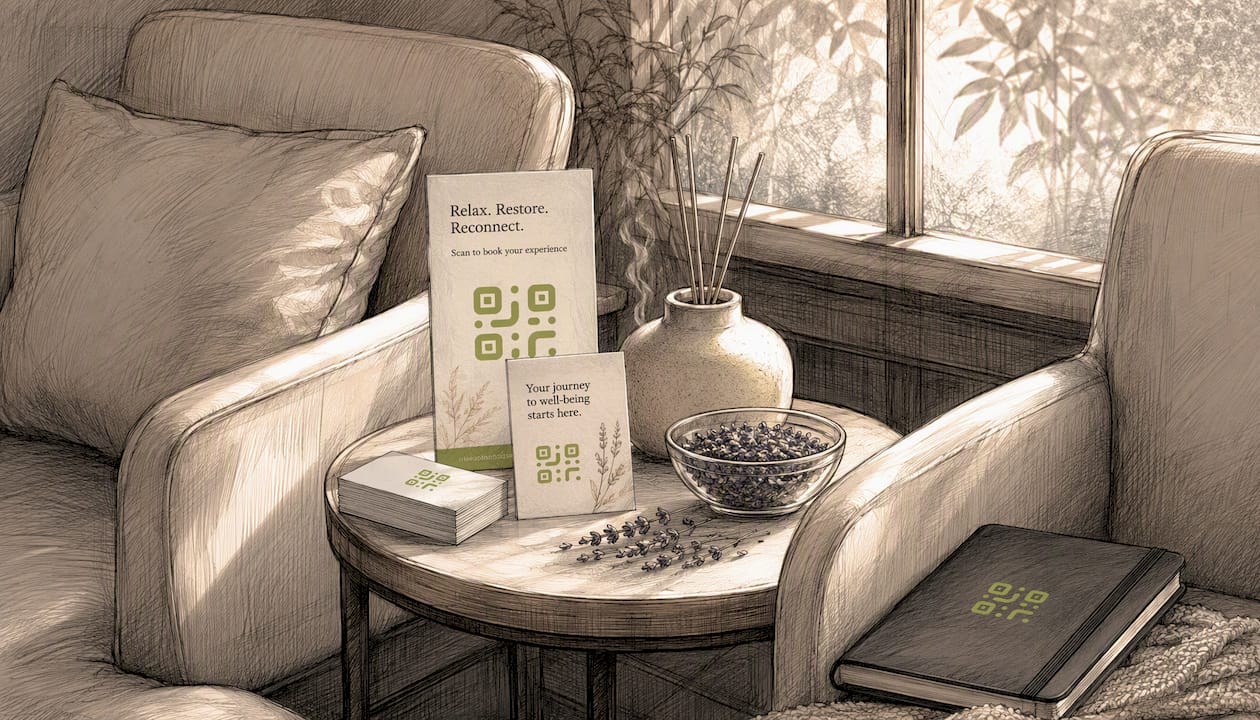
Reception is the obvious starting point: a printed stand or wall sign with a clear call to action (“Book your next visit”) pointing to your online calendar. Treatment rooms are underused. A small card on the massage table or facial bed, visible while the client waits for their therapist, can link to a rebooking page or a product recommendation. Changing areas work well for loyalty scheme sign-ups, where clients have a quiet moment and their phone to hand.
Printed materials
Business cards with a QR code on the reverse replace the awkward “let me write down our number” moment. Receipts are particularly effective: a QR code linking to a review page, a rebooking offer, or a gift voucher purchase catches the client at peak satisfaction. Gift certificate QR codes can also be scanned at checkout to apply value directly to a transaction, which simplifies the redemption process for both client and staff.
Digital and mobile uses
Email signatures, booking confirmation messages, and social media posts can all carry QR codes. For mobile therapists visiting clients at home or in offices, a QR code on a tablet or printed card lets the client book the next session before the therapist has even packed up their kit. This is one of the strongest use cases for spa and wellness QR applications: the therapist controls the booking moment rather than hoping the client remembers to call later.
How do you create a QR code for your booking page?
The process is straightforward. Follow these steps to build a working booking QR flow before your first placement goes live.
- Decide your destination. Choose between a direct calendar booking link, a landing page with treatment options, a pre-treatment intake form, or a payment link. A landing page gives you more control over the client journey and lets you add a clear call to action.
- Choose a dynamic QR code generator. Dynamic codes let you update the destination later without reprinting. Qrlytics offers a dynamic QR code generator with branding options and real-time analytics.
- Add branding. Upload your logo, set your brand colours, and choose a frame with a short instruction (“Scan to book”). Branded codes scan just as reliably as plain ones and look more professional on signage.
- Set a short redirect URL. Your QR platform handles this automatically with dynamic codes. The printed code points to the platform’s redirect, which forwards to your booking page.
- Export at high resolution. Download as SVG or PNG at a minimum of 300 dpi for print. A code printed smaller than 2.5 cm square becomes unreliable on lower-quality cameras.
- Test on a physical print sample. Print a copy at the intended size and scan it with both an iPhone and an Android device before committing to a full print run.
- Verify the full booking flow. Scan the code, complete a test booking, and confirm the confirmation message arrives correctly. Check on both Wi-Fi and mobile data.
- Run a one-day staff test. Ask your reception team to scan the code and complete a booking as if they were a client. This surfaces any friction in the flow before clients encounter it.
A short pre-launch QA across multiple devices and networks prevents most early failures: test iOS and Android, multiple browsers, and printed samples at the intended sizes before any signage goes up.
Pro Tip: With a dynamic code, you can update the destination URL at any time from your dashboard. This means you can point the same printed code at a Valentine’s Day offer in February, a summer package in July, and your standard booking page the rest of the year — without reprinting anything.
How do you integrate QR booking into your existing systems?
The QR code is only as good as the page it opens. A slow, desktop-only booking page will lose clients who scan on a phone. Every destination your QR code points to must load quickly on mobile, require as few taps as possible, and make the next step obvious.
A few practical rules:
Keep the booking funnel short. If your booking page asks for more than name, contact details, and treatment choice before confirming, you will see drop-off. Save detailed intake questions for a separate pre-treatment form sent after the booking is confirmed.
Write a clear call to action on the signage. “Scan to book” is fine, but “Scan to book your next treatment in 60 seconds” is better. Clients who understand what will happen when they scan are more likely to do it. Boosting scan rates consistently comes down to three things: a clear CTA, high-contrast print, and placement at eye level.
Avoid long URLs in static codes. If you ever use a static code, shorten the URL first. A long URL encoded into a QR code produces a denser, harder-to-scan image.
Align with staff workflows. If your team uses a booking system, make sure the QR code destination feeds into the same calendar they manage. A separate booking stream that staff have to check independently creates more admin, not less.
Check accessibility. Not every client will be comfortable scanning a QR code. Keep a verbal booking option available and consider adding a short URL beneath the QR code for clients who prefer to type it.
What do UK GDPR and ICO guidance mean for your QR booking setup?
QR codes that track scans collect data, and in the UK that means UK GDPR applies. The Information Commissioner’s Office (ICO) is the UK’s data protection authority, and its guidance is the starting point for any compliance review.
The key question is whether your scan data is personal data. If your QR platform records IP addresses, device identifiers, or location data linked to an individual, that is personal data under UK GDPR. Aggregate, anonymised scan counts (total scans per day, no individual identifiers) are generally not personal data, though the line depends on what your platform stores and for how long.
Work through this checklist before your QR booking system goes live:
- Update your privacy notice to include QR code scan tracking, what data is collected, how long it is retained, and the lawful basis for processing it (legitimate interests is common for analytics; consent is required for direct marketing).
- Check your booking platform’s data processing agreement. If your booking system processes client personal data on your behalf, you need a Data Processing Agreement (DPA) in place.
- Obtain explicit consent for marketing follow-ups. If a client scans a QR code and you want to send them promotional emails, you need a clear opt-in at the point of data collection, not buried in small print.
- Apply data minimisation. Only collect what you need. If scan analytics can be configured to anonymise IP addresses, do so.
- Document your retention periods. Booking records, intake forms, and scan logs should each have a defined retention period recorded in your data register.
- Provide a clear opt-out mechanism. Any marketing triggered by a QR scan must include an easy unsubscribe option.
Qrlytics offers GDPR-compliant tracking settings, which means you can configure the platform to align with these requirements without custom development.
This section is general information, not legal advice. Confirm your specific setup with a qualified data protection practitioner or the ICO directly.
Which KPIs should you track for your QR booking campaigns?
Scan data without a framework for interpreting it is just numbers. These are the metrics that actually tell you whether your QR booking setup is working:
- Scan rate: total scans divided by estimated impressions (footfall past a sign, leaflets distributed). A low scan rate usually points to poor placement, unclear CTA, or a code that is too small.
- Scan-to-booking conversion: the percentage of scans that result in a confirmed appointment. This is your most important metric. A high scan rate with a low conversion rate means the landing page or booking flow is the problem.
- No-show change: compare no-show rates before and after introducing QR booking. Digital bookings with confirmation messages tend to reduce no-shows because clients have a record they can reference.
- Average revenue per QR booking: if you track the source of each booking (via UTM parameters or a dedicated landing page), you can compare the average spend of QR-sourced clients against phone or walk-in bookings.
- Time-to-book: how long it takes from scan to confirmed appointment. A long time-to-book signals friction in the booking flow.
Use UTM parameters in your destination URLs to attribute bookings by channel. A unique code for your reception sign, a different one for your leaflets, and another for your email footer lets you see exactly which placement drives the most bookings. Exporting CSV analytics for a weekly review is a practical habit that keeps you iterating on what works rather than guessing.
Connecting QR scan triggers to automated booking reminders and follow-up messages is a natural next step once your basic tracking is in place. A marketing automation checklist can help you map those connections systematically.
Why use a dedicated QR management platform, and how does Qrlytics fit?
A free, one-off QR generator gets you a code. A managed platform gives you control over what that code does for its entire working life.
The practical difference shows up quickly. A free static code printed on 200 business cards cannot be updated if your booking platform changes or your seasonal offer expires. A dynamic code managed through a platform like Qrlytics can be redirected to a new destination in seconds, from any browser, without touching the printed material.
For UK spas, the features that matter most are:
Dynamic URL updates. Change your booking destination, seasonal offer, or intake form link without reprinting signage. This alone pays for a subscription when you consider the cost of reprinting A3 reception signs.
Real-time scan analytics. See which placements drive scans, which convert to bookings, and where clients are scanning from. Qrlytics provides global scan heatmaps and per-code analytics that let you compare your reception sign against your leaflet campaign in the same dashboard.
Permanent code reliability. Qrlytics guarantees that codes created during an active subscription remain functional permanently, regardless of billing status. This matters because a broken QR code on printed signage is invisible until a client reports it, by which point you have already lost bookings.
GDPR-compliant tracking. Configurable privacy settings mean you can align scan data collection with your UK GDPR obligations without custom development.
API access. If you use a property management system or booking platform with an API, Qrlytics’s developer access lets you automate code creation and analytics reporting.
Onboarding is straightforward: sign up without a credit card, create your first dynamic code, run the pre-launch QA checklist above, and brief your reception team on the new flow. Most spas are live within a day.
Your implementation checklist and timeline
A phased rollout reduces risk and gives you real data before you commit to full signage production.
| Phase | Timeline | Key actions |
|---|---|---|
| Pilot | Week 1 | Create one dynamic code, point to booking page, test on iOS/Android, install at reception only |
| Staff training | Week 2 | Brief all client-facing staff, confirm booking flow works end-to-end, set up analytics dashboard |
| Full rollout | Weeks 3–4 | Print and install all signage, add QR to receipts and business cards, launch email/social placements |
| First review | Week 8 | Export CSV analytics, review scan-to-booking conversion, adjust CTA wording or placement if needed |
| Quarterly review | Month 3 | Compare no-show rates, average revenue per QR booking, and scan rates across placements |
Typical cost ranges (in-house setup, UK):
- Dynamic QR platform subscription: free tier available; paid plans typically start from a few pounds per month for small businesses.
- Signage design and print: £30–£150 for a small spa, depending on quantity and material.
- Staff time for setup and training: 2–4 hours for a single location.
Common launch issues and quick fixes:
- Code not scanning: check print size (minimum 2.5 cm), contrast, and that the destination URL is live.
- High scan rate, low conversion: the landing page is the problem. Simplify the booking flow or add a clearer call to action.
- Staff not directing clients to the code: brief the team with a one-line script: “You can book your next visit by scanning this code — it takes about a minute.”
- Broken code after a platform change: this is why dynamic codes matter. Update the destination URL in your dashboard; the printed code continues to work.
For further guidance on reducing print waste through dynamic code reuse, the Qrlytics print waste guide covers the cost and sustainability case in detail.
Key takeaways
A QR code for spa booking works best as a dynamic code: it links clients directly to your booking flow, can be updated without reprinting, and gives you the scan analytics to measure what is actually driving appointments.
| Point | Details |
|---|---|
| Dynamic over static | Dynamic codes let you update destinations after print and provide scan analytics — static codes offer neither. |
| GDPR compliance | Update your privacy notice, document your lawful basis, and configure anonymised tracking before going live. |
| Pre-launch QA | Test on iOS, Android, and multiple browsers, and scan a physical print sample at the intended size before full rollout. |
| KPIs to track | Scan-to-booking conversion and no-show rate change are the two metrics that most directly reflect ROI. |
| Qrlytics for spas | Qrlytics provides permanent dynamic codes, real-time analytics, and GDPR-compliant tracking — no credit card needed to start. |
The case for getting this right from the start
There is a tendency in spa management to treat QR codes as a cosmetic addition — something to add to a leaflet because it looks modern. That framing leads to static codes, no analytics, and no way to know whether the code ever drove a single booking.
The more useful framing is this: a QR code is a measurable link between a physical moment and a digital action. Every sign, receipt, and business card in your spa is a potential booking trigger. Whether it actually converts depends entirely on what happens after the scan: the speed of the landing page, the length of the booking form, and whether the client gets a clear confirmation.
The spas that get the most from QR booking are not the ones with the most codes. They are the ones that treat each placement as a small campaign with a destination, a CTA, and a conversion metric. That means dynamic codes, not static ones. It means checking analytics weekly, not once a quarter. And it means testing the flow on a real device before printing 500 leaflets.
The GDPR piece is also worth taking seriously rather than treating as a box-ticking exercise. Clients who feel their data is handled carefully are more likely to opt into marketing, which means your QR-driven follow-up campaigns reach a more receptive audience.
Start with one code at reception, measure it for two weeks, and let the data tell you where to place the next one.
Try Qrlytics for your spa’s booking QR codes
Printed signage that drives no measurable bookings adds cost without return. Qrlytics turns your reception signs, receipts, and leaflets into a trackable booking channel: every scan is logged, every destination is editable, and your codes stay live permanently once created during an active subscription.

The free tier lets you generate your first dynamic booking QR code immediately, with no credit card required. Point it at your booking page, install it at reception, and you can start collecting scan data soon after. When you are ready to track multiple placements, compare campaign performance, or connect the platform via API to your booking system, the paid plans unlock full analytics, CSV export, and global heatmaps.
Create your first dynamic booking QR code and run a one-week pilot before committing to any signage production.
Useful sources
- ICO — UK GDPR guidance and resources — the UK’s primary authority on data protection, lawful basis, and consent requirements.
- Qrlytics blog: QR code guides and tips — practical how-tos covering dynamic code generation, analytics, GDPR settings, and spa-specific use cases.
- Qrlytics: QR code tracking guide for marketers — step-by-step guidance on scan analytics and CSV reporting.
- Qrlytics: lead generation with QR codes — guidance on personalised QR journeys and converting scans to bookings.
- Unlocking ROI with marketing automation — Spotlio — partner resource on connecting digital triggers to bookings and retention campaigns.
- Marketing automation checklist for SMBs — Babylovegrowth — practical checklist for connecting QR scan triggers to automated follow-ups.
FAQ
How do I get a QR code for my spa’s booking page?
Create a dynamic QR code using a platform such as Qrlytics, set the destination to your booking page URL, and download the code at high resolution for print. Dynamic codes let you update the destination later without reprinting.
Should I use a static or dynamic QR code for spa bookings?
Dynamic codes are strongly recommended for spa use because they allow destination updates after print and provide scan analytics. Static codes cannot be edited once printed and offer no tracking data.
Do QR codes for bookings raise any GDPR concerns in the UK?
Yes, if your QR platform records IP addresses or device identifiers linked to individuals, that is personal data under UK GDPR. Update your privacy notice, document your lawful basis, and configure anonymised tracking settings before going live. The ICO is the UK authority for guidance.
Why might a client’s phone not scan my QR code?
The most common causes are a code printed too small (below 2.5 cm square), insufficient contrast between the code and its background, or a destination URL that is no longer live. Test on both iOS and Android at the intended print size before full production.
Can QR codes be used for gift voucher redemption in a spa?
Yes. Gift certificate QR codes can be scanned at checkout to apply the voucher value directly to a transaction, removing the need for manual code entry and reducing errors at the point of payment.