QR code tracking: a practical guide for marketers
TL;DR:
- Most marketers mistakenfully believe static QR codes provide scan data, but only dynamic codes enable reliable real-time tracking.
- Using UTM parameters with dynamic QR codes links offline scans to online conversions, improving campaign attribution.
Most marketers assume that printing a QR code on a leaflet or poster automatically gives them data on who scanned it, when, and where. It does not. Without proper QR code tracking in place, you get nothing beyond a vague guess that someone might have visited your landing page. The difference between a static QR code and a dynamic one is the difference between a printed phone number and a full CRM. This guide explains how tracking actually works, how to set it up correctly, and how to turn scan data into decisions that improve your campaigns.
Table of Contents
- Key takeaways
- How QR code tracking actually works
- QR codes versus NFC and RFID
- Setting up trackable QR codes properly
- Analysing scan data to improve campaigns
- Common challenges in QR tracking campaigns
- My honest take on QR code tracking
- Start tracking smarter with Qrlytics
- FAQ
Key takeaways
| Point | Details |
|---|---|
| Dynamic codes enable tracking | Only dynamic QR codes capture scan metadata; static codes offer no analytics whatsoever. |
| UTM parameters close the gap | Combining dynamic QR codes with UTM parameters ties offline scans to online conversion data. |
| Design affects data quality | Minimum 2 cm x 2 cm with a clear quiet zone is required for reliable scanning and accurate tracking. |
| Vendor lock-in is a real risk | Relying on third-party QR platforms can break your codes and lose your data if the service changes. |
| Scan counts alone are not enough | Geographic, device, and timing data reveal far more about campaign performance than raw scan totals. |
How QR code tracking actually works
There is a technical distinction that many marketers miss entirely. Static QR codes cannot be tracked retroactively because they encode the destination URL directly into the code itself. When someone scans one, their phone reads the URL and goes straight there. No server is involved in the middle. No data is logged.
Dynamic QR codes work differently. They encode a short redirect URL hosted on a server. When someone scans the code, their phone contacts that server, which logs the scan data and then forwards the user to the final destination. This happens in milliseconds, so users experience no noticeable delay. The server captures a rich set of metadata before completing the redirect.
What gets captured includes:
- Location (country, city, and sometimes postal district based on IP address)
- Device type (mobile, tablet, or desktop)
- Operating system and browser
- Timestamp (date and time of each scan, accurate to the second)
- Referrer data and any UTM parameters appended to the redirect URL
Redirect-based tracking logs data in real-time, enabling you to monitor campaign activity as it happens rather than reviewing stale reports days later. This is particularly useful for events, pop-up activations, and time-sensitive promotions where you need to respond quickly.
Pro Tip: Never use a static QR code for any campaign where performance matters. If you cannot identify the generator or see an option to add a destination URL rather than encoding one directly, assume it is static.
QR codes versus NFC and RFID
Understanding where QR codes fit relative to other tracking technologies helps you choose the right tool for each use case. These three technologies overlap in some applications but differ significantly in cost, compatibility, and security.
| Technology | Cost per unit | Compatibility | Best use case | Security level |
|---|---|---|---|---|
| QR code | Near zero | 99%+ smartphones | Consumer marketing, printed media | Low |
| NFC tag | £0.15 to £0.80 | Most modern smartphones | Secure authentication, premium packaging | High |
| RFID tag | £0.10 to £5.00+ | Requires dedicated readers | Warehouse and supply chain | Medium to high |
QR codes win on accessibility and cost. They require no special hardware and work with any camera-enabled smartphone, making them ideal for broad consumer marketing and printed materials where budget matters.
NFC offers a faster, tap-based experience and is better suited to scenarios where security is a priority, such as verifying product authenticity. QR codes lack inherent security and should not be used for anti-counterfeiting where cryptographic verification is needed. RFID suits high-volume asset tracking environments such as warehouses, where individual scanning would be impractical.
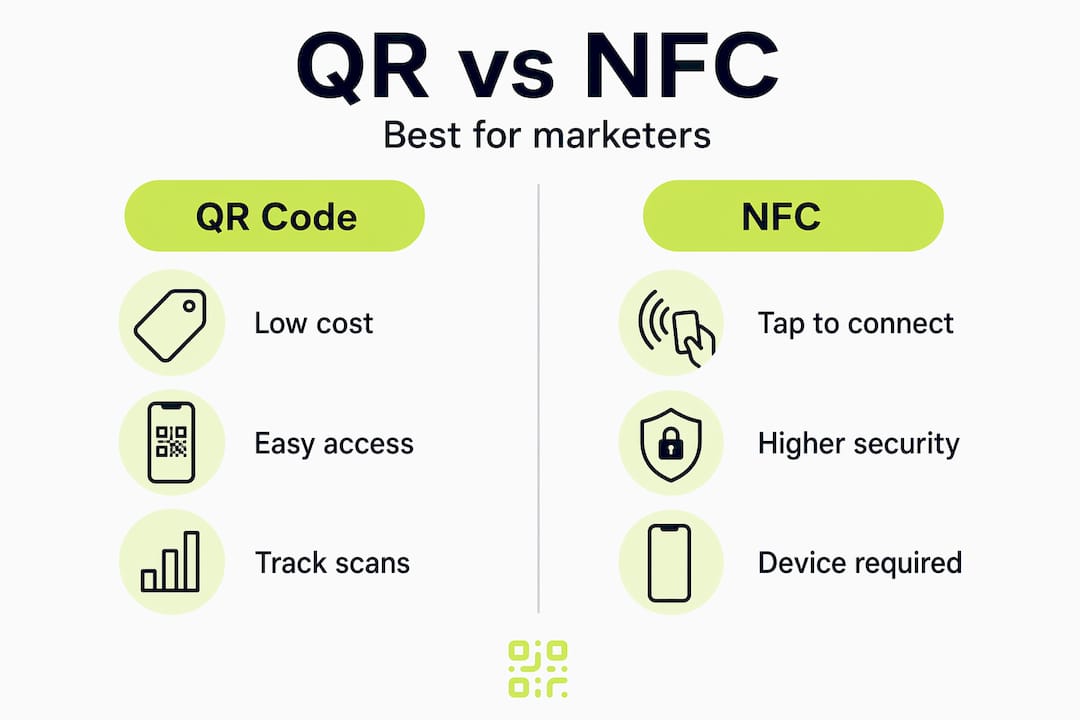
A use-case-driven approach avoids the common mistake of applying one technology to every scenario. For most marketing and advertising campaigns, QR codes remain the practical default.
Setting up trackable QR codes properly
Getting accurate data starts before the QR code is ever printed. These four steps cover what most marketers overlook.
-
Always use dynamic QR codes. Choose a platform that hosts redirect URLs on its own infrastructure. This gives you the ability to update the destination URL after printing, which is essential for fixing broken links or redirecting seasonal campaigns without reprinting materials.
-
Append UTM parameters to the destination URL. Combining QR codes with UTM parameters creates a dual-layer tracking approach. The QR platform captures scan-level data (device, location, time), while your UTM parameters feed source, medium, and campaign data directly into Google Analytics or your preferred analytics platform. This closes the offline-to-online attribution gap.
-
Respect minimum size and quiet zone requirements. Poor print quality causes scan failures and lost conversions. The minimum recommended size is 2 cm x 2 cm for materials viewed at close range. Ensure there is a clear white border (the quiet zone) of at least four modules wide around the code. For larger formats such as posters or billboards, scale proportionally to the viewing distance.
-
Link to a specific landing page, not your homepage. Sending every scan to your homepage makes it nearly impossible to attribute conversions to a specific campaign, placement, or piece of creative. Create dedicated landing pages for each campaign so your analytics reflect the actual user path.
Pro Tip: If you want to make a QR code with image overlays or branded colours, verify that the error correction level is set to high (level H). This allows up to 30% of the code surface to be obscured by a logo or graphic without affecting scannability.
You can explore how advanced tracking capabilities work within a dedicated QR platform to understand what to look for when evaluating your options.

Analysing scan data to improve campaigns
Collecting data is only useful if you act on it. Here is what to monitor and what each metric tells you.
Metrics worth your attention
- Total scan count by code. Useful for comparing performance across placements, but do not treat it as the only measure of success.
- Geographic distribution. Which cities or regions are generating the most scans? This can reveal misalignment between where you placed materials and where your actual audience is. Geographic and device data surface optimisation opportunities that raw scan counts never will.
- Device type and OS. If 85% of scans come from iOS but your landing page is not optimised for Safari, you have a conversion problem hiding behind decent scan numbers.
- Scan timing. Hour-by-hour and day-by-day breakdowns show when your audience is most active. A restaurant QR code on a table tent that gets most scans between 12:00 and 14:00 tells you exactly when to run a lunchtime offer.
A/B testing with multiple codes
One of the most underused applications of QR code tracking is comparing performance across different placements or creatives. You assign a unique dynamic QR code to each variant, for example one to a window display and another to a counter card, both pointing to the same landing page. The scan data tells you which placement drives more engagement without any changes to the destination.
| Variant | Placement | Scans (week 1) | Scan-to-conversion rate |
|---|---|---|---|
| Code A | Window display | 142 | 18% |
| Code B | Counter card | 89 | 31% |
In this example, the counter card generates fewer scans but a higher conversion rate, suggesting a more motivated audience at point of decision. That is the kind of insight that changes where you invest in print next time.
Integrating QR scan data with UTM-based web analytics completes the attribution picture by connecting a physical scan to a completed purchase, sign-up, or enquiry.
Common challenges in QR tracking campaigns
Even well-planned campaigns run into problems. These are the most frequent issues and how to address them.
- Tracking failures from static codes. If a colleague or agency generated QR codes without your involvement, verify they are dynamic before printing. There is no way to add tracking to a static code after the fact.
- Data privacy compliance. Collecting location and device data from scans means you are processing personal data in many jurisdictions. Review your privacy policy and consider using a platform with built-in GDPR compliance. The QR data privacy guide from Qrlytics covers the key considerations for compliant tracking.
- Vendor lock-in. Relying on third-party platforms to host your redirect URLs creates a dependency. If that service changes its pricing, gets acquired, or shuts down, every printed QR code stops working. Choose platforms that are transparent about their infrastructure and have clear policies on code longevity.
- Monitoring high-volume campaigns. If you run a national campaign with codes on thousands of pieces of printed material, real-time alerts and dashboard summaries help you catch unexpected spikes or drop-offs quickly. Set up periodic reports rather than checking dashboards manually.
My honest take on QR code tracking
I have worked with marketing teams of all sizes, and the single biggest mistake I see repeatedly is treating QR code tracking as an afterthought. Teams spend weeks on creative direction and print production, then add a static QR code in the final hour because they just want a code that works. It does work, technically. But they get no data from it and no way to change the destination if something goes wrong post-print.
When a team switches to dynamic QR codes and starts tagging destination URLs with proper UTM parameters, the shift in how they think about offline media is immediate. Suddenly a poster campaign has a scan rate, a geographic breakdown, and a conversion path. Printed materials become a measurable part of the marketing mix rather than a leap of faith.
What I have also seen is teams over-engineering it. Dozens of UTM variants, complex redirect chains, and custom domains that nobody maintains after the original campaign manager moves on. My advice is to keep the structure simple and consistent. Source, medium, and campaign are usually enough. Add content or term only when you genuinely need to compare creative variants.
The other thing worth saying plainly: not all QR tracking platforms are equal in terms of data ownership. Analytics in marketing drives measurably better ROI when you actually own and control the underlying data. Platforms that hold your scan history hostage behind a subscription, or that delete your data if you downgrade, undermine the whole point of building a tracking infrastructure.
— The Qrlytics editorial team
Start tracking smarter with Qrlytics
If you are ready to move beyond guesswork and turn your QR codes into a measurable marketing channel, Qrlytics is built specifically for that purpose.

Qrlytics offers dynamic QR code generation with real-time scan analytics, geographic heat maps, device breakdowns, and full UTM support. Every code you create during an active subscription remains functional permanently, regardless of billing status, so your printed materials never become obsolete due to a lapsed payment. You can update destination URLs at any time, making it practical to reuse existing print runs for new campaigns. GDPR-compliant tracking is built in, so you do not need to configure compliance separately. Start with the free QR code generator, no credit card required, and upgrade only when your tracking needs grow.
FAQ
What is the difference between static and dynamic QR codes?
Static QR codes encode the destination URL directly and cannot be tracked or edited. Dynamic QR codes use a redirect URL that logs scan data and allows you to update the destination without reprinting the code.
How do I track QR code scans in Google Analytics?
Append UTM parameters to the destination URL in your dynamic QR code. When someone scans the code and lands on your page, Google Analytics records the source, medium, and campaign values, attributing the visit to the correct offline touchpoint.
What data does QR code tracking capture?
Dynamic QR codes capture location, device type, operating system, timestamp, and any UTM parameters attached to the redirect URL. Static codes capture nothing.
How large does a QR code need to be to scan reliably?
The minimum recommended size is 2 cm x 2 cm for close-range materials such as business cards or leaflets. Always maintain a clear quiet zone border and use high error correction if you are adding a logo or branded graphic.
Is QR code tracking GDPR compliant?
It can be, but compliance depends on how data is collected and stored. Location and device data are personal data under GDPR. Use a platform with built-in compliance controls and update your privacy policy to disclose scan tracking to users.