QR codes in touchless access: a practical guide
TL;DR:
- QR codes serve as secure digital credentials that enable contactless access control and visitor management across various venues. Dynamic codes, updated every few seconds, enhance security, while offline validation and accessible fallback options ensure inclusivity and operational resilience. Proper data governance and clear communication prevent confidence failures, making QR codes a practical touchless solution.
QR codes are defined as machine-readable digital credentials that grant or deny physical access without any contact between a person and a surface. The role of QR codes in touchless access has expanded well beyond marketing menus and payment screens. Today, venue operators and business professionals use them to manage employee entry, visitor check-in, and multi-zone access control across offices, event spaces, and public facilities. Platforms like Eventrize, Greetly, and WCMI have built entire visitor management workflows around QR-based entry, demonstrating that the technology is production-ready, not experimental. When paired with dynamic code generation and real-time analytics, QR codes offer a level of security and operational visibility that physical keys and RFID cards rarely match.
How QR codes enable secure touchless entry in venues
QR-based access control, the recognised industry term for this category, works by issuing each user a unique code that a reader validates against a credential database. The critical security distinction is between static and dynamic codes. Dynamic QR codes refresh every few seconds using Time-based One-Time Password (TOTP) logic, which means a screenshot taken by an unauthorised person becomes worthless within seconds. This single feature shifts the risk model considerably compared to printed badges or swipe cards.
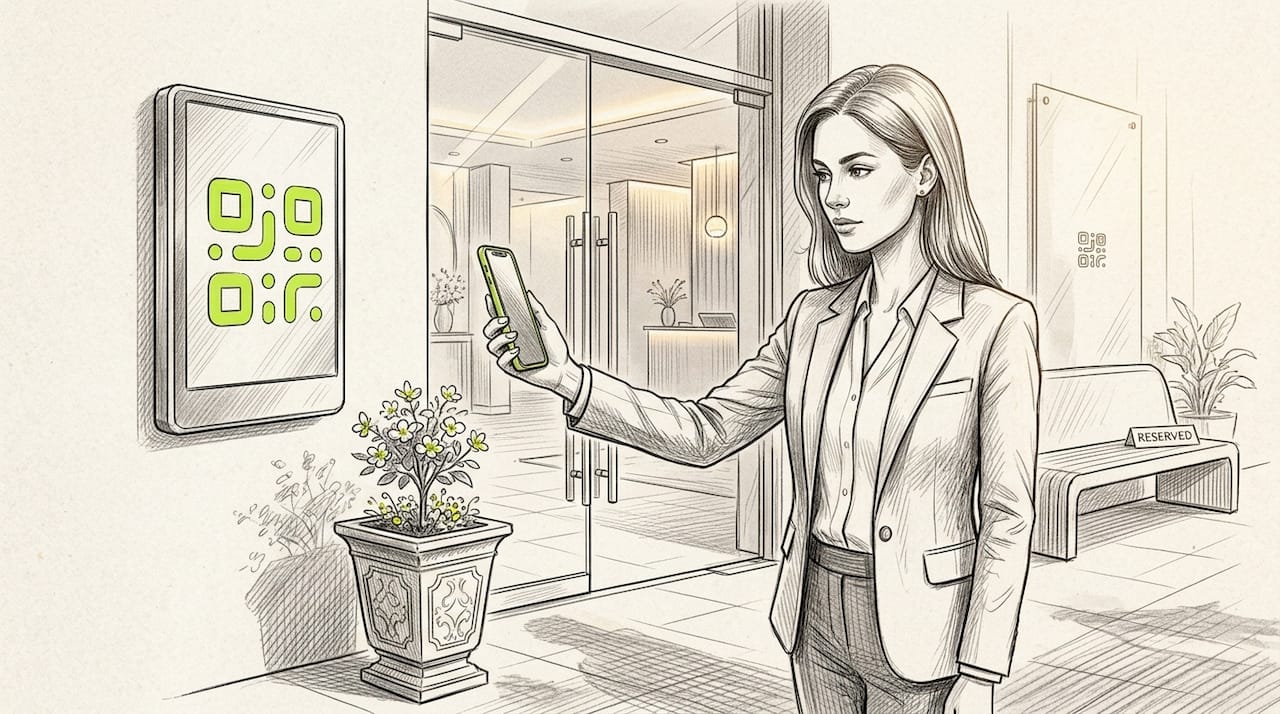
The hardware side matters too. High-performance readers fitted with global shutter sensors capture codes from moving smartphones in low light, which removes the frustrating pause at the door that undermines user confidence. Dual-technology readers that accept both QR codes and RFID cards are particularly useful for phased rollouts, where you need to support legacy credentials while migrating staff to smartphone-based entry.
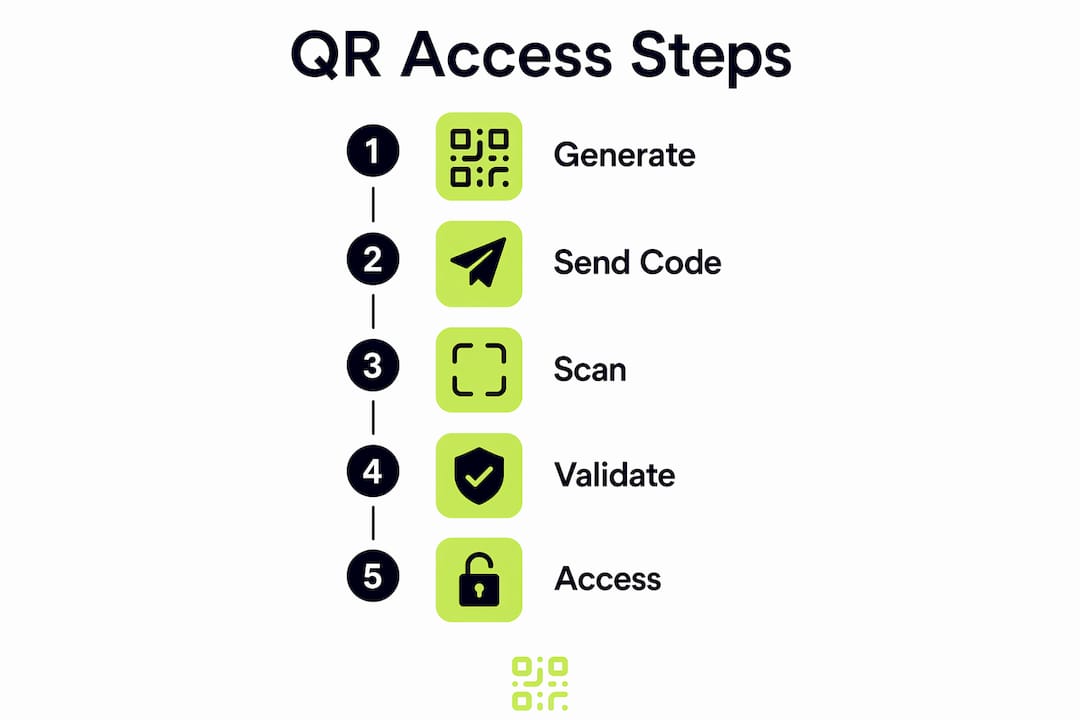
A typical entry workflow looks like this:
- Employee receives a time-limited QR credential via email or a mobile app. They present their phone at the reader, which validates the code and logs the event.
- Visitor pre-registers through a system like Greetly or Eventrize. Their unique code arrives by SMS or email before arrival. Each attendee’s code is linked to their registration record, preventing duplicate or unauthorised entry.
- Delivery driver receives a single-use code valid for a 30-minute window. Once used or expired, the credential is automatically revoked with no manual intervention required.
Admins can issue and revoke credentials remotely, which is a significant operational advantage over physical keys. Losing a key card requires a physical replacement; revoking a QR credential takes seconds from any browser.
Pro Tip: Configure your credential system to send automatic expiry notifications to visitors 15 minutes before their access window closes. This reduces helpdesk calls and keeps entry lanes clear.
QR codes vs other touchless technology solutions
Choosing the right touchless technology for your venue requires understanding the genuine trade-offs, not just the marketing claims. The table below compares QR codes against the most common alternatives.
| Technology | Cost to deploy | Privacy profile | Visitor flexibility | Physical credential needed |
|---|---|---|---|---|
| QR codes | Low (software-led) | High (no biometric data) | Excellent (any smartphone) | No |
| RFID cards | Medium (hardware per user) | Medium (card ID stored) | Limited (card must be issued) | Yes |
| NFC (tap-to-enter) | Medium to high | Medium | Good (modern phones) | No, but device-dependent |
| Biometric (fingerprint/face) | High | Low (sensitive data stored) | Poor for visitors | No |
QR codes win on cost and deployment speed because there is no per-user hardware to procure. A visitor receives their credential digitally and arrives ready to enter. Biometric systems, by contrast, require enrolment, which creates friction for one-time visitors and raises significant data protection concerns under regulations like GDPR and India’s DPDP Act.
The sustainability argument for QR codes is also underappreciated. Eliminating printed badges and plastic RFID cards reduces waste across high-volume venues. A conference running 5,000 attendees annually can remove thousands of single-use plastic cards from its operations by switching to QR-based entry.
The honest limitations are worth stating. QR code access depends on the visitor having a charged, functional smartphone. Venues must plan for users who cannot or do not use smartphones, and network dependency can create bottlenecks if the validation system is not architected correctly. Both challenges have practical solutions, covered in the sections below.
How to make QR code access inclusive for all visitors
Accessibility is not optional. The W3C WCAG guidance on alternative content is clear that venues must provide alternative pathways for users who cannot interact with QR codes, whether due to disability, device limitations, or cognitive barriers. Treating QR scanning as the only route to entry will exclude a meaningful portion of your visitors.
Practical steps for an inclusive QR access deployment include:
- Provide a staffed fallback lane at every entry point where a visitor can present a printed confirmation or verbal identification instead of scanning a code.
- Design scan destination pages with cognitive accessibility in mind. Use plain language, large text, and minimal steps. A visitor who scans a code should not face a complex form before gaining entry.
- Send QR codes in multiple formats. Offer both an image attachment and a clickable link in confirmation emails, so users on older devices or with visual impairments can access their credential through a screen reader or assistive technology.
- Display clear signage at entry points explaining both the scan process and the alternative route. Signage should use high-contrast colours and pictograms alongside text.
- Test with real users before launch. Run a pilot with a small group that includes people with varying levels of digital literacy and different device types.
Pro Tip: Place your alternative entry lane to the left of the main QR scanner, not at the back of the venue. Visitors who need assistance should not have to walk further than anyone else.
The WCAG principle of clearly marked alternatives applies directly to physical access design, not just digital interfaces. When you map your entry flow, treat the scan journey and the non-scan journey as equally important design problems.
Security and privacy compliance for QR access systems
Privacy compliance in QR-based visitor management is primarily a process problem, not a technology problem. The QR code itself does not create legal risk. What creates risk is how you collect, store, and govern the data generated when someone scans it.
Under India’s DPDP Act and equivalent frameworks like GDPR, visitor management systems must present a privacy notice before any data is collected, restrict access to that data, and retain logs for at least one year. These are operational requirements that your system configuration must enforce, not just policy documents to file away.
Key compliance and security steps for any QR access deployment:
- Present a privacy notice at the point of pre-registration, before the visitor’s data enters your system.
- Restrict access to scan logs and visitor records to named personnel with a documented business need.
- Apply security configuration checklists to every device and software component in your access stack, from the reader firmware to the web portal used by administrators.
- Retain access event logs for at least 12 months to support incident response and compliance audits.
- Configure your system for offline-first validation so that a network outage does not create an uncontrolled access event.
On that last point, offline-first architectures cache credential data locally on the scanner device, enabling validation without a live network connection. This is not a luxury feature for large venues. Any facility that cannot afford an access bottleneck during a connectivity drop should treat offline validation as a baseline requirement.
Legal compliance in visitor management depends on operationalising privacy notices and data controls, not on the QR technology itself. The code is the key. Your data governance is the lock.
Detailed scan logging supports incident response by providing a timestamped audit trail of every entry event. If a security incident occurs, your team can reconstruct a precise timeline of who accessed which zone and when. Without that log, you are working from memory.
Key takeaways
Secure, compliant QR code access control requires dynamic credentials, offline validation, accessible alternatives, and privacy-first data governance working together.
| Point | Details |
|---|---|
| Dynamic codes prevent sharing | TOTP-based codes refresh every few seconds, making screenshots useless for unauthorised entry. |
| Offline validation prevents bottlenecks | Local credential caching keeps entry lanes functional during network outages at any venue size. |
| Accessibility requires parallel pathways | Every QR entry point needs a clearly marked alternative route for visitors who cannot scan. |
| Privacy compliance is operational | DPDP and GDPR require pre-scan notices, restricted data access, and 12-month log retention. |
| QR codes reduce per-user hardware costs | No physical credentials to procure or replace, making QR access significantly cheaper to scale. |
What I have learned from real QR access deployments
The most common failure I see in QR access rollouts is not a technology failure. It is a confidence failure. Operators deploy a technically sound system and then undermine it by not communicating clearly with the people using it. Visitors arrive uncertain whether to scan at the reader or open a link in their email. Staff at the door are not briefed on the fallback process. The result is a queue, which is precisely what the system was meant to eliminate.
The second lesson is about online-only validation. I have seen high-traffic venues grind to a halt during brief network interruptions because their validation system had no local cache. The fix is straightforward: offline-first credential caching resolves this entirely. But it requires deliberate architectural choice upfront, not a patch after the first incident.
Dynamic codes have genuinely changed the security conversation. Before TOTP-based refresh, the standard advice was to treat QR credentials as semi-public because anyone with a photo could use them. Now, audit trails from scan logging combined with short-lived codes give security teams real control. The risk model is closer to a time-limited PIN than a static badge, which is a meaningful improvement.
My honest view is that QR codes are the most practical touchless access technology available to most venues today, not because they are perfect, but because they are deployable without specialist hardware, understandable by most users, and adaptable to almost any entry workflow. The venues that get the most from them are the ones that treat implementation as a user experience problem first and a technology problem second.
— The
Manage your QR access codes with Qrlytics

If you are deploying QR codes for touchless access, the reliability of your code infrastructure matters as much as your entry hardware. Qrlytics provides dynamic QR code generation with real-time scan analytics, GDPR-compliant tracking, and the guarantee that codes created during an active subscription remain functional permanently. You can update the destination URL of any code without reprinting or reissuing credentials, which is particularly useful when access workflows change. For teams managing visitor data, Qrlytics also offers guidance on QR data privacy to help you stay compliant. No credit card is required to get started.
FAQ
What is the role of QR codes in touchless access?
QR codes act as digital credentials that a reader validates to grant or deny physical entry without any surface contact. Dynamic QR codes, which refresh every few seconds using TOTP, add a security layer that static codes and physical keys cannot match.
Are QR codes more secure than RFID cards for access control?
Dynamic QR codes are generally more secure than standard RFID cards because they expire within seconds, making stolen or copied credentials useless. Admins can also revoke QR credentials remotely and instantly, whereas a lost RFID card requires physical replacement.
How do QR codes support visitor management?
Systems like Eventrize issue each visitor a unique QR code linked to their registration record, enabling instant validation at entry and preventing duplicate or unauthorised access. Live attendance tracking across multiple gates gives venue managers real-time visibility.
What accessibility requirements apply to QR code entry systems?
W3C WCAG guidance requires that venues provide clearly marked alternative entry pathways for users who cannot scan QR codes. This means a staffed fallback lane and accessible scan destination pages designed with plain language and minimal steps.
What data protection rules apply to QR-based visitor management?
Under frameworks like GDPR and India’s DPDP Act, visitor management systems must display a privacy notice before collecting data, restrict access to records, and retain access logs for at least 12 months to support audits and incident response.