QR code for pool and spa access: a guide for facilities
TL;DR:
- A QR access system verifies guest entitlement at pools or spas by scanning dynamic codes linked to real-time booking data. It improves speed, security, and data collection, while supporting integration with management software and GDPR compliance. Qrlytics offers a permanent, managed solution with analytics, dynamic updates, and reliable performance guarantees.
A QR access system for a pool or spa is a digital credentialing layer that verifies a guest’s entitlement at the gate: the visitor scans a code, the cloud platform confirms their booking or membership status, and the gate or turnstile opens. The single best-practice recommendation is to use dynamic, managed QR codes tied to a cloud access dashboard with PMS or reservation integration. That combination gives you permanent, auditable access control without the cost and friction of physical keys or cards. If you take one action from this guide, evaluate whether your chosen platform supports dynamic QR capability and real-time integration with your booking system before you commit.
Table of Contents
- What does a QR access system actually do for pools and spas?
- Why facilities choose QR entry over keys, cards and manual checks
- Technical components and integrations to plan for
- Security, privacy and legal considerations for UK pools and spas
- How to implement a QR access system: a step-by-step checklist
- Which analytics should you track and why do they matter?
- Why permanence matters and what platform guarantees to look for
- Key takeaways
- What vendors typically miss in QR access deployments
- Qrlytics gives your facility permanent, managed QR access
- Useful sources and further reading
- FAQ
What does a QR access system actually do for pools and spas?
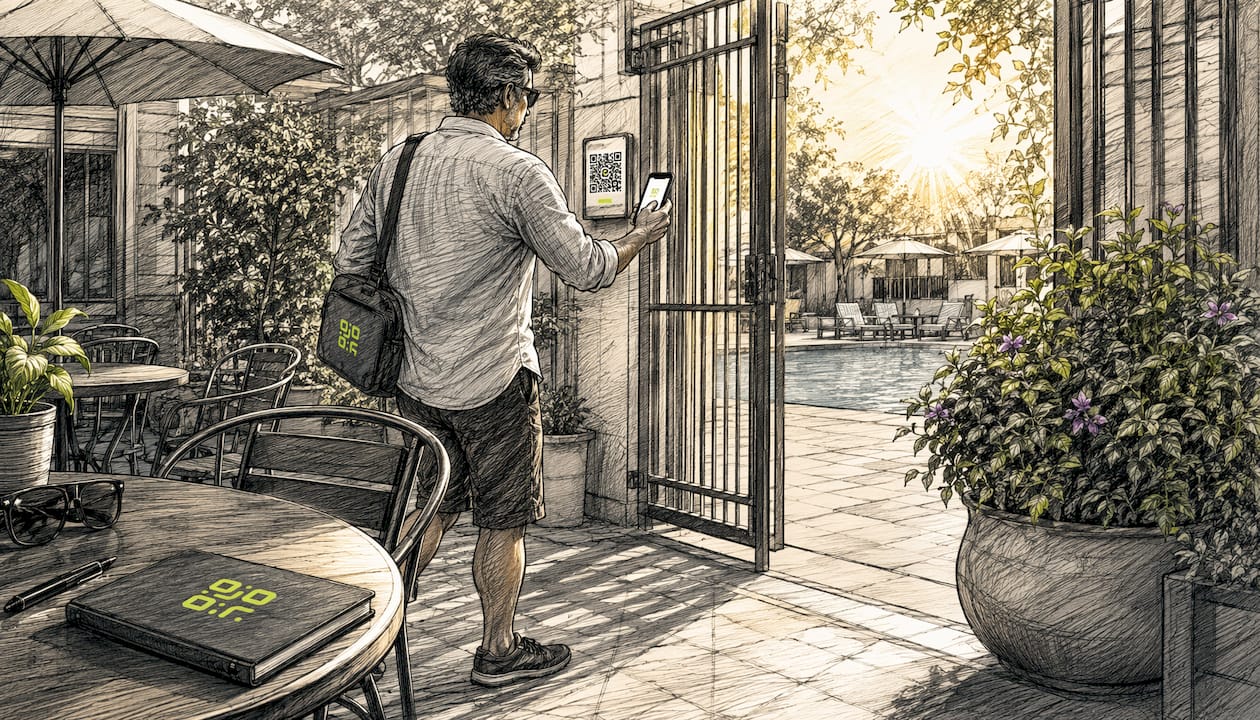
The visitor flow is straightforward. A guest books online or holds an active membership; the system issues a dynamic QR code by email or to a smartphone wallet app. At the gate, a scanner or staff tablet reads the code, the cloud platform checks the credential in real time, and entry is permitted or denied. Cloud-based pool access systems let managers control who can enter, when they can enter, and what activities are allowed using mobile credentials and QR scanning.
The feature set you should require from any platform:
- Dynamic (one-time or rotating) QR codes that can be revoked or updated without reprinting
- Time-based scheduling (for example, 08:00–22:00 access windows) and hard capacity limits
- Single-use day passes and recurring guest passes for members bringing visitors
- Photo and active-status display on scan, so staff can verify identity at a glance
- Staff and admin dashboards with real-time occupancy and audit logs
Practical use cases span resident community pools issuing recurring seasonal passes, pay-per-visit spa day-pass workflows, and temporary contractor or supplier access that expires automatically.
Why facilities choose QR entry over keys, cards and manual checks
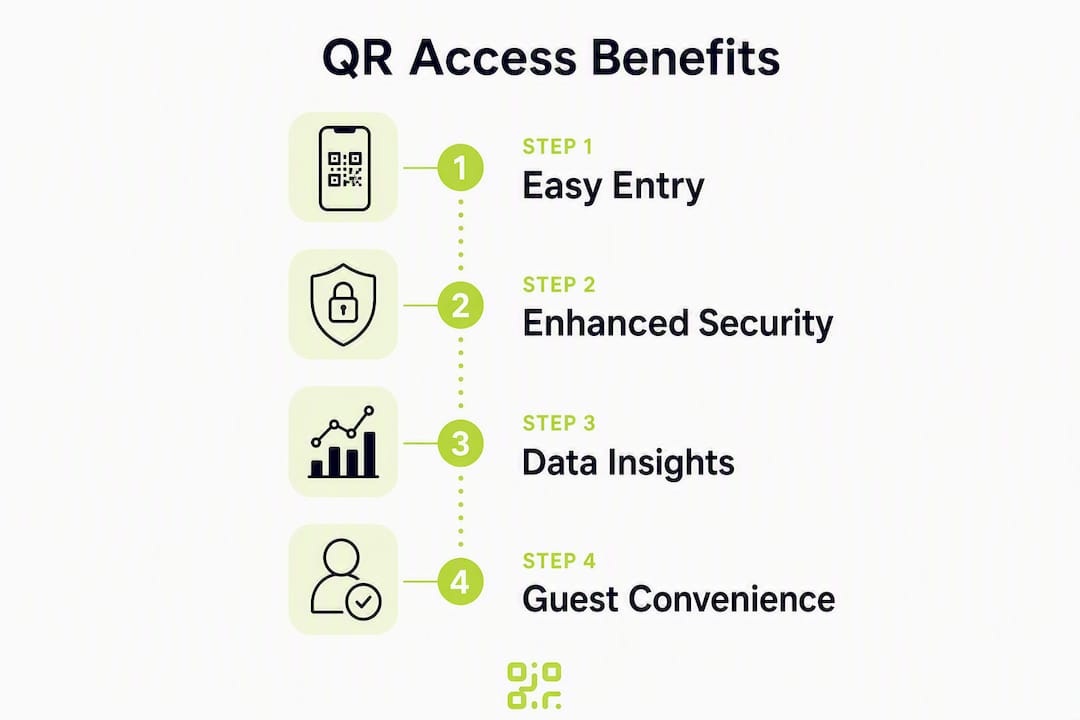
Speed is the most immediate gain. QR code check-ins are faster than manual list checking and reduce wait times; systems verify membership status, check balances, and log arrival time instantly. That removes the bottleneck at the gate during peak hours without adding staff.
Throughput in practice: Integrated kiosk systems that issue wristbands after QR scanning have increased guest throughput on busy days, reducing queues and staff load significantly.
Security control is meaningfully better than static cards or keys. Advanced QR access systems enforce time-based scheduling and capacity limits, providing automation that physical media simply cannot match. A code that expires at 22:00 cannot be used at midnight; a capacity-capped session cannot be oversold.
The marketing benefit is less obvious but equally valuable. Every scan generates a timestamped data point: arrival time, frequency, pass type, and scan origin. That data feeds repeat-visit analysis, campaign attribution, and staffing decisions, turning your entry system into a measurement asset.
Technical components and integrations to plan for
Getting the hardware and software stack right before launch prevents the majority of post-go-live problems. Here is the procurement checklist in order of dependency:
- Internet-connected scanner or kiosk (dedicated wall-mount, staff tablet, or turnstile-integrated reader)
- Cloud access control server with a web dashboard and mobile admin app
- Dynamic QR generator capable of real-time credential issuance and revocation
- Door, turnstile, or gate relay controller wired to the scanner output
- PMS or reservation software integration via webhook or API so permissions update automatically without manual staff steps
- Network resilience plan including a 4G/LTE failover router for sites with unreliable fixed broadband
QR systems work best when integrated with existing management or reservation software so that access permissions update automatically. Without that link, staff must manually revoke or issue codes, which defeats the purpose.
Pro Tip: Test your integration on a small sample of five to ten real bookings before go-live. Check for race conditions: overlapping check-ins, expired passes, offline scanner behaviour, and staff override workflows. Problems found in a pilot cost minutes to fix; problems found on a busy Saturday cost you guests.
Digital ticketing and QR workflows can combine ticket sales, wristband issuance, and access control so the whole process runs without staff intervention on high-volume days.
Security, privacy and legal considerations for UK pools and spas
UK GDPR applies to any system that logs personal data at entry, and a QR access system almost always does. The practical obligations are manageable if you design them in from the start rather than retrofit them later.
Data minimisation is the first principle. Store only what is necessary: a scan timestamp, a pass identifier, and an entry/denial flag. Avoid capturing device identifiers or location data unless you have a clear lawful basis and have disclosed it.
Pro Tip: Place a brief privacy notice at the booking confirmation stage and on physical signage at the gate. State the lawful basis (contract performance for members, legitimate interest for day visitors), what data is retained, and for how long. A one-sentence notice on a poster satisfies the transparency requirement for most leisure facilities.
Accessibility is a legal and operational obligation. For older demographics or low-connectivity sites, maintain physical fallback methods such as key fobs or manual logs to avoid blocking access when technology fails. Staff must have a clear override procedure, and emergency evacuation logs must be exportable from the cloud dashboard within minutes of a fire alarm.
For detailed guidance on QR data privacy practices, the Qrlytics blog covers GDPR-aware tracking and data-minimisation approaches in depth.
How to implement a QR access system: a step-by-step checklist
Project phases
- Requirements — define pass types, capacity rules, PMS integration needs, and fallback procedures
- Vendor selection — evaluate dynamic QR capability, uptime guarantees, API access, and GDPR features
- Hardware procurement — order scanners, gate relays, and network failover equipment
- Integration build — connect the QR platform to your PMS or reservation system and test webhooks
- Pilot — run five to ten real bookings through the full flow; verify offline behaviour and staff overrides
- Staff training — cover dashboard use, manual override, fallback procedures, and privacy obligations
- Phased rollout — open one entry point first, monitor for a week, then expand
Typical timelines and costs
- Small community pool: one to two weeks from vendor sign-off to go-live; hardware costs vary by gate type
- Commercial spa with PMS integration: three to six weeks including integration build and pilot phase
- Contingency: keep a manual sign-in sheet and a stock of key fobs for the first month
For a deeper look at touchless access implementation, the Qrlytics guide covers hardware choices and scanning workflows in practical detail.
Which analytics should you track and why do they matter?
Operational KPIs tell you whether the system is working and where to deploy staff:
- Scans per hour by entry point
- Peak arrival windows (useful for lifeguard scheduling)
- Capacity utilisation against your permitted maximum
- Entry failure rate (expired passes, unrecognised codes)
Marketing KPIs turn your entry data into campaign intelligence. New versus returning visitor ratios reveal retention; scan-origin heatmaps show which postcodes or campaign channels drive footfall. If you run a promotional QR code in a local magazine, a unique dynamic code for that campaign tells you exactly how many visits it generated.
Cloud dashboards with API and CSV export are invaluable for audits and health-and-safety checks. Schedule a weekly CSV export for your operations manager and connect the API to your BI tool for live dashboards. Qrlytics’s scan tracking features cover real-time analytics, heatmaps, and CSV export in one platform.
Analytics-driven decisions also improve marketing ROI. Facilities that use data to inform marketing consistently outperform those relying on intuition alone.
Why permanence matters and what platform guarantees to look for
The most common failure mode in QR access deployments is a code that stops working. This happens when a provider deactivates codes after a billing lapse or subscription change. For a pool or spa with printed signage, laminated passes, and emailed codes already in guests’ inboxes, a broken code is an operational crisis.
Dynamic QR codes are preferable to static codes for permanent access because they can be deactivated instantly if a member falls behind on dues or a security breach occurs. The redirect layer is the key: the printed code never changes, but the destination it points to can be updated at any time.
Pro Tip: Archive your destination URL history. If a redirect is ever misconfigured, you need a record of where each code pointed and when, both for audit purposes and to restore service quickly.
Guarantees to require from any provider:
- Uptime SLA for the redirect infrastructure (99.9% or better)
- Ability to update the destination URL without reprinting the code
- API access for automated credential management
- Exportable audit logs and cryptographic authentication certificates
- Written confirmation that codes remain active if your subscription status changes
Qrlytics is built around exactly this model: dynamic destination updates and a permanence guarantee mean codes you print today remain functional regardless of future billing events.
Key takeaways
A QR access system for pools and spas works reliably only when it combines dynamic codes, real-time PMS integration, and GDPR-aware logging from day one.
| Point | Details |
|---|---|
| Use dynamic QR codes | Dynamic codes can be revoked or redirected instantly; static codes cannot be controlled once printed. |
| Require PMS integration | Permissions must update automatically via API or webhook to avoid manual staff intervention. |
| Plan for accessibility | Maintain physical fallbacks (fobs, manual logs) for guests without smartphones or in low-connectivity areas. |
| Track operational KPIs | Monitor scans per hour, capacity utilisation, and entry failure rates to inform staffing and safety decisions. |
| Choose Qrlytics for permanence | Qrlytics guarantees codes remain active after subscription changes and provides dynamic updates, GDPR-aware tracking, and CSV export. |
What vendors typically miss in QR access deployments
The gap between a QR access demo and a working deployment is almost always in the edge cases. Vendors show you the happy path: guest scans, gate opens, everyone smiles. What they rarely demo is the 68-year-old member whose phone battery is at 2%, the scanner that loses connectivity during a school holiday rush, or the staff member who has never seen the admin dashboard before.
Over-reliance on static codes is the most avoidable mistake. A static code printed on a membership card cannot be revoked if the membership lapses; the only remedy is to reprint and redistribute, which costs time and money. Dynamic codes solve this entirely, yet some platforms still default to static generation.
Under-testing on low-connectivity days is the second pitfall. Demand that your vendor demonstrates offline scanner behaviour before you sign a contract. If the scanner cannot cache recent credentials and grant or deny entry without a live internet connection, you have a single point of failure at the worst possible moment.
Guest experience for older demographics deserves more attention than most procurement briefs give it. A QR code is intuitive to a 30-year-old and genuinely confusing to some older guests. Design your fallback procedure to be dignified and quick, not a queue at the reception desk.
Finally, insist on CSV export and API access during procurement, not as an afterthought. Audit logs are a health-and-safety obligation for leisure facilities, and a platform that cannot export them in a usable format will cost you hours when an incident review is required.
Qrlytics gives your facility permanent, managed QR access
Permanent QR access with real analytics is exactly what Qrlytics is built for. Unlike free or basic generators that deactivate codes when a subscription lapses, Qrlytics guarantees that codes created during an active plan remain functional permanently. You get dynamic destination updates (change where a code points without reprinting), real-time scan analytics, global heatmaps, GDPR-aware tracking with data-minimisation controls, CSV export for audits, and API access for PMS integration.

For facility managers who need scheduling, capacity controls, and exportable logs, the dynamic QR code generator is the right starting point. No credit card is required to begin a free trial, so your team can test the full flow against a live booking before committing. If your deployment is larger or requires enterprise onboarding, the Qrlytics team can walk you through integration options directly. Start your free trial at qrlytics.app today.
Useful sources and further reading
- Cloud-Based Community Pool Access Systems — Proptia: practical overview of cloud credential control for leisure facilities
- Check-In System Guide for Swim Clubs — PoolPulse: covers QR check-in speed, fallback planning, and demographic considerations
- Digital Access Solution for Swimming Pools and Spas — TAC: kiosk and wristband integration for high-throughput venues
- Access Control for Swimming Pools — EasySecure: integration priorities and PMS connection guidance
- What Is an Easy Pool Pass and How Does It Work? — Access Granted Systems: dynamic versus static code comparison and membership workflows
- UK GDPR Guidance — ICO: authoritative source for data-minimisation, lawful basis, and retention obligations
- QR Data Privacy Guide — Qrlytics Blog: practical GDPR-aware tracking guidance for QR deployments
- Touchless Access Practical Guide — Qrlytics Blog: hardware choices and scanning workflows for leisure and workplace settings
FAQ
What is a QR code for pool or spa access?
A QR code for pool or spa access is a digital credential that a guest scans at the gate; the cloud platform verifies their booking or membership status in real time and permits or denies entry automatically.
Are dynamic QR codes better than static ones for pool access?
Yes. Dynamic QR codes can be revoked or redirected instantly if a membership lapses or a security issue arises; static codes cannot be controlled once printed and distributed.
Does a QR access system need to comply with UK GDPR?
Any system that logs personal data at entry falls under UK GDPR. You need a clear lawful basis, a privacy notice at booking and on gate signage, defined retention periods, and exportable audit logs.
What happens if a guest does not have a smartphone?
Maintain a physical fallback such as a key fob or a manual sign-in log. For older demographics or low-connectivity sites, a backup method is both a practical necessity and an accessibility obligation.
Can Qrlytics support a pool or spa QR access deployment?
Qrlytics provides dynamic QR codes with permanent redirect guarantees, real-time scan analytics, GDPR-aware tracking, CSV export, and API access, covering the core requirements for a managed pool or spa entry system.