QR codes for workspace signage: enterprise guide
TL;DR:
- Workspace signage QR codes are dynamic markers linking to live digital content that can be updated without replacing signs. They provide cost-effective, touchless engagement, real-time updates, and measurable usage data for modern office environments. Selecting a platform with permanence guarantees and GDPR compliance is essential for long-term operational success.
A QR code for workspace signage is a scannable matrix barcode placed on a physical sign that links employees, visitors, or contractors to live digital content — room booking pages, floorplans, staff directories, or safety information — rather than printing that content directly onto the sign. Unlike a generic QR code on a product label, a workspace signage QR code is typically dynamic: its destination URL can be updated without replacing the physical sign. For UK organisations, the right platform combines a permanence guarantee (codes stay live even if billing lapses) with GDPR-aware tracking that collects only the data your signage disclosure covers.
Privacy note: Under UK GDPR, scan data counts as personal data when it can identify an individual. Apply data minimisation from day one and display a brief disclosure on or near each sign explaining what is collected and why.
Table of Contents
- Why add QR codes to your workspace signage?
- Static versus dynamic QR codes: which suits long-lived signage?
- What organisations actually do with workspace QR codes
- How to implement QR codes on workspace signage
- Monitoring, maintenance, and pitfalls to avoid
- How to choose a QR code platform for workspace signage
- Key takeaways
- The lesson most rollouts learn too late
- Qrlytics keeps your workspace QR codes live and measurable
- Useful sources
- FAQ
Why add QR codes to your workspace signage?
The business case is straightforward once you look at the numbers. A QR-based wall sign in a small aluminium frame costs roughly $8–$15 installed, compared with $300–$800 for a high-quality printed lobby directory. Over five years, a QR-based approach can cost about 15% of the printed equivalent. That cost gap widens every time a team moves desks or a room changes function.
Beyond cost, the operational benefits stack up quickly:
- Instant content updates. Change a destination URL in your platform and every sign pointing to it reflects the update immediately, with no reprinting.
- Touchless interactions. Visitors and staff scan with their own phone camera. Contactless room booking and schedule checks require no app download.
- Measurable engagement. Scan analytics show which signs get used, at what times, and from which locations, giving facilities and marketing teams real usage data rather than estimates.
- Reduced friction for visitors. A single scan at reception can trigger check-in, surface a welcome pack, or display a live map.
For marketers, scan-rate data per sign location is the equivalent of a page-view metric for physical space.
Static versus dynamic QR codes: which suits long-lived signage?
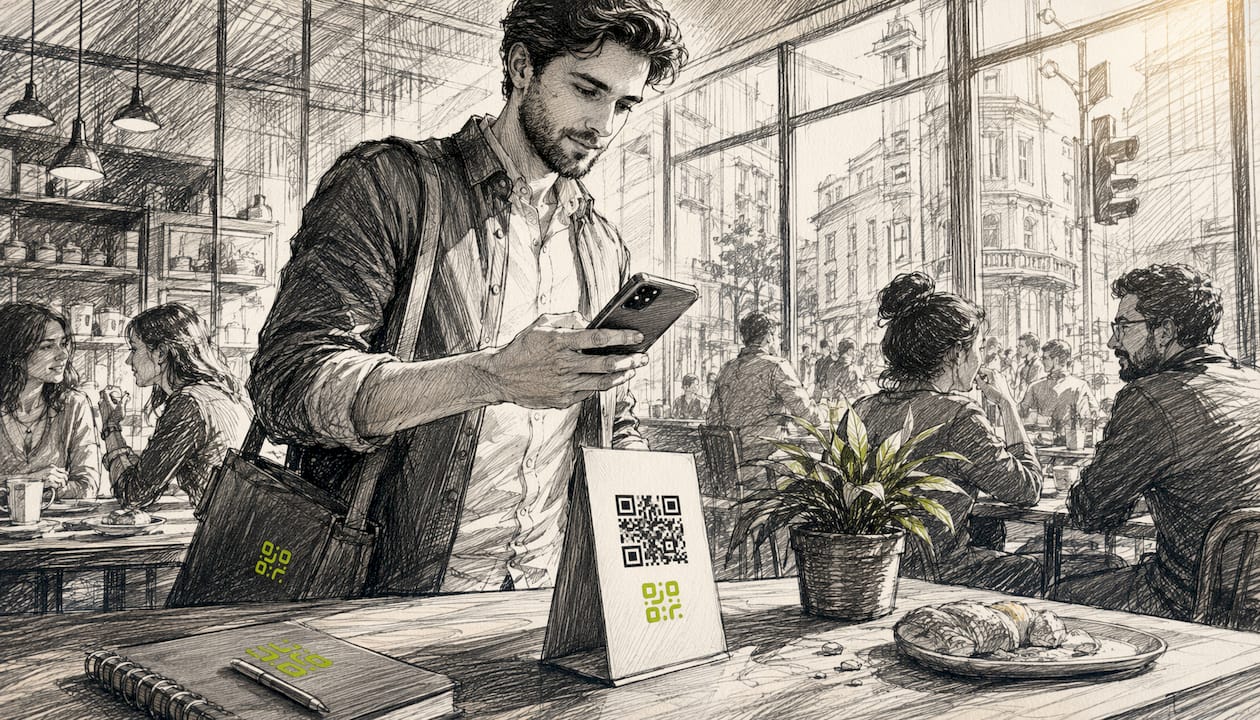
The choice between static and dynamic codes has real consequences for signage that stays on a wall for years.
A static QR code encodes its destination directly into the pattern. Once printed, it cannot be changed. That makes it genuinely permanent and free from any vendor dependency, but it also means a URL change requires a new code and a new sign. Dynamic codes redirect through a short link hosted by your platform; the destination can be updated at any time without touching the physical sign.
| Feature | Static QR code | Dynamic QR code |
|---|---|---|
| Destination editable? | No | Yes |
| Scan analytics available? | No | Yes |
| Vendor dependency? | None | Requires platform uptime |
| Best for | Fire safety notices, permanent plaques | Room booking, directories, floorplans |
| Permanence risk | None | Domain or subscription lapse breaks the code |
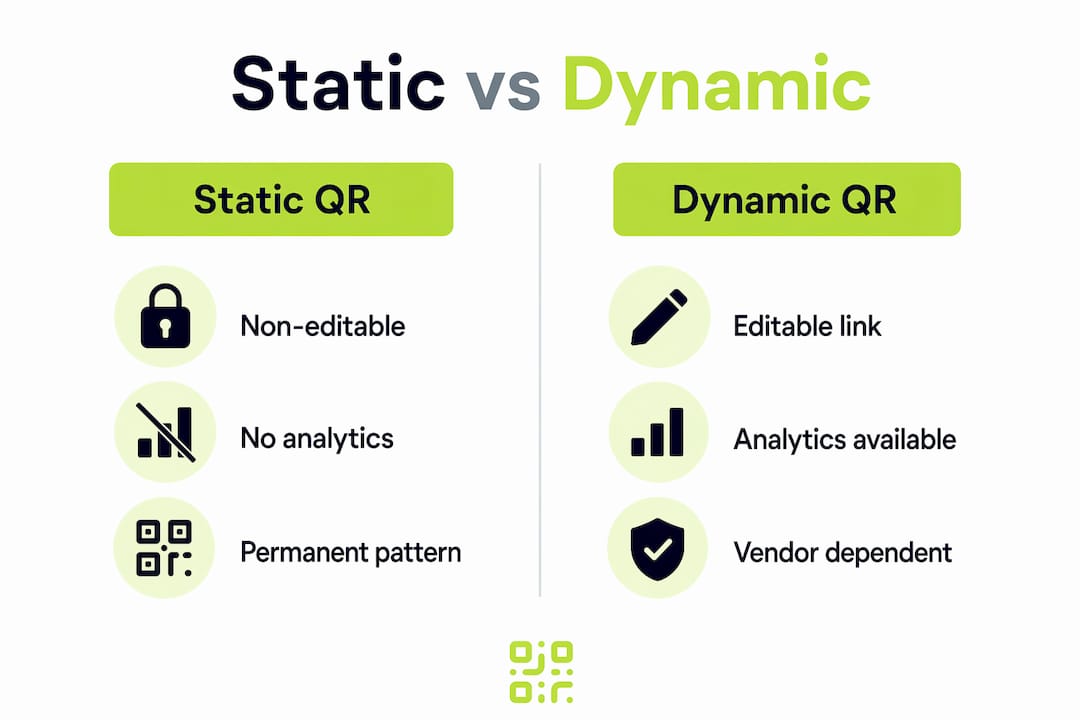
The critical risk with dynamic codes is vendor dependency. If the redirect domain lapses or a subscription is cancelled, every code pointing through that domain stops working. For signage embedded in building infrastructure, that is a serious operational failure. A platform with a documented permanence guarantee — one that keeps redirects live regardless of billing status — removes that risk contractually.
What organisations actually do with workspace QR codes
The most common use cases fall into four categories, each with a different content type behind the code.
Staff directories and desk booking are the highest-volume use case in hybrid offices. A QR code on a desk panel links to a live booking page; a code near a team bay links to the directory for that floor. Administrators can generate codes by building, floor, or individual workspace from a location hierarchy, which makes bulk rollout practical. You can read more about structuring these in the QR codes for staff directories guide.
Visitor check-in replaces paper sign-in books with a scan at reception. The code links to a web form that logs arrival time, host name, and NDA acceptance. No app, no hardware beyond the sign itself.
Interactive floorplans and wayfinding are where dynamic codes deliver their clearest operational value. When interior layouts update from a web app, administrators edit one map marker and every linked QR code in the building shows the new layout instantly. A team that moves from Floor 3 to Floor 2 requires one admin action, not a print run.
Amenities and safety information split neatly between dynamic and static. Canteen menus, meeting room amenity lists, and IT support links suit dynamic codes. Fire evacuation routes and assembly point notices should use static codes or printed signs: the content must be readable without a phone and must never depend on a live URL.
How to implement QR codes on workspace signage
A structured rollout avoids the most common mistakes. Work through these steps in order.
- Audit your signage inventory. List every sign type, its location, and whether its content changes. Assign each a unique identifier (e.g.
BLDG-A-F3-NORTH-01). - Choose a dynamic QR platform with a permanence guarantee, GDPR-compliant analytics, and bulk-generation capability.
- Generate one dynamic code per sign using the unique identifier as the code label. Link each code to its destination URL.
- Design for scannability. See the table below for minimum specifications.
- Print or embed codes on your chosen sign substrate. For permanent fixtures, use UV-resistant materials.
- Place map markers. In your floorplan editor, assign each sign its exact location so a scan shows a “You are here” marker. Allow roughly 10 minutes per floor for initial placement.
- Test on-site with at least three different phone models before installation is complete.
- Brief staff on how to update destinations and who owns each code in the system.
Pro Tip: For a pilot, select 10–20 signs on a single floor. Run for two weeks, review scan data, then refine placement and destination content before a full building rollout.
| Design parameter | Minimum specification |
|---|---|
| Code size (print) | 2.5 cm × 2.5 cm |
| Quiet zone (white border) | 4 module widths on all sides |
| Contrast ratio | Dark module on white or light background |
| Placement height | 120–150 cm from floor (eye level) |
| Minimum scan distance | 20 cm |
A pilot typically takes about two weeks from code generation to sign installation. A full building rollout for dozens to a couple of hundred signs usually takes about a month to six weeks when bulk generation and a templated design are in place. Pair your physical sign design with visual display best practices to maximise scan rates from day one.
Monitoring, maintenance, and pitfalls to avoid
Once signs are live, three metrics matter most: total scans per code, unique device counts, and error or 404 rates. A spike in 404s on a specific code usually means a destination URL has changed without the QR record being updated. Location heatmaps show which floors or zones are under-used, which informs both facilities planning and signage placement decisions.
Test every code on a monthly cadence. Walk the floor, scan each sign, and confirm the destination loads correctly. If a code fails, the fix is a destination update in your platform dashboard — the physical sign stays in place. Dynamic QR generators log each destination change, so you have an audit trail if a broken link is disputed.
The three most common pitfalls are: using a free redirect service with no SLA (the domain can disappear overnight), embedding private data directly in a static code (a data-minimisation failure under UK GDPR), and placing codes below 100 cm or in low-light areas where scan rates drop sharply. Each is avoidable with the right platform and a brief placement checklist.
How to choose a QR code platform for workspace signage
Procurement teams should demand answers to these questions before signing a contract.
Must-have features:
- Dynamic redirects with destination editing and version history
- A documented permanence guarantee: codes remain live if a subscription lapses
- GDPR-compliant tracking with configurable data retention and consent controls
- Scan analytics including location heatmaps and CSV export
- API access for integration with desk-booking or IWMS systems
- Lifecycle scheduling (activate/deactivate codes by date)
Vendor questions to ask:
- Who owns the redirect domain? What happens to it if the company is acquired or closes?
- What is the SLA for redirect uptime?
- Can you export the full history of destination URLs for each code?
- Is bulk generation available by building, floor, and workspace hierarchy?
Platforms that promise permanence should document redirect domain control, contractual SLA, and data export portability in writing. A vendor that cannot answer these questions clearly is a risk for any signage that will be on a wall for more than 12 months.
Key takeaways
Dynamic QR codes with a permanence guarantee and GDPR-aware analytics are the only responsible choice for long-lived workspace signage in the UK.
| Point | Details |
|---|---|
| Choose dynamic over static | Dynamic codes let you update destinations without replacing physical signs. |
| Demand a permanence guarantee | Confirm the vendor’s redirect domain is contractually protected if billing lapses. |
| Apply UK GDPR from day one | Display a signage disclosure and collect only the scan data your use case requires. |
| Run a small pilot first | Test 10–20 signs on one floor for two weeks before a full building rollout. |
| Use Qrlytics for permanence and analytics | Qrlytics combines permanent code functionality, dynamic redirects, and GDPR-compliant scan analytics in one platform. |
The lesson most rollouts learn too late
Most organisations that struggle with workspace QR signage make the same mistake: they treat it as a printing project rather than a data infrastructure decision. The physical sign is the easy part. The hard part is what happens 18 months later when a team moves, a vendor changes its pricing, or a short-link domain quietly expires.
The organisations that get this right start with the platform contract, not the print spec. They ask about domain ownership, export portability, and permanence guarantees before they order a single sign. They assign unique identifiers to every code from day one, which means a floorplan update takes minutes rather than a facilities request. And they treat scan analytics as operational data, not a vanity metric, using 404 rates and location heatmaps to catch problems before a visitor or employee notices.
The other underestimated factor is GDPR. Scan data tied to a location and a time is more identifiable than most teams assume. A brief disclosure on the sign and a clear data-retention policy in your platform settings is a 30-minute task that removes significant compliance risk.
Qrlytics keeps your workspace QR codes live and measurable
Printed workspace signage is a long-term commitment. Qrlytics is built around that reality: codes generated during an active subscription remain functional permanently, so a billing change never breaks a sign that is bolted to a wall. You get dynamic QR code management with full destination editing, real-time scan analytics, location heatmaps, CSV export, and GDPR-compliant tracking — all from a single dashboard.

- Free tier: generate and test codes with no credit card required
- Paid annual plans: unlimited codes, advanced analytics, API access, and lifecycle scheduling
- Enterprise options: bulk generation by building or floor hierarchy, dedicated SLA, and data export portability
Start with the free QR generator to run a pilot on your first floor, then scale to a full building rollout with confidence that every code will keep working.
Useful sources
- ICO guidance on UK GDPR and data minimisation — the primary UK authority on lawful data collection for scan analytics
- Fortinet: What is a QR Code? — clear technical definition of static versus dynamic QR codes
- QRCodeMaps: Office Signage and Workplace Wayfinding — practical cost comparisons and floorplan implementation guidance
- Cisco Smart+Connected Spaces Administrator Guide — enterprise bulk-generation and location hierarchy reference
- Signage ONE: The future of room signs — contactless room booking use cases and cloud platform requirements
FAQ
What is a QR code for workspace signage?
It is a dynamic matrix barcode placed on a physical office sign that links to live digital content such as room booking pages, floorplans, or staff directories, and whose destination URL can be updated without replacing the sign.
Do workspace QR codes need to comply with UK GDPR?
Yes. Scan data that records a time, location, and device is personal data under UK GDPR. Display a brief disclosure on each sign and configure your platform to retain only the data your stated purpose requires.
What happens to QR codes if a subscription is cancelled?
With most free or low-cost platforms, dynamic codes stop redirecting when a subscription lapses. Qrlytics guarantees that codes created during an active subscription remain functional permanently, regardless of billing status.
How big should a QR code be on a wall sign?
A minimum of 2.5 cm × 2.5 cm for print, with a quiet zone of four module widths on all sides and a placement height of 120–150 cm from the floor for comfortable scanning.
Can one QR code serve multiple locations in a building?
No. Each physical sign should have its own unique code with a unique identifier so scan analytics show exactly which location was scanned and so floorplan “You are here” markers display correctly.