Retail QR Codes: 7 Campaigns Marketers Can Launch in 2 Weeks
Use QR codes to connect every physical touchpoint, from shelf tags to receipts, to mobile-first destinations that actually convert. Favour dynamic QR codes over static ones for any live campaign, since only dynamic codes let you edit the destination and track results after printing. Prioritise two things immediately: scan reliability (size, contrast, placement) and analytics instrumentation (scans through to conversions). The rest of this guide covers use cases, setup and measurement in detail.
TL;DR:
- Dynamic QR codes are the preferred choice for retail campaigns because they allow destination edits and provide detailed scan analytics.
- QR codes on shelves and receipts should solve specific shopper friction points, like product details, discounts, or order recovery, to maximize ROI.
- Proper placement, size, contrast, and testing on both iOS and Android are crucial to ensure high scan reliability and avoid failed attempts.
- Tracking metrics like conversion rate, revenue per scan, and heatmaps reveal actual campaign effectiveness and store performance.
- Start with low-cost pilots focusing on promotional, loyalty, or out-of-stock recovery codes, and implement lifecycle controls to prevent broken or expired links.
Table of Contents
- Where QR codes for retail actually earn their keep
- Static or dynamic QR codes: which one for which campaign?
- How to place and print QR codes so they actually scan
- What should you measure once QR codes go live?
- The mistakes that quietly wreck QR campaigns
- Seven QR campaign templates you can copy this week
- Proof points and operational controls worth building in from day one
- Which pilots should you actually run first?
- Get campaign-ready QR codes without the print-run panic
- Sources
- FAQ
Where QR codes for retail actually earn their keep
Not every shelf edge or till receipt needs a code. The ones that pay off solve a specific problem for the shopper standing in front of them, rather than chasing a vague notion of “digital engagement.” Research into consumer response backs this up directly: QR strategies built purely to provoke curiosity, without solving a real friction point, get scanned far less than ones offering obvious utility.
Here are the use cases worth testing first, ranked roughly by how quickly they show a return:
- Product detail pages and “scan to buy.” A code on a shelf tag or hangtag that opens full specs, sizing, or reviews reduces the hesitation that causes cart abandonment at the point of decision.
- Instant promotions and coupons. A scan that applies a discount at checkout is trackable down to the redemption, which static print discounts never were.
- Loyalty sign-up and reward redemption. Codes at the till or on packaging capture first-party data at the exact moment a customer is already engaged, not three days later via email.
- Contactless payments and digital receipts. These cut queue time and give you a reason to keep the relationship going after the sale.
- Endless aisle for out-of-stock items. A code that lets a shopper order online when the shelf is empty recovers a sale that would otherwise walk out the door.
- Post-purchase reviews and feedback. Receipt or packaging codes that prompt a review close the loop between purchase and social proof, feeding both reputation and SEO.
- Interactive experiences. AR try-ons and digital lookbooks increase dwell time and give shoppers something worth sharing.
Retail analysts point to exactly this pattern: QR codes let retailers bridge in-store and online channels, enabling endless-aisle strategies and personalised offers that lift both conversion and loyalty. Pick two or three from this list for a pilot. Trying all seven at once is how QR campaigns become expensive wallpaper.
Static or dynamic QR codes: which one for which campaign?
A static QR code encodes its destination permanently at creation. Once printed, it can never be redirected, and you get no scan data beyond whatever the destination site tracks itself. A dynamic QR code stores a short redirect link instead, so you can change where it points after printing and see exactly how many people scanned it, when, and from where.
For retail marketing, dynamic is nearly always the right default. Static only makes sense for genuinely one-off, low-stakes uses, a single event flyer, an internal document, something with no shelf life and no need for tracking.
Building the destination matters as much as choosing the code type:
- Use a short, branded resolver domain rather than a raw platform link. It looks more trustworthy on a shelf tag and is easier to preview.
- Land every scan on a mobile-optimised page, not a desktop site squeezed onto a phone screen. Shopify’s guidance on retail QR codes is explicit that this single decision affects conversion more than almost anything else.
- Tag every destination URL with UTM parameters so scan traffic is distinguishable from other channels in your analytics.
CPG and packaging teams have a bigger decision to make: GS1 Digital Link. GS1 is pushing this standard hard, and Carrefour’s rollout with GS1 signals that 2D barcodes carrying Digital Link data are heading toward broad adoption across CPG packaging by 2027. If your packaging touches supply-chain traceability as well as consumer marketing, start scoping this now rather than retrofitting later.
Pro Tip: Before you print anything, confirm your QR platform lets you set a redirection policy and lifecycle expiry date. A code that quietly dies when a subscription lapses turns a print run into a write-off.
How to place and print QR codes so they actually scan
A QR code that fails to scan on the first try loses most of the shoppers who’d have used it, and that failure is usually a design problem, not a technology one.
Follow these production rules:
- Keep a minimum quiet zone (blank margin) around the code equal to at least four modules on each side.
- Print at a size proportional to scan distance: roughly 2cm square for close-up shelf tags, considerably larger for window or signage placements viewed from further away.
- Maintain strong contrast, dark code on a light background performs far more reliably than the reverse or any low-contrast pairing.
- Avoid placing codes on curved surfaces, shrink-wrap, or glossy finishes without testing first; distortion and glare are the most common causes of failed scans.
- Test on both iOS and Android native camera apps, not just a dedicated scanner app, since that’s how most shoppers will actually scan.
Two years of live pilots gave GS1 UK and Tesco a clear list of failure points. Their findings on print quality and verification identify contrast, quiet zones and print modulation as the recurring causes of scan failure at scale, and recommend combining inline verification during the print run with periodic offline, ISO-graded checks rather than relying on either alone.
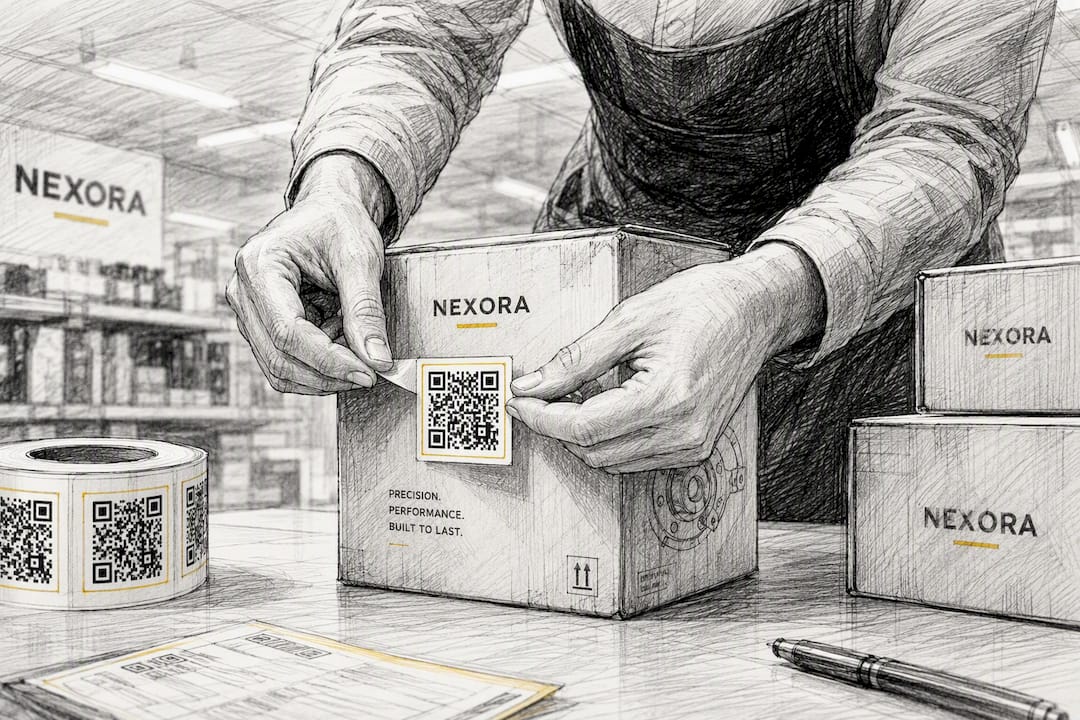
Finally, write the CTA text next to the code with intent, not decoration.
What should you measure once QR codes go live?
Scan count on its own tells you almost nothing. The metrics that matter connect a scan to what happened afterwards.
Track these as your core set:
- Total scans and unique scanners — separates curiosity from repeat engagement.
- Conversion rate — the percentage of scans that complete the intended action (purchase, sign-up, redemption).
- Revenue per scan — turns a scan count into a number finance actually cares about.
- Coupon redemption rate — the clearest signal a promotional code is earning its shelf space.
- Repeat-scanner rate and dwell time — shows whether a code is building a habit or getting a single curious tap.
Location data adds a layer most marketing teams underuse. Scan-based heat maps reveal which shelf, window, or till position generates the most engagement, and that’s a merchandising signal as much as a marketing one, not simply a click metric to report upward. Retail TouchPoints’ analysis of scan-derived insight makes the same point: treat scan location as store-layout intelligence, not just campaign reporting.
For attribution, tag every destination with UTM parameters and, where possible, pass a scan ID through to checkout so it can be joined against POS or e-commerce order data. Shopify’s retail QR guidance confirms this pairing, UTM tagging plus a mobile-optimised landing page, is what makes attribution reliable rather than guesswork.
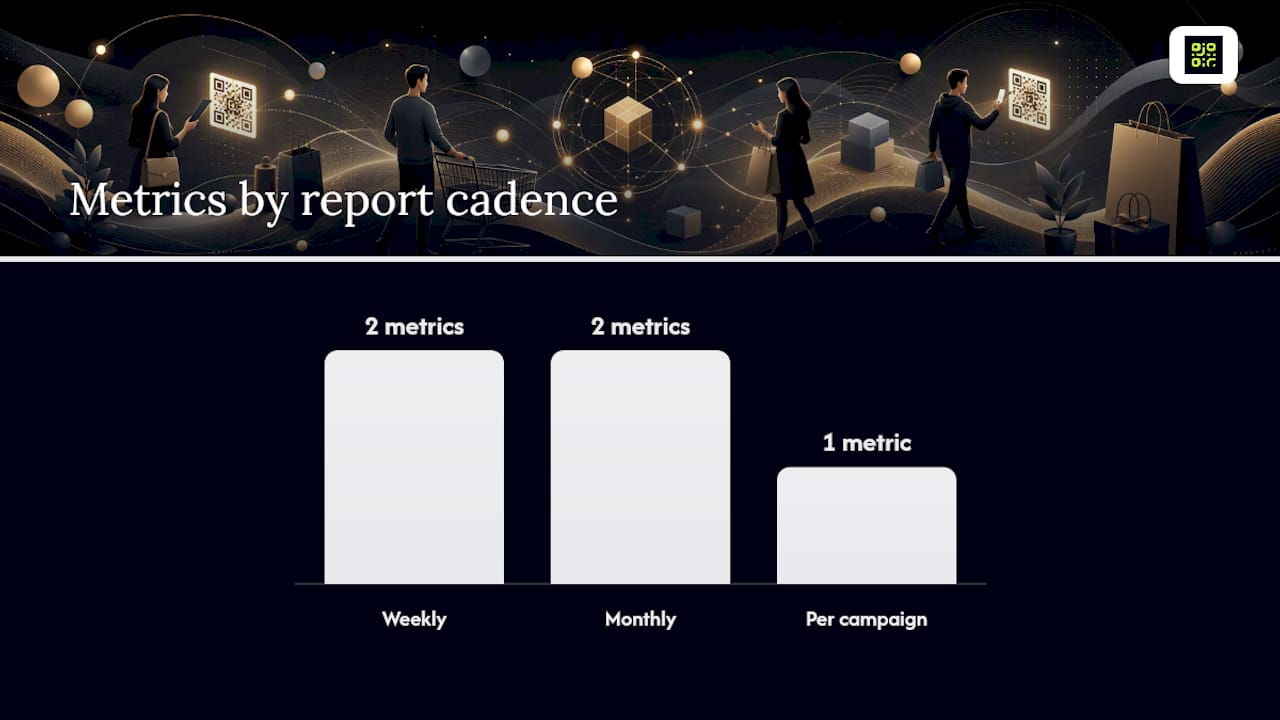
| Metric | What it tells you | Report cadence |
|---|---|---|
| Scans and unique scanners | Reach and repeat engagement | Weekly |
| Conversion rate | Whether the landing page does its job | Weekly |
| Revenue per scan | Commercial value of the channel | Monthly |
| Coupon redemption rate | Promotional effectiveness | Per campaign |
| Heatmap / dwell time | Store layout and placement performance | Monthly |
Build one dashboard that pulls scans and conversions side by side, reviewed weekly during a pilot and monthly once a programme is running. A full guide to QR code tracking for marketers walks through setting this up end to end.
The mistakes that quietly wreck QR campaigns
Most QR failures trace back to a handful of avoidable errors.
- Quishing risk. Fraudulent codes that mimic legitimate ones are a growing concern; use a branded, previewable resolver domain so shoppers can see the destination before tapping, and train till staff to recognise tampered stickers.
- Broken or expired links. A static code or a lapsed subscription can leave a printed code pointing at nothing, ruining the print run. Choose a platform that supports dynamic redirects and lifecycle controls so a code’s fate never depends on a billing cycle.
- Print traps that slow the till. Codes that require three attempts to scan add friction exactly where you’re trying to remove it, so QA every packaging run before it ships.
- Cost mismatch. Free static generators suit single-use, disposable codes. Paid dynamic platforms earn their fee the moment you need tracking, permanence guarantees, or a service level you can rely on for a campaign that matters.
Seven QR campaign templates you can copy this week
Each of these is small enough to launch inside two weeks and specific enough to measure cleanly.
- Window “scan to shop.” Landing page shows the featured product with a direct buy button. Watch conversion rate, not just scans.
- Receipt “scan to rate.” Offer a small loyalty-points incentive for a review. Measure review volume and average rating shift.
- Shelf tag “scan for size.” Link to a size guide or stock check for the exact SKU. Track scan-to-add-to-basket rate.
- Endless aisle “order online.” For out-of-stock items, route to a fulfilment page with clear delivery timing. Measure recovered revenue.
- Loyalty sign-up at checkout. Keep the form to name and email only; anything longer kills completion. Track sign-up completion rate.
- Portable payments for pop-ups. Use for markets and events where a full POS terminal isn’t practical. Reconcile daily against transaction logs for security.
- Lookbook or AR micro-campaign. Brief creative around one seasonal collection. Measure average session length as the primary signal of engagement.
A catalogue and lookbook campaign playbook and a guide to shopping bag insert campaigns both expand on templates three and seven if you want to go deeper before briefing your team.
Proof points and operational controls worth building in from day one
Getting the campaign right on paper means little if the underlying code infrastructure lets you down. QRlytics guarantees that codes created during an active subscription keep working permanently, regardless of billing status, which matters enormously the moment a printed run outlives a card renewal date. The platform also supports dynamic URL updates, real-time scan analytics, and GDPR-compliant tracking, so a campaign built on it doesn’t need re-architecting the moment legal asks questions.
Build these controls into any pilot, whichever platform you use:
- Lifecycle scheduling so codes activate and retire on planned dates rather than running indefinitely by accident.
- Cryptographic authentication on codes tied to high-value promotions or payments, reducing the quishing risk raised earlier.
- Heat-map verification during the pilot phase to confirm scan volume matches expected footfall by location, not just aggregate totals.
Before wider roll-out, run through a short onboarding checklist: test codes on both major mobile operating systems, confirm supplier print QA sign-off, verify POS or e-commerce integration for order-level attribution, and have the analytics dashboard live before the first shelf tag ships.
Pro Tip: Print one small test batch and scan every single code by hand before the full run goes to press. It costs an afternoon and it’s the cheapest insurance against a five-figure reprint.
Which pilots should you actually run first?
Start with the lowest-cost, highest-return experiments: promotional codes, receipt review prompts, and endless-aisle recovery for out-of-stock items. These need minimal packaging redesign, plug into systems you likely already have, and produce a measurable result within a single sales cycle.
Resourcing a pilot properly means pulling in marketing, store operations, packaging (if codes go on product), a POS or e-commerce contact for integration, and whoever owns analytics reporting. It’s a smaller group than most people expect, four or five people can run a genuinely useful pilot across a handful of stores.
Before scaling beyond the pilot stores, set gating criteria in advance: a minimum conversion rate, a scan reliability threshold from your QA process, and confirmed POS integration. Roll-out without these gates is how a promising test becomes an expensive, unmeasurable mess across two hundred locations. Treat the scale decision as a checklist, not a feeling.
— The.
Get campaign-ready QR codes without the print-run panic
Most QR headaches in retail trace back to one root cause: codes that stop working when a subscription lapses, turning a print run into landfill. QRlytics solves that specifically. Codes created during an active subscription keep redirecting permanently, regardless of billing status, so a shelf tag printed in March still works if your card expires in June.

For a first pilot, start with the free QR code generator to test placement and creative on a small run. Once you need to edit destinations after printing, track scans by location, or prove revenue per scan to finance, move to the dynamic QR code generator, which adds editable URLs, real-time analytics and GDPR-compliant tracking on top of the permanence guarantee. Onboarding needs no credit card, so you can have a trackable code live before your next merchandising meeting.
Sources
- Carrefour drives retail innovation with QR Codes powered by GS1 | GS1
- Every second counts: what two years of QR code pilots taught Tesco and GS1 UK | GS1 UK
- 4 ways QR codes are transforming the retail shopping experience - Retail TouchPoints
- How to use QR codes in retail (Shopify)
FAQ
How do you make a QR code for a store?
Choose a dynamic QR code generator, set the destination to a mobile-optimised landing page with UTM tags, then download the code at print resolution with adequate quiet zone margins for your chosen placement.
What are the most common QR code mistakes to avoid?
The biggest ones are using static codes for campaigns that need tracking, printing at too small a size or on low-contrast backgrounds, and letting codes expire when a subscription lapses.
Can you get a free QR code for a retail business?
Yes, free generators such as QRlytics’ free tool work well for one-off or pilot codes, though paid dynamic platforms are worth it once you need editable destinations, analytics, or a permanence guarantee.
How much does a QR code for a business typically cost?
Static codes are usually free through basic generators, while dynamic platforms with analytics and lifecycle management run on paid subscription tiers, with the cost justified once you’re tracking conversions or running multiple campaigns.
Should retailers use static or dynamic QR codes for marketing?
Dynamic codes are the better choice for nearly all retail marketing campaigns because they let you edit the destination after printing and track scans, conversions and location data over time.