QR codes for catalogs: a marketer’s campaign playbook
For catalogue campaigns, use dynamic QR codes that point to short branded links with UTM tags, so you can update destinations after print and measure performance by placement. This is the difference between a QR code as decoration and QR codes for catalogs as a functioning marketing channel with data behind it.
Before your next print run, get these done:
- Build a branded short URL for each catalogue placement (front cover, product page, back insert).
- Append UTM parameters to every link so scans are traceable in your analytics platform.
- Generate a dynamic QR code, add a one-line CTA, and run a proof print under real lighting.
Forbes reports that QR-linked destinations can drive strong click-through rates when paired with clear calls to action, which makes the upfront setup worth the extra hour it takes.
Key Takeaways
Dynamic QR codes with UTM-tagged short links turn a printed catalogue into a measurable, updatable marketing channel rather than a one-way print run.
| Point | Details |
|---|---|
| Use dynamic, not static | Dynamic codes let you update the destination after printing without wasting the print run. |
| Tag every placement | Unique UTM parameters per page let you compare conversion rate by placement, not just by campaign. |
| Design for real conditions | Size codes for actual viewing distance and test them in poor lighting before mass production. |
| Track scan rate and conversion | Combine QR scan data with GA4 or CSV exports to judge which pages actually earn their space. |
| Choose a permanent platform | Qrlytics keeps codes functional under an active subscription regardless of later billing status. |
Table of Contents
- Benefits of using QR codes in catalogues
- How to create a catalogue QR code that actually works
- QR code best practices for printed catalogues
- Measuring QR-linked catalogue campaigns
- Where to place QR codes in a catalogue, and what they should open
- Catalogue QR code campaign checklist
- How QRlytics keeps catalogue campaigns running after print day
- What most marketers get wrong about catalogue QR codes
- Try dynamic QR codes built for print’s long shelf life
- Sources
- FAQ
Benefits of using QR codes in catalogues
A printed catalogue is static by nature. A QR code gives it a second life online, and that’s where the measurable value sits.
Scanning a code can open a product demo video, a customer review panel, or a live stock checker, none of which fit on a printed page. That richer post-scan experience is what turns a catalogue from a reference document into an active sales tool. It also solves a problem print has never solved on its own: attribution. Every scan is a data point tied to a specific page, offer, or print run, which means you finally get first-party data from a channel that used to be a black box. Forbes notes that businesses increasingly use QR codes specifically to collect this kind of first-party data as third-party tracking gets harder.
Dynamic links add a second layer of value most marketers underrate: you can change the destination after the catalogue has gone to print. A pricing error, a sold-out product, or a seasonal offer that’s ended no longer means a wasted print run.
- Richer content per scan: video, reviews, live inventory.
- First-party data on real customer intent, tied to a physical touchpoint.
- Destination updates without reprinting a single page.
How to create a catalogue QR code that actually works
Getting a working QR code onto a catalogue page takes more than pasting an image. Here’s the process that holds up once the catalogue is printed and out of your hands.
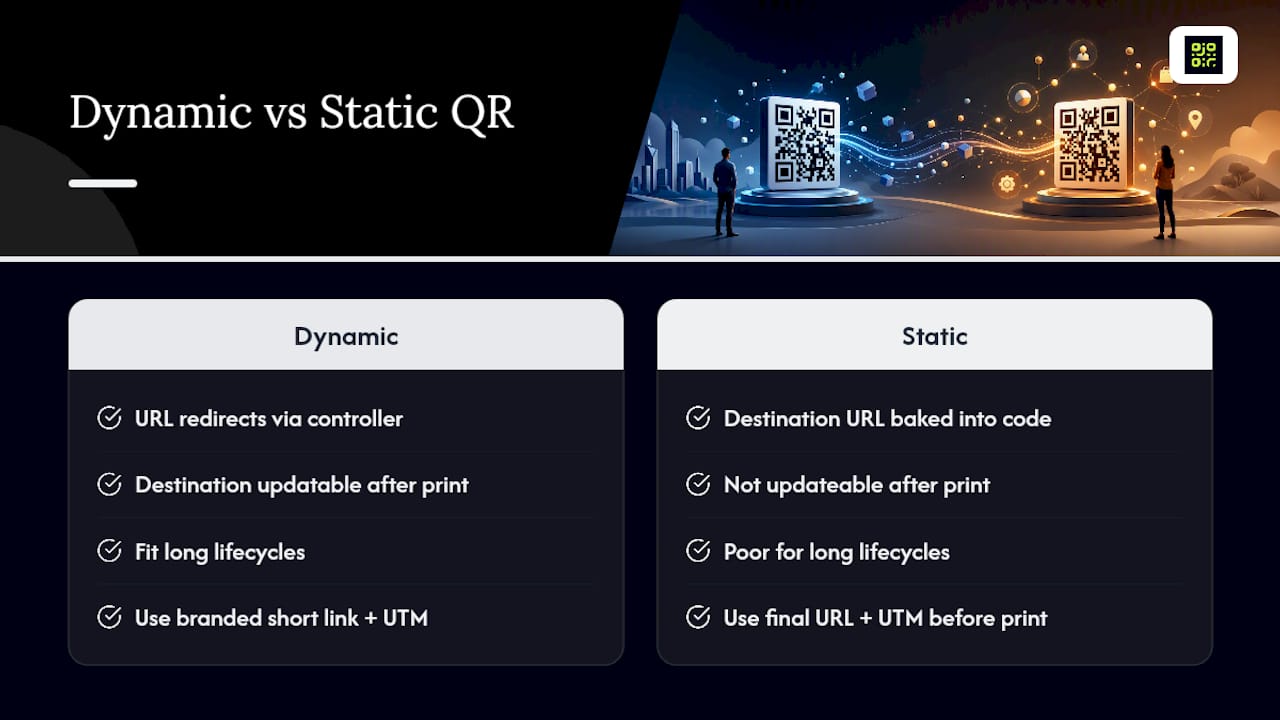
1. Choose dynamic over static. Static codes bake the destination URL directly into the code pattern, so once it’s printed, the link is fixed forever. Dynamic codes redirect through a URL you control, meaning you can swap the destination at any time. For a catalogue campaign, dynamic is almost always the better choice, because catalogues have a print lifecycle that outlasts a single offer.
2. Build a short branded link with UTM tags. Before generating anything, create the destination URL and attach UTM parameters for source, medium, campaign, and content. This is the step most marketers skip, and it’s the one that makes measurement possible later.
3. Generate the code, brand it, and export it properly. Add your logo or brand colours if your generator supports it, then export as a vector file (SVG or EPS) so print quality holds at any size. Drop it into the layout at the size your placement rules require.
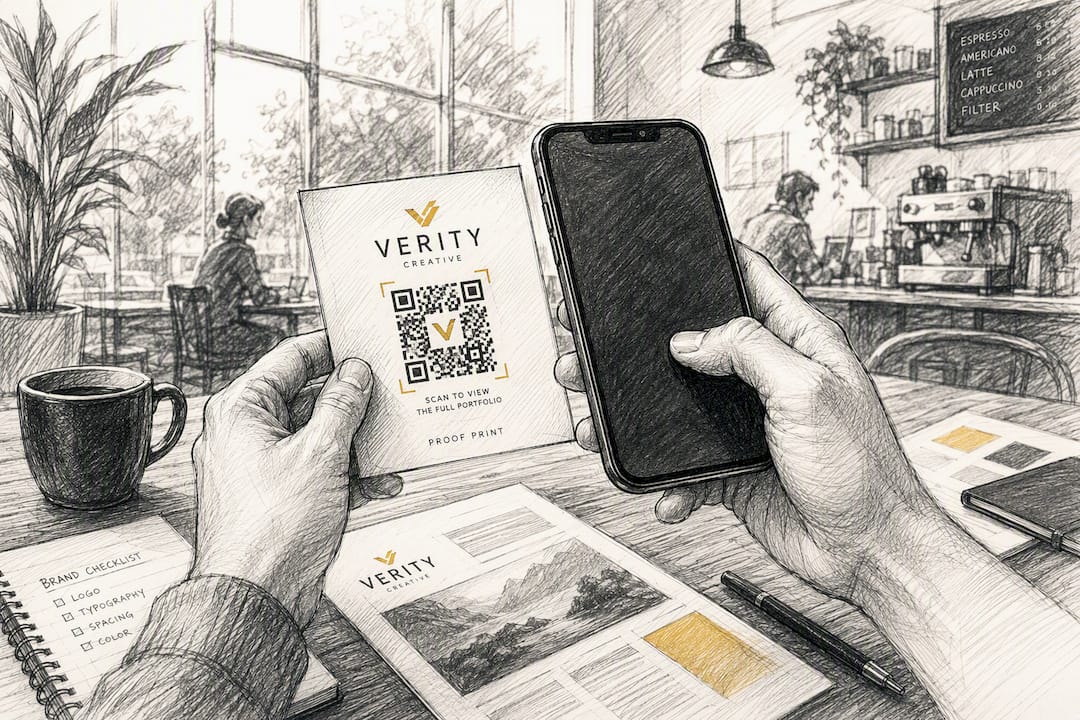
4. Run a proof print and test before mass production. Print a single proof page and scan it with more than one device, in more than one lighting condition, before the full run goes to press.
Pro Tip: Scan your proof print in the dimmest light your catalogue will realistically be read in, such as a dim shop floor or a car interior. A code that scans perfectly on a bright screen can fail completely under poor lighting, and you won’t find that out until the catalogue is already printed.
QR code best practices for printed catalogues
Scanability is a design constraint, not an afterthought, and it’s the single most common reason catalogue QR codes underperform.
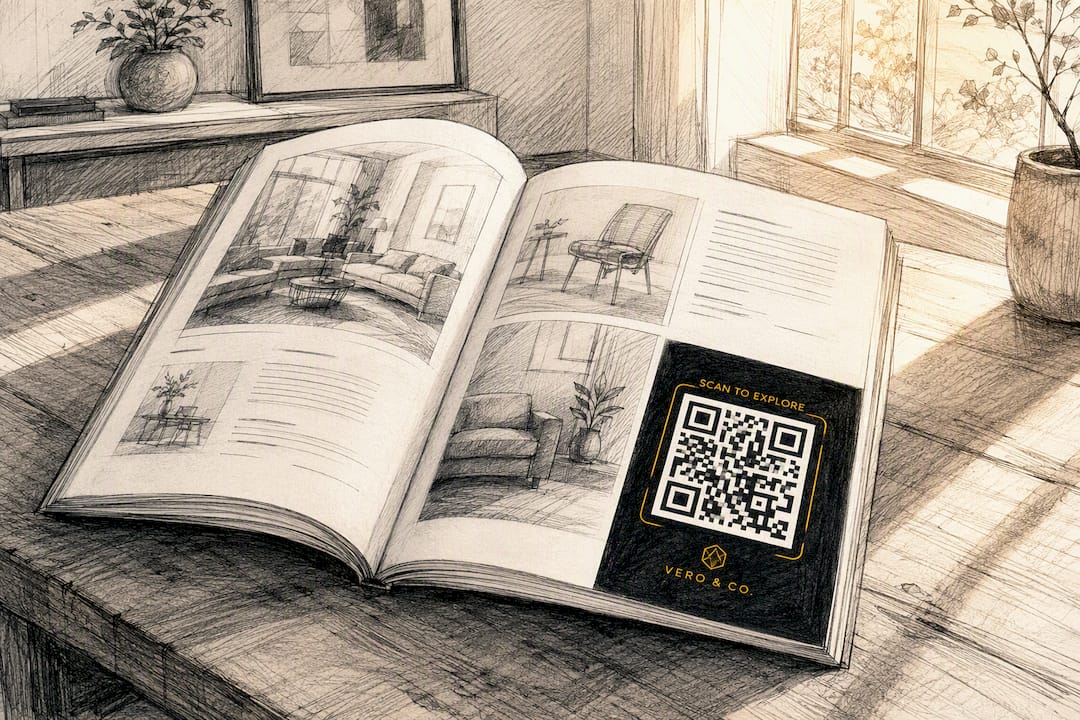
Size matters more than most layouts allow for. A code meant to be scanned from arm’s length on a catalogue page needs to be noticeably larger than one placed on a business card, and the further away a reader will hold the page, the bigger the code needs to be. As a working rule, undersized codes are the single biggest cause of failed scans in print, more so than poor contrast or damaged paper.
Contrast and quiet zone matter just as much as size. Keep the code dark on a light background (or vice versa), and leave clear white space around the entire code with no text, images, or borders crossing into it. A logo in the centre of the code can work, but only if your generator explicitly supports logo embedding with built-in error correction. Bolting an image over a plain code without that support breaks the scan.
CTA copy is what turns a code from decoration into an action.
- Size the code to the realistic viewing distance, not the available white space.
- Keep a clean quiet zone; never let text or graphics touch the code’s border.
- Pair every code with a CTA that states the benefit, not just the instruction.
- Avoid placing codes over folds, spine gutters, or glossy laminate that causes glare.
Pro Tip: If you’re unsure whether a logo overlay will hold up, test the exact final artwork, not a placeholder. Logo placement that scans fine on a test file can fail once the real brand mark and colours are swapped in.
Measuring QR-linked catalogue campaigns
None of this matters if you can’t tie a scan back to a specific page, offer, or print run. That comes down to disciplined UTM naming and knowing which metrics to pull once the data starts flowing.
ShortIQ’s guide to QR code marketing recommends a consistent structure across four parameters: utm_source=catalogue, utm_medium=qr, utm_campaign=spring_launch_2026, and utm_content=front_cover or utm_content=page_42. Using unique utm_content values per placement is what lets you calculate conversion rate by page rather than by campaign as a whole, so you can see which placements actually earn their print space.
Once scans start coming in, track:
- Scan rate — scans divided by estimated exposures, the clearest read on whether the CTA and placement are working.
- Landing-page conversion rate — what percentage of scanners complete the action you wanted (purchase, sign-up, download).
- Engagement time on the destination page, a proxy for whether the content matched expectations.
- Device, OS, and location split, which tells you where and how your catalogue is actually being read.
| Metric | What it tells you |
|---|---|
| Scan rate | Whether the CTA and placement are getting noticed |
| Conversion rate | Whether the post-scan page delivers what was promised |
| Device/OS split | Whether your landing page needs different handling per platform |
| Location data | Where physical distribution is actually driving action |
Dynamic links mean you can update the destination weeks after print without breaking a single existing code, and most QR platforms let you export this data as a CSV for combination with GA4 or your existing dashboards. Read more on setting up tracking dashboards for QR campaigns.
Where to place QR codes in a catalogue, and what they should open
Placement should follow the reader’s intent at that exact page, not a blanket rule for the whole catalogue.
- Front cover: a time-limited offer or a quick landing page collecting email signups, since this is the highest-traffic page in the whole document.
- Product pages: a demo video, review panel, live stock checker, or a direct “buy now” deep link into your storefront.
- Section banners: a curated collection page or a season launch hub, useful when several products share one theme.
- Special inserts: gated content for lead capture, or a warranty registration flow that also builds your customer database.
Product pages that link to compliance or traceability data are becoming more common too. Product passport QR codes are one growing example of this pattern outside pure marketing use. For inspiration on what a strong post-scan page actually looks like, see these examples of branded landing pages.
Catalogue QR code campaign checklist
Run through this before a print file goes anywhere near production.
- Define the objective, KPI, and UTM plan for every placement in the catalogue.
- Generate dynamic codes, export vector files, and embed them into the proof layout.
- Test across iOS and Android, multiple lighting conditions, and realistic handling distances.
- Confirm every landing page is mobile-first and loads quickly on a mobile connection.
- Set up a dashboard, monitor scans by placement, and update destinations if an offer changes.
Pro Tip: Build the dashboard before the catalogue ships, not after. Marketers who wait until scans start coming in usually lose the first week of data because nobody was watching for it.
How QRlytics keeps catalogue campaigns running after print day
Print’s biggest risk is permanence in the wrong direction: once a code is on paper, you can’t fix a broken link, but you also can’t stop a subscription from quietly disabling it. Qrlytics is built around that exact problem, guaranteeing that codes created during an active subscription keep working indefinitely, regardless of billing status later.
- Dynamic URL updates, so an offer or landing page can change without reprinting anything.
- Real-time analytics with scan-by-placement data and global heat maps.
- Branded short links and GDPR-compliant tracking suited to first-party data collection.
For a catalogue that stays on shelves or coffee tables for months, that permanence is the entire point.
What most marketers get wrong about catalogue QR codes
The conventional advice on QR codes stops at “make it scannable,” and that’s a low bar that misses the actual failure point. Codes rarely fail because they’re too small or poorly printed. They fail because nobody planned for the six months after printing, when an offer ends, a product goes out of stock, or a landing page URL changes and the code just quietly stops earning its space on the page.
That’s the gap conventional catalogue advice never closes. A static code treats the print run as the finish line. A dynamic code treats it as the starting point of a channel you can still shape. Marketers who prioritise the UTM structure and the update mechanism before worrying about logo placement get more useful data out of a single print run than those who obsess over pixel-perfect design and skip the tracking plan entirely.
If you take one thing from this, prioritise the destination link and its analytics before the artwork. Design polish helps scan rate marginally; a broken or stale destination kills the entire channel outright, and no amount of contrast ratio fixes that.
— The.
Try dynamic QR codes built for print’s long shelf life
Qrlytics gives you dynamic QR codes that keep working for as long as your subscription stays active, which matters most for a catalogue that might sit on a desk or a shelf for six months or more. Unlike free generators that can quietly disable a code the moment a payment lapses, codes created on Qrlytics under an active plan stay functional regardless of later billing status, so a print run never becomes a wasted print run.

You get real-time scan analytics with device, location, and placement data, GDPR-compliant tracking, and branded short links you can update after the catalogue is already printed. For a catalogue with several placements, that means one dashboard covering the front cover, every product page, and every insert, rather than a scattered set of unrelated links. Start with the free QR code generator to test a single placement, or go straight to the dynamic QR code generator if you already know your campaign needs destination updates and full analytics from day one.
Sources
- The role of QR codes in marketing and tips for making them a success
- QR code marketing strategy: Driving traffic and ROI
- QR Code Marketing: A Complete Guide for 2026 | ShortIQ
FAQ
How do I make a QR code for a catalogue?
Create a short branded URL with UTM tags for the specific placement, then generate a dynamic QR code pointing to that link and export it as a vector file for print. Test the proof print across devices and lighting before running the full print job.
Can I get QR codes for free?
Yes, most platforms including Qrlytics offer a free tier for generating a limited number of codes with basic analytics. Free static codes work for one-off use, but campaigns benefit from dynamic codes and tracking that usually sit behind a paid plan.
Can ChatGPT generate QR codes?
ChatGPT itself doesn’t generate scannable QR code images natively, though it can describe the process or write code to produce one. A dedicated QR generator is the more reliable route for a catalogue campaign, since it also gives you tracking and dynamic destination control.
How much does a QR code cost?
A basic static QR code can be free to generate. Dynamic codes with analytics, branding, and guaranteed permanence typically sit within a subscription plan, which is where platforms like Qrlytics operate.
What size should a QR code be in a printed catalogue?
Size should scale with expected viewing distance: a code read at arm’s length on a catalogue page needs to be noticeably larger than one on a business card or receipt. Always test the final printed size before a full production run.