How to Pause QR Codes Without Breaking Your Print
You can pause a QR code only if it is dynamic, meaning it points to a short redirect link that you control rather than carrying your final web address inside the pattern. Pausing then comes down to changing what that redirect does: send scans to a holding page, stop them on a schedule, or switch them back to the live campaign when you are ready. The printed code itself never changes. We built QRlytics around this idea, so the codes you print stay in your hands, and a free account is enough to try it.
This guide is for marketers, retail and hospitality teams, event organisers and publishers who have codes on menus, shelves, posters, packaging or mailers and need to switch the experience off, and later on again, without a reprint.
TL;DR
- Only dynamic QR codes can be paused. A static code holds the destination in the pattern, so nothing sits in the middle to switch off.
- “Pausing” really means controlling the redirect: show a holding page, stop scans on a date, or point the code somewhere new.
- Never leave a paused code leading to an error page. A short message with a date or an alternative keeps the scanner and your brand intact.
- Make sure the codes you print do not depend on your billing status. With QRlytics, codes created during an active subscription keep working permanently.
- Plan the pause before printing: decide the holding page, the schedule and who can switch it back on.
Table of Contents
- What it means to pause a QR code
- Which QR codes can be paused
- What a scanner sees when a code is paused
- How to pause a QR code, step by step
- Pausing versus deactivating: keep the distinction clear
- Pausing in the situations you actually face
- Changing the destination: what the new page needs
- A pre-print checklist so you never need to panic
- Where QRlytics fits
- Our view on pausing
- FAQ
- Sources
What it means to pause a QR code
A QR code is a picture that stores text, usually a web address. A phone camera reads that text and opens it. Nothing in the picture can be “turned off”, so the idea of pausing only makes sense when something sits between the scan and the destination.
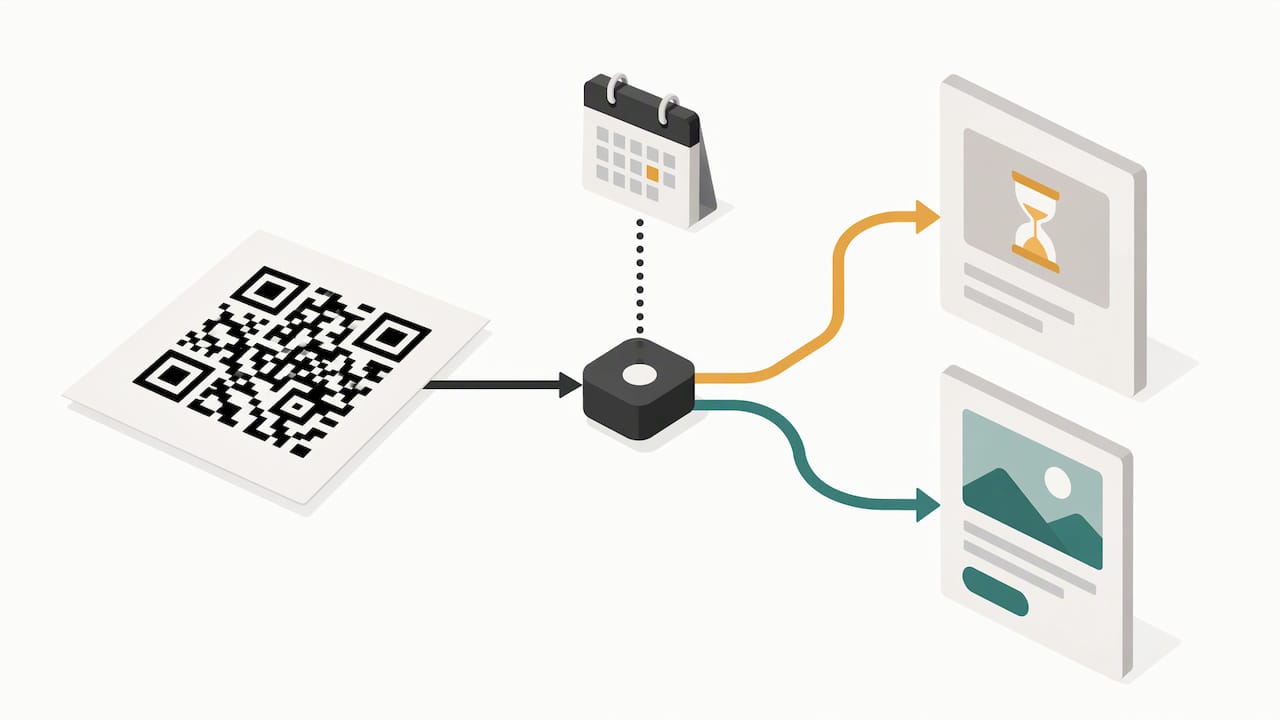
That something is a redirect. A dynamic QR code encodes a short link on a tracking service. When someone scans, the service looks up where that link should currently go and forwards the phone there. Lob, a US print-and-mail provider, describes this setup in its documentation: its QR codes use a short redirect URL that resolves to a destination URL you can change after the mail has been sent. The same logic applies to any dynamic code on a poster, a table tent or a coupon.
Because the service decides where the scan goes, a pause can mean one of three things:
- Stop the offer, keep the code useful. The code opens a page saying the promotion has ended, with a link to what is on now.
- Stop on a schedule. The code is live only between certain dates or hours, and does something else outside them.
- Hand the code to something new. The destination changes and the same printed code serves the next campaign.
All three leave the printed material untouched, which is the point for anyone who has paid for 20,000 flyers or a run of packaging.
Which QR codes can be paused
| Type | Can you pause it? | Why |
|---|---|---|
| Dynamic code | Yes | Every scan passes through a redirect you can change, schedule or switch to a holding page |
| Static code | No | The destination is written into the pattern itself, so a scan goes straight there |
If you have a static code in circulation and need to stop it, you can only change the page it points to, if you control that page. You can take the page down or replace its content, but the code keeps sending people to the same address. That is why we suggest dynamic codes for anything printed in volume, anything with a campaign end date, and anything you may want to measure. Static codes are fine for something permanent that never changes, such as a Wi-Fi password card or a contact detail on your own office door. You can create both types with our free QR code generator and our dynamic QR code generator.
What a scanner sees when a code is paused
This is the question that decides whether a pause is harmless or costly. Depending on how the pause is set up, a scanner can land on:
- A dead end. A blank page, a generic error or a message from a QR service rather than from you. Scanners read this as a broken brand, and the print run looks wasted.
- A holding page you control. A short, branded message: the offer has finished, here is the next one, here is how to reach us.
- A different live destination. For example, last month’s launch page replaced by this month’s.
The second and third options are the ones worth planning. A person standing at a shelf or a restaurant table has already acted: they picked up a phone because your print asked them to. Rewarding that scan with something useful, even when the campaign is over, is cheap to do and keeps the print working as a channel.
How to pause a QR code, step by step
The exact buttons depend on your platform, so here is the routine that holds in any dynamic setup, with what we do at each point.
1. Find the code and confirm it is dynamic
Open your dashboard and locate the code by name or campaign. If you cannot find it, or it was made with a tool that never asked you to sign in, it is almost certainly static and cannot be paused. Name codes by campaign and location from the start (“Spring menu, table tent, Downtown”) so you can find the right one in a hurry. Our guide to QR code tracking for marketers covers naming and structuring codes so reports stay readable.
2. Decide what the scanner should see
Write the holding message before you switch anything. Good ones answer three things in two lines: what happened (“This offer has ended”), what to do instead (a link to the current promotion or the main menu), and how to reach you. Keep it mobile-first: a scanner is on a phone, probably in motion.
3. Change the destination or set a schedule
You have two ways to pause in QRlytics. You can update the destination URL of a dynamic code, which takes effect for the next scan without touching the print. Or you can use lifecycle scheduling, which lets you plan when a code is active so the change happens at the right moment without anyone remembering to do it. Time-bound activity suits promotions that start at a fixed time and end on a fixed day. Our article on scheduling QR codes by time without reprinting shows how marketers use it.
4. Test with a real phone
Scan the printed code, or a screen version of it, from a phone on mobile data rather than office Wi-Fi. Check that the holding page loads quickly, that the text is legible in sunlight and that any link on it works. Do this before the pause takes effect and again right after.
5. Watch the scans during the pause
A paused code still tells you something. Scans that continue after an offer closes show how long print stays in circulation: menus on tables, posters left up, leaflets in drawers. QRlytics provides real-time scan analytics and global heat maps, so you can see where and when people keep scanning and decide whether to extend the pause or bring the campaign back.
6. Reactivate or repurpose
To bring a code back, change the destination again or let the schedule start the next window. Since the printed pattern never changed, nothing else is needed. If the next campaign is different from the first, repurposing the same code is often the better use of the print. Our guide to updating QR code links without reprinting goes through the practical details.
Pausing versus deactivating: keep the distinction clear
People use the two words interchangeably, but they lead to different results.
- Pausing is something you choose, you control and you can undo. The code still resolves, and you decide what it shows.
- Deactivation by a platform happens to you: a trial ends, a payment fails, a scan cap is reached, and the service stops forwarding scans. The code image is fine, but the service behind it no longer cooperates.
The second situation is the one that ruins printed materials. A restaurant that prints 5,000 menus and later sees its codes stop because a subscription lapsed has no way to fix it without paying or reprinting. This is the industry problem our platform was designed to remove. Codes created in QRlytics during an active subscription keep working permanently, whatever happens with billing afterwards, so a pause is only ever a decision you made. If you want to know what to check in your existing setup, read our five steps to keep QR codes working after cancellation.
Pausing in the situations you actually face
Retail promotions
A shelf-edge code tied to a weekend sale should not promise a discount on Tuesday. Schedule the code to change when the sale ends and have it open the regular product page or the next offer. Seasonal print such as window displays can be reused in the same way. For ideas on campaigns that rely on a single code across weeks, see our retail QR code campaigns.
Restaurants, bars and hotels
Menus change with the season and with supply. One code on every table can open the current menu, switch to a breakfast version in the morning, and show a closure notice on a holiday. The code on a laminated card never has to be replaced.
Events
Ticketing, schedules and sponsor links have a shelf life. After the event, the same code on banners and badges can lead to a photo gallery, a survey or the date of next year’s edition rather than a dead page.
Publishers and printed mailers
Once a magazine or catalogue is in readers’ hands, you cannot recall it. A code on page 12 may be scanned months later. Pausing a campaign link there means pointing the code at an archive or a current offer, not removing it.
Agencies
When a client campaign ends or a contract changes, the code in print is still out there. Agree in advance who owns the account, what the holding page says and who may change it, so the end of a project does not create broken codes in the field.
Changing the destination: what the new page needs
A paused code is only as good as the page it lands on. Whether it is a closure notice or the next campaign, the page should load fast on a phone, state its purpose in one line and offer one clear next step. If you are building pages specifically for campaign codes, our piece on unique QR landing pages per campaign shows how to set them up, and these landing page optimization strategies cover how to make the page convert once the scan arrives.
Also consider privacy. A holding page that sets cookies or collects data may need the same disclosures as any other page. Our analytics are designed to be GDPR-compliant, so tracking scans during a pause does not add a compliance question for your team.
A pre-print checklist so you never need to panic
Most pause emergencies are avoidable. Before a code goes to the printer:
- Use a dynamic code for anything that may change, end or need measuring.
- Test the redirect on two different phones, one iPhone and one Android.
- Prepare the holding page now, even if you hope never to use it.
- Name the code after the campaign, the placement and the date range.
- Write down who can edit the destination, and make sure it is more than one person.
- Print the code at a size and contrast that scans reliably. Branded designs need testing too; our guide to branded QR codes that survive print explains what to check.
- Confirm that your plan cannot disable the code when a trial, a payment or a scan limit changes.
The last item is the one most teams skip, and it is the one that decides whether a code is an asset or a liability.
Where QRlytics fits
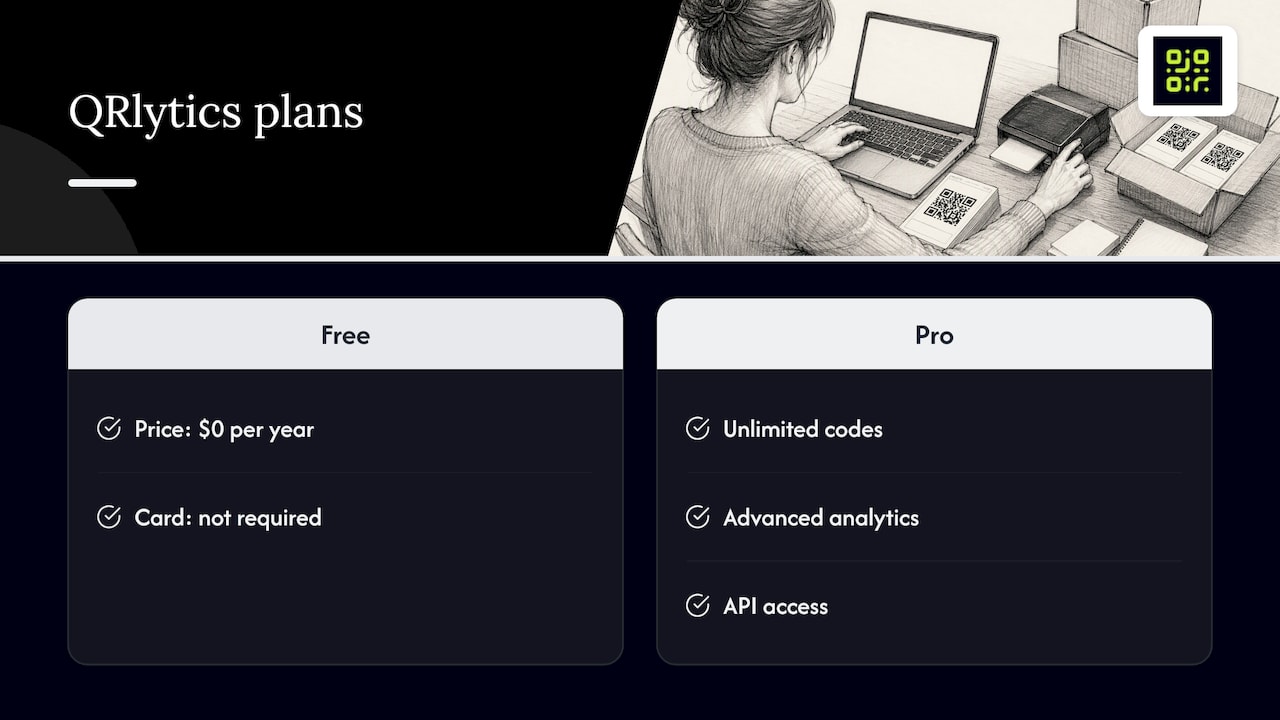
QRlytics is a platform for creating, managing and analysing QR codes. It generates dynamic and static codes, lets you update destination URLs, supports lifecycle scheduling, shows scan analytics in real time with global heat maps, and lets developers connect through an API. You can export analytics as CSV, brand your codes, and it offers cryptographic authentication certificates for codes. You can start on the free plan at $0 per year, no credit card required; the Pro plan, which adds unlimited codes, advanced analytics and API access, is described on the pricing page. Enterprise options exist for higher volumes.
If you manage printed codes at any scale, create a dynamic QR code and set your first holding page before you need it.
Teams that connect codes to their own systems can read about QR API integration, and our blog collects the rest of our guides.
Our view on pausing
We think a QR code should be the most dependable part of a printed piece. Paper cannot be edited, so the code is the only thing that can respond to change after the print run, and that makes the service behind it a promise to your future self.
That is why we guarantee that codes created during an active subscription keep working permanently, even after cancellation or a billing problem. A pause should be a choice you make for a campaign, never a side effect of an invoice.
We also believe the useful answer to a finished campaign is almost never an error page. A destination you can change, a schedule you set once and analytics that keep reporting turn a paused code into a measurable channel instead of a loss. Start on the free plan, with no credit card, and see the control for yourself.
*The
FAQ
Can I pause a static QR code?
No. A static code stores the destination inside the pattern, so there is no redirect to switch off. You can only change what the destination page shows, if you own it. For anything you may want to stop or change, create a dynamic code instead.
What happens if someone scans a paused code?
That depends on how you set the pause. If the code points to a holding page, the scanner sees your message. If a platform has deactivated it, they may reach a generic error. Plan the holding page in advance so the scan still leads somewhere useful.
Can I reactivate a paused QR code?
Yes, when it is dynamic and you control the account. Change the destination back to the live page or let a schedule start the next active period. The printed code stays the same, so no reprint is needed.
Is pausing the same as deleting a code?
No. Pausing keeps the code, its history and its link to your reporting, and you can bring it back at any time. Deleting removes it. For printed codes that may still be scanned, pausing with a holding page is the safer choice.
Will my codes stop working if I stop paying?
That varies by platform, and it is the main cause of codes failing. With QRlytics, codes created during an active subscription keep working permanently, regardless of billing status.