Why QR codes in course workbooks transform learning

TL;DR:
- QR codes in workbooks connect static print content to updatable digital resources, enhancing learning flexibility. They enable immediate access to multimedia, support differentiation, and reduce printing costs through dynamic updating. Educators use QR codes to improve outcomes, increase engagement, and gather usage insights.
QR codes belong in course workbooks because they do something print alone cannot: they connect a static page to living, updatable digital content with a single scan. Educators embed them to link students directly to video tutorials, audio explanations, self-assessment quizzes, and supplementary reading, replacing the friction of typing long URLs with an instant tap of a phone camera. They also support differentiated learning by placing tailored resources, whether remedial hints or extension challenges, exactly where a student needs them on the page. And because dynamic QR codes let you update the destination without reprinting, your workbook stays current long after it leaves the printer.
Key reasons educators use QR codes in course workbooks:
- Bridge printed pages to multimedia content such as videos, simulations, and audio
- Remove the need to type complex URLs, reducing barriers to access
- Offer differentiated resources at the precise point of need
- Support independent study and learner ownership of progress
- Allow content updates without costly reprints
Why print-only workbooks fall short, and how QR codes help
Printed workbooks are fixed the moment they come off the press. A broken link, an outdated resource, or a better explanation discovered after printing means either a costly reprint or students left with nothing. That rigidity is the central problem.
Static materials also struggle to serve a mixed classroom. A student who grasps a concept quickly has nowhere to go; one who is stuck has no immediate support beyond waiting for the teacher. Print cannot adapt to different learning speeds, styles, or accessibility needs without producing multiple physical versions.
QR codes address each of these limitations directly:
- Dynamic links let you update destinations post-print, keeping resources current without reprinting
- Multimedia access gives every student a route to video, audio, or interactive content from the same page
- On-demand differentiation means one workbook can serve multiple levels simultaneously
- Accessibility support allows links to screen-reader-compatible content, captioned video, or audio alternatives
- Reduced teacher interruptions as students self-serve explanations rather than queuing for help
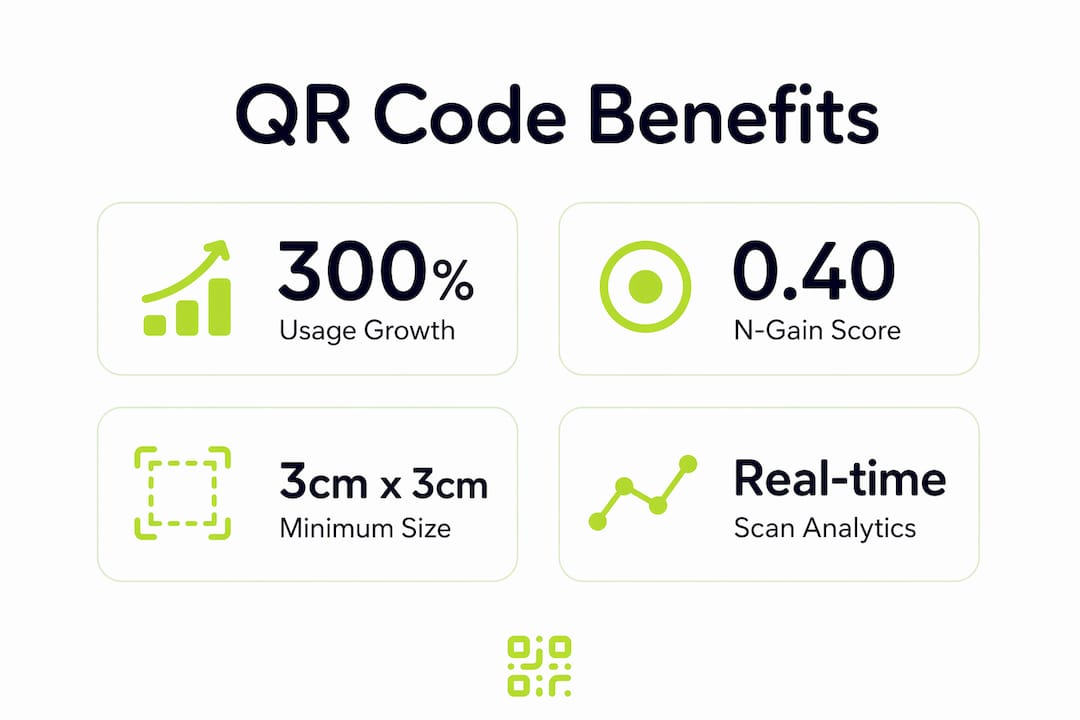
QR code usage has soared over 300% from 2021 to 2025, reflecting rising user familiarity and acceptance. That familiarity makes adoption in the classroom far less of a hurdle than it was even three years ago.
Practical use cases: what QR codes actually do in a workbook
The clearest argument for QR codes in course workbooks is what they make possible in practice. A code placed beside a difficult physics equation can link to a three-minute worked-video example. One at the end of a reading passage can open a short comprehension quiz. Another on a homework sheet can give parents a plain-English explanation of the method being taught, so they can support their child without needing a teaching qualification.

Research into interactive multimedia worksheets found that QR-linked content improved student learning outcomes, with an N-Gain score of 0.40 recorded in one study. Students also reported higher motivation when materials were packaged with accessible multimedia rather than text alone.
Specific use cases worth building into your workbooks:
- Video tutorials and simulations linked at the point where a concept is introduced
- Answer keys and hints that encourage self-checking without handing out separate sheets
- Remedial and enrichment paths so one workbook genuinely serves multiple ability levels
- Blended homework support giving parents and students access to explanations independently of the teacher
- Formative assessments via tools such as Google Forms or Kahoot!, linked directly from the page
- Accessibility alternatives including captioned video, audio narration, and simplified text versions
“Students who get stuck don’t have to wait or interrupt. They scan, learn, and continue.” This shift from passive waiting to active self-direction is where QR codes genuinely change classroom dynamics, turning worksheets into independent learning tools that work equally well at home.
Best practices for embedding QR codes effectively in workbooks
Placement matters more than quantity. A QR code dropped randomly onto a page confuses students; one positioned immediately after a challenging concept, with a clear label explaining what it links to, gets scanned. The University of Manchester’s Teaching College recommends a minimum printed size of 3cm x 3cm to account for the range of phone cameras students use and the typical 30cm scanning distance from a desk.
Practical guidelines for effective integration:
- Place codes contextually, after difficult sections or beside tasks that benefit from a worked example
- Write a clear call to action beneath every code, for example “Scan to watch the 4-minute explanation”
- Print at minimum 3cm x 3cm to guarantee reliable scanning across all device types
- Use dynamic QR codes so you can update destinations without reprinting the workbook
- Limit codes per page to one or two; more than that competes for attention and dilutes purpose
- Keep linked content concise so students return to the workbook rather than disappearing down a digital rabbit hole
Pro Tip: Shorten your destination URL before generating the code. A shorter URL produces a less dense QR pattern, which scans faster and more reliably on lower-quality cameras.
Vague calls to action consistently reduce scan rates. “Scan here” tells a student nothing. “Scan for the step-by-step worked example” tells them exactly what they will get and why it is worth their time.
Research-backed evidence and UK educator practice
The academic case for QR codes in educational materials is growing. The N-Gain improvement of 0.40 recorded in the interactive multimedia worksheet study places QR-linked content in the moderate-to-meaningful improvement band for learning outcomes. Separately, the University of Manchester’s guidance confirms that QR codes promote learner independence by giving students instant access to answers and feedback without needing to interrupt the teacher, which supports ownership of learning.
UK higher education institutions have adopted QR codes in printed course notes precisely because students routinely print digital resources. Once printed, clickable links become useless; a QR code restores that access without requiring students to retype a URL.
For educators who want to go further, scan analytics reveal which codes students actually use, how often, and from where. That data informs decisions about which sections of a workbook need better support resources and which linked content is being ignored.
| Best practice | Why it matters |
|---|---|
| Minimum 3cm x 3cm print size | Ensures reliable scanning across all phone camera types |
| Dynamic QR codes | Allows destination updates without reprinting workbooks |
| Clear call to action beneath each code | Directly increases scan rates and student engagement |
| One or two codes per page | Prevents distraction and keeps focus on the workbook task |
| Analytics monitoring via a platform like Qrlytics | Identifies which resources students use most, guiding improvements |
Pro Tip: Use Qrlytics’s GDPR-compliant scan analytics to track which QR codes in your workbook get the most engagement. If a code linked to a difficult topic is being scanned repeatedly, that is a clear signal the explanation needs strengthening.
Comparing QR code approaches by reviewing automated versus manual review workflows can also help instructional designers decide how much manual oversight their QR strategy requires.
Try Qrlytics for your course workbooks

Qrlytics is built for exactly this use case. You get dynamic QR codes that stay editable after printing, real-time scan analytics, GDPR-compliant tracking, and codes that remain active regardless of billing status. No credit card is needed to start. If you are ready to add QR codes to your next workbook, the free QR code generator gets you a print-ready code in under a minute.
Key takeaways
QR codes in course workbooks work because they connect static print to updatable digital content, support differentiated learning, and give students immediate, independent access to multimedia resources.
| Point | Details |
|---|---|
| Dynamic codes prevent reprints | Update destination links post-printing, keeping workbook content current without cost. |
| Minimum 3cm x 3cm print size | Guarantees reliable scanning across the full range of student phone cameras. |
| Multimedia links improve outcomes | Research found a moderate improvement in learning outcomes with QR-linked interactive content, reporting an N-Gain score of 0.40 in one study. |
| Clear calls to action drive scans | Specific labels such as “Scan for the worked example” consistently outperform vague prompts. |
| Analytics inform teaching decisions | Scan data reveals which workbook sections students find most difficult, guiding future updates. |
FAQ
Why are there QR codes on my course workbook?
QR codes give you instant access to multimedia content, answer keys, and supplementary resources directly from the printed page, without typing a URL. They replace static limitations of print with on-demand digital support.
What are the benefits of using QR codes in education?
QR codes support differentiated learning, reduce classroom interruptions, and enable blended homework support. Research shows they also improve learning outcomes, with one study reporting an N-Gain score of 0.40 in student performance.
How do I scan a QR code in a textbook or workbook?
Open your phone’s camera app and point it at the QR code from roughly 30cm away. Most modern smartphones recognise the code automatically and display a link to tap; no separate app is needed.
Should educators be cautious about using QR codes?
Yes, in two respects. First, always use dynamic QR codes so you can update broken or outdated links without reprinting. Second, choose a GDPR-compliant platform and keep linked landing pages transparent about any data collected from students.