Top QR code strategies to boost student engagement
TL;DR:
- Choosing dynamic QR codes supports flexible updates and detailed scan analytics, ensuring reliability in education.
- Implementing QR codes enhances student engagement, streamlines attendance, and gathers meaningful feedback efficiently.
Choosing the right QR code approach for a tech-enabled classroom feels straightforward until you actually try it. Codes break unexpectedly, resources become inaccessible mid-lesson, and tracking which materials students actually use remains guesswork. The good news is that QR codes, when implemented correctly, genuinely transform how students interact with content, how attendance gets recorded, and how feedback is gathered. This guide walks you through field-tested strategies, research-backed results, and practical criteria so you can make confident, lasting decisions for your school or institution.
Table of Contents
- How to evaluate QR code solutions for education
- Innovative classroom uses for QR codes
- QR codes for attendance and access management
- Maximising engagement and feedback with QR codes
- The hidden pitfalls and proven tactics for QR code adoption
- Get started with reliable QR solutions for your school
- Frequently asked questions
Key Takeaways
| Point | Details |
|---|---|
| Choose the right QR type | Consider static for simplicity or dynamic for flexibility and analytics in education applications. |
| Boost engagement easily | QR codes enable instant access to interactive lessons, peer activities, and feedback forms. |
| Save administrative time | Attendance and access can become paperless and more efficient with QR code automation. |
| Plan for inclusion | Always offer alternatives for students with limited device or internet access. |
| Track, learn, adapt | Monitor how QR codes are used and continuously refine their role in your teaching or administration. |
How to evaluate QR code solutions for education
Before you print a single QR code onto a worksheet or embed one in a slide deck, you need a clear framework for choosing the right tool. The wrong choice early on means reprinting materials, broken links during lessons, and frustrated students who lose trust in the technology altogether.
Start by understanding the fundamental difference between static and dynamic QR codes. Static codes link to a fixed URL that cannot be changed after printing, while dynamic codes allow you to update the destination link at any time without regenerating the code. For education, dynamic codes are almost always the better choice, because syllabi change, video links expire, and quiz platforms get updated throughout the year.
When evaluating any QR code solution, check for these key criteria:
- Dynamic URL support: Can you update the destination after printing? This protects your investment in printed materials.
- Scan analytics: Does the platform show you when, where, and how often a code was scanned? Advanced QR tracking lets you see which resources students actually engage with.
- Security and access control: Does the platform support randomised or time-limited codes for sensitive applications like exams?
- Accessibility: Is the linked content mobile-friendly and readable on a range of devices and screen sizes?
- GDPR compliance: For institutions handling student data in the UK and EU, data protection is non-negotiable.
Practicalities matter just as much as features. Consider your students’ device ownership. Not every student arrives with a smartphone, and patchy Wi-Fi in older school buildings creates real access gaps. Always plan a fallback, such as a printed short URL or a classroom tablet, for students who cannot scan.
Pro Tip: Before rolling out QR codes across an entire year group or department, run a two-week pilot with one class. Gather feedback from students and teaching staff, identify the access barriers, and adjust your approach before scaling.
Innovative classroom uses for QR codes
Armed with sound evaluation criteria, you can now think about how QR codes fit into specific teaching and learning moments. The most effective uses go well beyond simply linking to a webpage.
Here are the highest-impact applications, ordered by ease of implementation:
-
Video and multimedia links on printed materials. Place a QR code on a worksheet or textbook handout that links directly to an explanatory video, a virtual lab simulation, or a podcast episode. Students who finish tasks early can extend their learning independently, while those who need reinforcement can revisit the material at home.
-
Instant quiz and formative assessment access. Embed a QR code at the end of a lesson slide that opens a short quiz on a platform such as Google Forms or Mentimeter. This removes the friction of typing long URLs and gets students responding within seconds.
-
Peer learning stations using a Jigsaw method. Research published in Frontiers in Education found that QR-enhanced cooperative learning in a higher education sports technology course improved both cognitive achievement and student attitudes over a four-month period. In the Jigsaw method, each group accesses different QR-linked resources, becomes expert in one area, and then teaches peers. QR codes make distributing differentiated materials effortless.
-
Digital worksheet submission. Rather than collecting paper, post a QR code that links to a submission form or shared folder. This approach also supports tracking print resources so you can see which printed items drive the most digital interaction.
-
Reflection and exit ticket prompts. A QR code displayed on the board in the final five minutes of class can open a short reflection form. Students scan, answer two or three questions, and leave. You have written feedback ready to review before the next lesson.
“Cooperative learning strategies combined with QR-linked resources showed statistically significant improvements in cognitive achievement and student attitudes, with effect sizes that rival far more resource-intensive interventions.” — Frontiers in Education, 2025
The key insight here is that QR codes do not replace good pedagogy. They reduce the logistical friction that gets between a well-designed activity and a student actually completing it.
QR codes for attendance and access management
Beyond motivating students, QR codes also deliver genuine efficiency and security for everyday administrative tasks. Attendance recording is often where time savings are most dramatic and immediately visible.
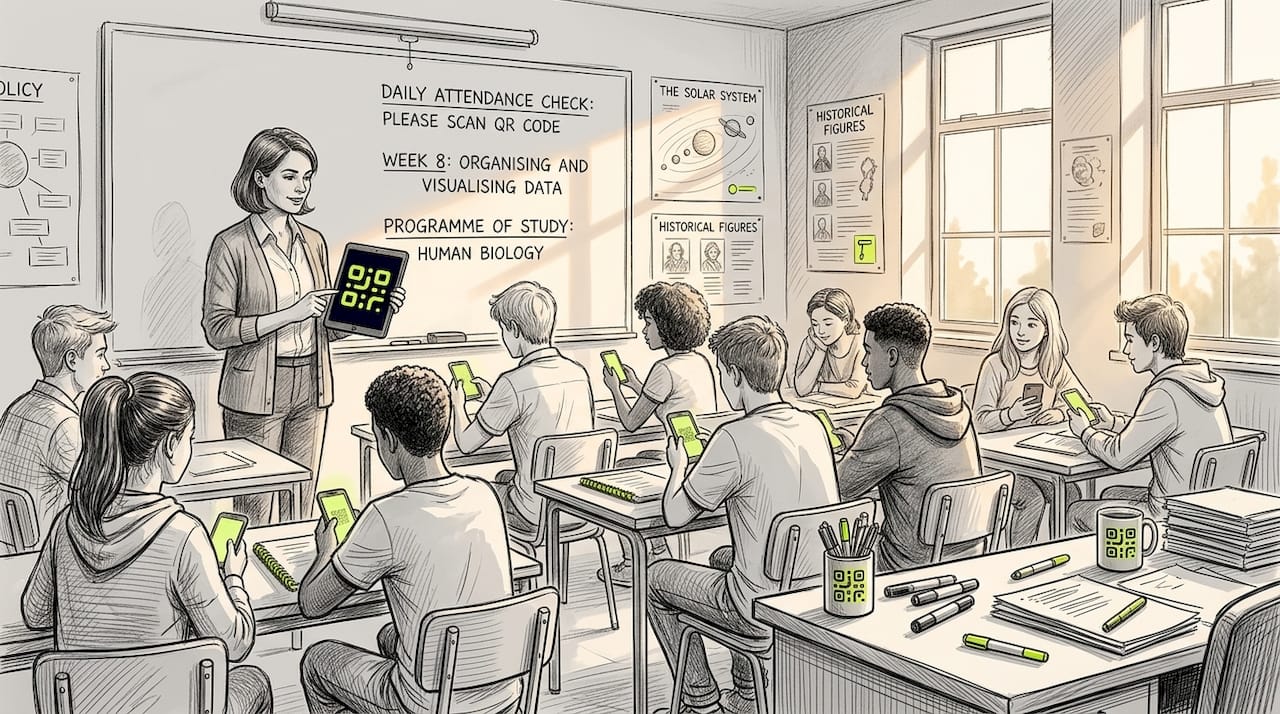
Traditional roll-call or paper-based attendance can consume five to ten minutes of every lesson. A dynamic QR code displayed at the start of class, refreshed every thirty seconds to prevent sharing, allows students to register their attendance on their own devices in seconds. The data feeds directly into your management system, with a time stamp and location record already attached.
The evidence for this is compelling:
| Method | Average marking time per class | Accuracy | Security features |
|---|---|---|---|
| Manual roll-call | 5 to 8 minutes | Moderate (proxy possible) | None |
| Paper-based register | 3 to 5 minutes | Moderate | None |
| QR code attendance | Under 2 minutes | High | GPS, time-lock, device ID |
Research confirms that QR attendance systems reduce marking time by over 60% compared to manual methods, and dynamic QR combined with facial verification and geolocation makes proxy attendance significantly harder to achieve.
Access management for examinations is another strong use case. A study in higher education found that a QR-based access system cut student verification time from 20 seconds down to under 5 seconds, with 98% accuracy, and linked seamlessly to student fee and enrolment records. For large institutions processing hundreds of students at exam venues, that speed difference is operationally transformative.
You can also use QR codes to manage access to resource rooms, printing stations, or specialist equipment. Students scan to log access, and administrators can track attendance scans in real time to monitor usage patterns, flag anomalies, and produce accurate occupancy reports without additional staffing.
The security layer that dynamic codes provide is particularly valuable in educational settings. A static QR code posted on a wall can be photographed and shared outside the institution. A time-limited, randomised code that refreshes every lesson period cannot be used fraudulently once it has expired.
Maximising engagement and feedback with QR codes
With operational tasks running more smoothly, your attention can shift to something equally important: gathering genuine, timely feedback from students and measuring engagement accurately.
Traditional end-of-term paper evaluations suffer from poor response rates and superficial answers. Students rush, write minimal comments, and hand sheets back without much thought. QR codes change that dynamic significantly.
Placing a QR code directly on lecture slides gives students an immediate, frictionless route to evaluation forms. The results speak clearly: QR codes on lecture slides in medical education increased evaluation response rates from 7% to 12%, and written comments per lecture rose from 1.6 to 4.3, with large effect sizes (Cohen’s d = 1.78 and 1.90). Those are not marginal gains. They represent a fundamental shift in how much usable qualitative data you receive from your students.
Here is how QR-based feedback collection compares with traditional approaches:
| Feature | Traditional paper feedback | QR code digital feedback |
|---|---|---|
| Response rate | Low (often under 10%) | Higher (up to 12% or more in research) |
| Written comment quality | Brief, often superficial | More detailed, richer responses |
| Time to analyse data | Days or weeks | Near-instant with digital forms |
| Anonymity for students | Perceived but uncertain | Fully anonymous when configured correctly |
| Flexibility for educators | Fixed questions only | Update questions between sessions |
Beyond formal evaluations, QR codes support a range of ongoing feedback and engagement approaches:
- On-the-spot polls: Display a code during a discussion to gather instant votes on a question or topic.
- Curriculum evaluations mid-term: Rather than waiting until the end of the year, gather structured feedback after each unit to make adjustments while they still matter.
- Formative self-assessment: Link codes to rubrics or reflection templates that students complete before submitting assessed work.
- Anonymous concerns or questions: A permanently displayed code on a course noticeboard can link to a form where students raise concerns without identifying themselves.
Using analytics for engagement means you can also see which QR codes are being scanned and when. If a code linking to a revision resource sees a spike three days before an exam, that tells you something valuable about how your students study. If a code embedded in week six materials never gets scanned, that resource may need rethinking.
The hidden pitfalls and proven tactics for QR code adoption
Most guides focus on the wins. We want to be honest about the challenges too, because educators who encounter them unprepared tend to abandon the technology entirely, which is a missed opportunity.
The most significant and most frequently overlooked barrier is unequal access. Not every student owns a smartphone. In lower-income settings or certain international student cohorts, smartphone ownership and reliable mobile data are not universal. Research from Frontiers in Education notes that device dependency risks include loss of focus and unequal access in low-resource settings, and recommends pre-downloaded content as a mitigation strategy. If a student cannot scan, the activity should still be completable through another route.
Alongside access, there is the question of cognitive overload. Placing QR codes on every slide, every worksheet, and every wall display creates noise rather than value. Students stop noticing them. The most effective implementations are selective and purposeful, each code linked to something genuinely useful.
According to guidance from UCSF’s Faculty Guide for Creating QR Codes, best practice always includes providing a text URL fallback for non-mobile users, ensuring mobile-friendly and accessible destination content, avoiding overload by starting small, and tracking scans to understand actual usage patterns.
A gradual rollout strategy genuinely works better than a sudden institution-wide switch. Begin with one subject or one activity type. Measure what happens with scan analytics. Gather student and staff feedback. Adjust the approach based on what you learn. This iterative process, informed by real data rather than assumptions, produces sustainable adoption rather than a technology initiative that fades after one term.
Privacy also deserves attention. If you track scans, students should know what data is being collected and why. Transparent communication about analytics builds trust rather than suspicion. Choosing a GDPR-compliant platform is not optional for UK and EU institutions. It is a requirement, and it protects both students and the institution.
You can find practical guidance and case studies across our QR implementation tips resource hub, which covers both strategic and technical considerations for education settings.
Get started with reliable QR solutions for your school
The strategies covered in this article only deliver lasting value when the technology underneath them is dependable. A broken QR code mid-lesson or a platform that deactivates your codes unexpectedly can undermine months of careful planning.

QRlytics is built specifically for organisations that need QR codes to keep working. Codes created during an active subscription remain functional permanently, regardless of billing changes. You can update destination URLs without reprinting materials, monitor scan analytics in real time, and maintain GDPR-compliant tracking for student interactions. Start with our free QR generator to test the platform with no credit card required, or move straight to our dynamic QR code generator to create editable, trackable codes ready for your next lesson, handout, or campus-wide campaign.
Frequently asked questions
What is the difference between static and dynamic QR codes in education?
Static QR codes point to a fixed URL that cannot be changed after creation, while dynamic codes allow you to update the destination link and track scans over time. As the Faculty Guide for Creating QR Codes explains, dynamic codes are ideal for educational materials that need updating throughout the year.
How do QR codes improve classroom engagement?
QR codes give students instant access to interactive resources and remove the friction from peer activities, feedback forms, and self-assessment tasks. Research confirms that QR-enhanced cooperative learning significantly improved both cognitive achievement and student attitudes in higher education contexts.
What security risks are associated with classroom QR codes?
The main risks are device dependency, unequal access, and the potential for static codes to be shared or used fraudulently. Dynamic and randomised QR codes combined with GPS location checks substantially reduce these risks in attendance and access control scenarios.
How much time can QR codes save for attendance or access control?
QR code attendance systems reduce marking time by over 60% compared to manual methods. In higher education access management, verification time dropped from 20 seconds to under 5 seconds with 98% accuracy when QR codes replaced manual ID checks.