What are quick response codes and how do they work?
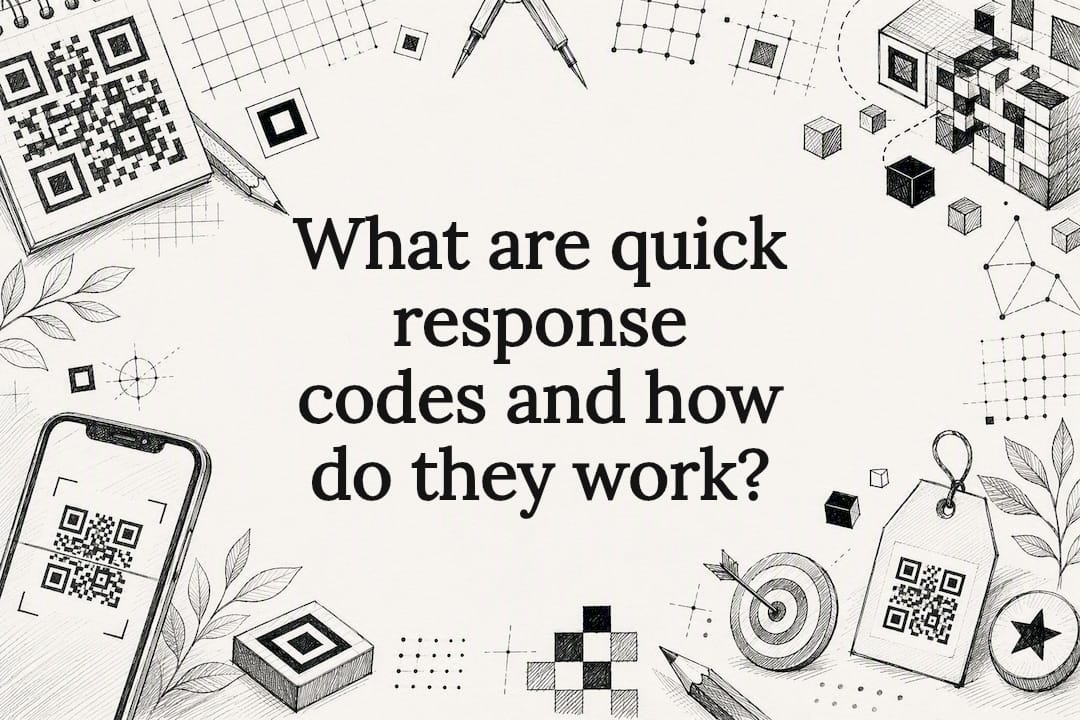
A quick response code, better known as a QR code, is a two‑dimensional matrix barcode that a smartphone camera can read in less than a second. Scan one, and you’re usually taken to a web link, a contact card, a Wi‑Fi login, or a payment screen. It’s a simple bridge between something printed or displayed and something digital, and whether it’s safe to use depends entirely on where that bridge leads.
Two examples show why this matters. A café prints a QR code on its table so you can pull up the menu on your phone instead of touching a laminated card. A business card carries a code that drops a contact straight into your phone’s address book, no typing required. Both are the same technology doing very different jobs.
- Scanning a QR code typically opens a URL, displays text, or triggers an action like adding a Wi‑Fi network
- The code itself is just a container. Its safety and usefulness depend on what it points to
- You don’t need a special app. Most phone cameras read QR codes natively now
Key Takeaways
Quick response codes reliably bridge printed and digital content because of Reed–Solomon error correction, standardised structure under ISO/IEC 18004, and the reader’s own verification habits before scanning.
| Point | Details |
|---|---|
| Definition | A QR code is a two‑dimensional matrix barcode read by a smartphone camera, usually opening a link or content. |
| Structure matters | Finder patterns, a quiet zone, and Reed–Solomon error correction keep codes readable even when damaged. |
| Choose static vs dynamic deliberately | Dynamic codes allow editing and scan tracking; static codes are fixed forever once printed. |
| Verify before scanning | Preview the destination link and inspect the physical code for tampering before proceeding. |
| Permanence protects your investment | Qrlytics guarantees codes created on an active subscription keep working permanently, avoiding dead printed materials. |
Table of Contents
- What a QR code is and where it came from
- How QR codes work, from squares to scans
- Where you’ll actually encounter QR codes
- Static and dynamic QR codes, and the formats behind them
- How to create and scan a QR code
- How to spot a malicious or tampered QR code
- Design and printing rules that actually affect scan rates
- Why a managed platform solves the QR code’s biggest weakness
- What the conventional advice on QR codes gets wrong
- Get a QR code that keeps working after launch day
- Sources
- FAQ
What a QR code is and where it came from
QR codes exist because a Japanese car parts supplier got tired of workers scanning barcodes over and over. In 1994, engineers at Denso Wave, a subsidiary of the automotive giant Denso, set out to build something that could hold more data than a standard barcode and be read from any angle, at speed, on a factory floor. The result was the quick response code, named for exactly that: the speed at which it could be scanned and decoded.
A traditional barcode stores data in one direction, a single line of varying widths that a scanner reads left to right. A QR code stores data in two directions, both across and down, in a grid of black and white squares. That single shift is what gives it so much more room to work with. Where a standard barcode might hold around 20 characters, a QR code can hold thousands, depending on the version and encoding mode used.
The two‑dimensional structure also solved the orientation problem. Denso Wave’s engineers wanted a code that a handheld scanner could read no matter which way it was held, upside down, sideways, at an angle. That’s why every QR code carries three distinctive square patterns in three of its four corners. They tell the scanner exactly how the code is rotated before it even starts reading the data inside.
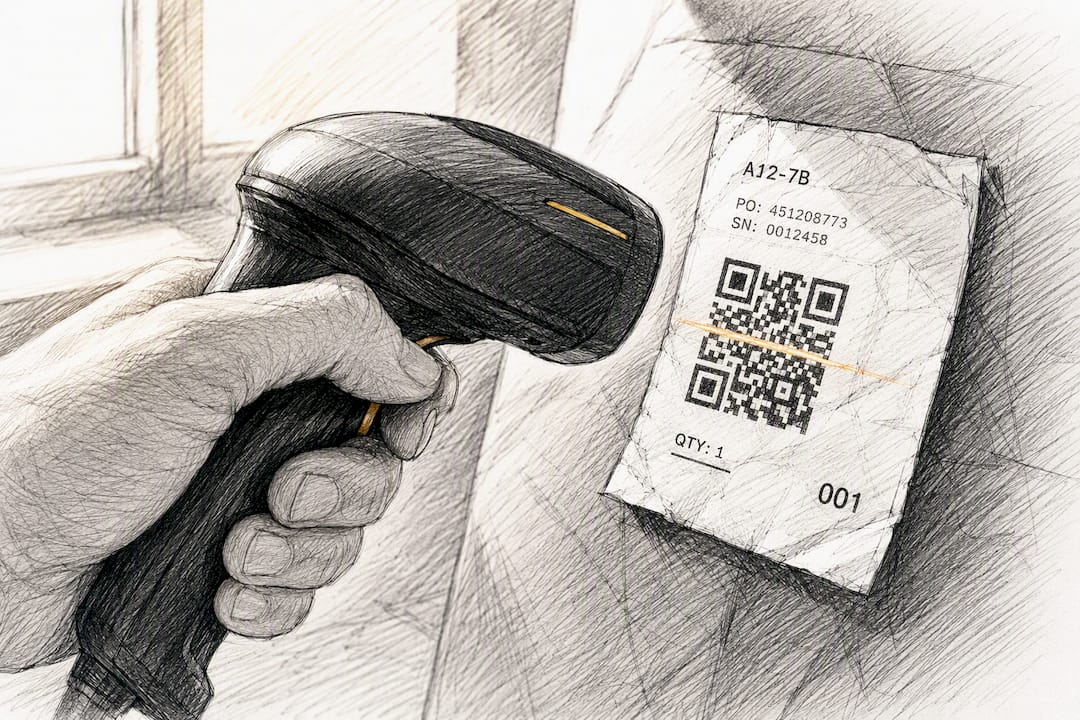
None of this happened in isolation. The format is governed by ISO/IEC 18004, the international standard that specifies exactly how a QR symbol must be structured, encoded and error‑corrected. That standardisation is a big part of why a code generated on one platform will scan correctly on almost any device, anywhere in the world.
A short version of how the format grew:
- 1994, Denso Wave develops the QR code for tracking vehicle parts through Toyota’s supply chain
- Late 1990s, adoption spreads beyond manufacturing into logistics and inventory systems
- 2000, the format is formally standardised under ISO/IEC 18004, cementing it as an open, royalty‑free specification
- 2010s onwards, smartphone cameras gain native QR reading, moving the code from an industrial tool into everyday consumer use
Denso Wave made a decision early on that shaped everything that followed: it chose not to enforce its patent rights on the core QR code technology. That’s a large part of why the format spread so widely rather than staying locked inside one company’s supply chain.
How QR codes work, from squares to scans
A QR code looks like a random scatter of black and white squares, but every part of that grid has a job. Understanding the structure is the difference between designing a code that scans first time and one that frustrates everyone who tries.
The building blocks
Each small black or white square in the grid is called a module. The number of modules determines the code’s “version”, and there are 40 official versions ranging from a tiny 21×21 grid (version 1) up to a dense 177×177 grid (version 40). More modules mean more storage, but also a more demanding scan.
Three larger square patterns sit in three corners of every standard QR code. These are the finder patterns, and they’re the reason a code can be scanned at any angle. According to Investopedia’s technical breakdown, a scanner locates these three squares first, works out the code’s size and orientation from their position, then reads the data inside. Larger versions also include smaller alignment patterns scattered through the grid to help the scanner correct for warping or curvature, which matters more than you’d think on a code printed on a curled receipt or a wrinkled label.
Around the whole symbol sits the quiet zone, a blank margin of white space. It looks like nothing, but a scanner uses it to work out where the code starts and ends. Crop that margin off and you can break an otherwise perfect code.
Encoding modes and capacity
QR codes can store data in four main encoding modes, each suited to a different kind of content:
- Numeric mode, for digits only, the most efficient and highest‑capacity option
- Alphanumeric mode, for letters, numbers and a small set of symbols
- Byte or binary mode, for general text, URLs and most real‑world data, less efficient but far more flexible
- Kanji mode, for Japanese characters, reflecting the format’s origins
Most QR codes you encounter in marketing, menus or business cards use byte mode, because a web address needs letters, numbers, slashes and punctuation all in the same string. That flexibility comes at a storage cost, which is one reason a link‑heavy code often needs a higher version than a code storing a short numeric ID.
Error correction: the part that makes QR codes forgiving
This is arguably the cleverest part of the whole system. Every QR code uses Reed–Solomon error correction, a mathematical technique that adds redundant data to the symbol so it can still be read even when part of it is damaged, dirty or obscured. Wikipedia’s technical overview explains that this is exactly how brands got away with stamping logos into the middle of QR codes for years. The code doesn’t need every module intact. It just needs enough of them.
There are four standard levels of error correction, and they trade resilience for capacity:
| Level | Recoverable damage | Best suited to |
|---|---|---|
| L (Low) | a small portion | Clean digital displays, screens |
| M (Medium) | a moderate portion | General print use, the common default |
| Q (Quartile) | a significant portion | Industrial or outdoor use, moderate wear expected |
| H (High) | a large portion | Codes with a logo overlay, or heavy wear conditions |
A higher error correction level protects the code but shrinks the space left for actual data, because the redundancy takes up modules that would otherwise store content. That’s why a code with a logo baked in and Level H correction often needs to jump to a higher version just to hold the same URL, which means more modules squeezed into the same printed space, and a code that demands sharper print resolution to scan reliably. This trade‑off runs through nearly every design decision covered later in this piece.
Denso Wave’s own account of the code’s development notes this resilience was deliberate from day one. Factory floors are dusty and codes get scuffed, so a symbol that could tolerate real damage wasn’t a nice extra. It was the entire point.
Where you’ll actually encounter QR codes
QR codes moved from car parts factories into daily life so gradually that most people never noticed the jump. You’ve almost certainly scanned one this week without thinking twice about it.
On the consumer side, the most common encounters are:
- Restaurant menus, replacing laminated cards with a code linking to a hosted digital menu
- Event tickets and boarding passes, where the code encodes a unique reference the venue scans on entry
- Business cards, holding a full contact record, or “vCard”, that saves straight into a phone’s address book
- Wi‑Fi access codes, encoding a network name and password so guests connect without typing either
- Mobile payments, where scanning a merchant’s code opens a payment app pre‑filled with the amount owed
That last one deserves a mention because of how far it’s gone in some markets. Countries across Asia, particularly China and India, have built entire retail payment ecosystems around QR scanning, to the point where a street food vendor with a laminated code taped to a cart can take payment as easily as a card terminal. It’s a useful illustration of how far the format can scale once infrastructure and consumer habit line up behind it, rather than a claim that every market works this way.
Away from consumer life, QR codes carry a lot of weight in industrial and commercial settings:
- Inventory and asset tracking, where a code on a pallet, shelf or piece of equipment links to a database record instead of a paper log
- Manufacturing labels, tracing a part through assembly exactly as Denso Wave originally intended
- Field service and maintenance, where a technician scans equipment to pull up service history instantly
- Retail stock management, linking physical goods to digital records for faster counts and reorders
The common thread across every one of these is that a QR code turns something physical into something a device can act on instantly, without anyone typing a URL, an item number or a Wi‑Fi password by hand. Digital frames this well: QR codes exist to bridge online and offline worlds, but that’s exactly why choosing the right tool for the job matters. A code isn’t always the answer. Sometimes a shortened link or a printed URL does the job just as well with less friction for the reader.
Static and dynamic QR codes, and the formats behind them
Not every QR code behaves the same way once it’s printed, and the difference between static and dynamic codes is the single most important thing to understand before you generate one.
A static QR code encodes its final destination directly into the pattern of modules. Once printed, that destination is fixed permanently. There’s no changing it, no updating it, no fixing a typo without reprinting the code from scratch. Static codes work well for content that will never change, such as a Wi‑Fi password or a one‑off contact card.
A dynamic QR code works differently. Instead of encoding the final destination, it encodes a short redirect URL managed by a platform, and that platform points the redirect wherever you want. Change the destination, and every printed code updates instantly, no reprinting required. This is also what makes scan tracking possible: the redirect service can log every scan before sending the visitor on, giving you data a static code simply cannot provide.
Beyond that core distinction, you’ll occasionally run into named format variants:
- Micro QR, a smaller version designed for applications with very little space and modest data needs
- Model 1 and Model 2, Model 1 was the original 1994 specification, Model 2 is the improved version in use almost everywhere today
- iQR, a Denso Wave variant supporting both square and rectangular shapes for constrained spaces
- Frame QR, which reserves a blank area inside the code for artwork or a logo without breaking the scan
- SQRC (Secure QR Code), which can hide part of its data so it only reveals fully to a scanner with the right key, used in access control and anti‑counterfeiting
For almost anyone reading this, Model 2 static or dynamic codes will cover every practical need. The real decision that matters is static versus dynamic, and it comes down to a simple trade‑off: static codes are simpler and need no ongoing service, but dynamic codes let you edit the destination after printing and see exactly how many people scanned it. If a code is going on anything you’ll ever want to update, a poster, a product label, a piece of packaging with a print run measured in thousands, dynamic is the only sensible choice.
How to create and scan a QR code
Generating a working QR code takes minutes. Getting one that scans reliably, every time, on every device, takes a little more care.
1. Decide static or dynamic before you generate anything. This is the decision that determines everything downstream. If the destination might ever change, or if you want to know how many people actually scanned the code, choose dynamic. If you’re encoding something permanent and simple, like a Wi‑Fi password for your own home, static is fine. Making this call first saves you from reprinting materials later, which is the single most common regret people have with QR codes.
2. Choose a generator and enter your destination. Pick a platform suited to what you’re building. QRlytics’s free QR code generator covers straightforward static and dynamic codes without asking for card details up front, which makes it a sensible starting point if you’re not sure yet how serious your use case will become. If your destination URL is long and unwieldy, shorten it first. Long URLs push a code into a higher version, which means more modules and a denser, harder‑to‑scan symbol at a given print size.
3. Test before you commit to print. Scan the code yourself on more than one phone, ideally both an iPhone and an Android device, using the native camera rather than a dedicated app. Then print it at the actual size it will appear in the real world, whether that’s a business card, a poster or a window sticker, and scan it again from the distance a real person will stand. A code that scans perfectly at full screen size on your laptop can fail completely shrunk to 2cm on a flyer.
4. Deploy and keep an eye on performance. Once a code is live, particularly one attached to a marketing campaign, tracking scans tells you whether it’s actually working. A step‑by‑step generation guide covers this testing checklist in more depth if you’re rolling codes out across multiple print materials at once.
Pro Tip: Print a test batch of any campaign code on the actual paper stock and finish you’ll use in production, not on standard office printer paper. Glossy laminate and matte card stock scatter light very differently, and a code that scans perfectly on plain paper can fail on a glossy poster.
How to spot a malicious or tampered QR code
The same qualities that make QR codes convenient, no typing, instant redirection, one camera glance, make them an appealing target for scammers. The code itself can’t tell you whether the destination is safe. That judgement call sits with you.
The main risks worth knowing about:
- Malicious redirect links, where a code sends you to a phishing site designed to steal login details or payment information
- Tampered stickers, where a fraudulent code is physically stuck over a legitimate one, a tactic reported on parking meters and payment terminals
- Unexpected credential or payment prompts, where scanning a code triggers a login screen or payment request you weren’t expecting from that context
The FBI’s Internet Crime Complaint Center issued a specific advisory warning that cybercriminals have tampered with legitimate QR codes to redirect victims to malicious sites that steal personal and financial information. The advice is blunt: treat a QR code the same way you’d treat an unsolicited link in an email or text message. Don’t assume it’s safe just because it’s printed on official‑looking signage.
Digital.gov’s guidance reinforces the same point from the official side: QR codes are a genuinely useful bridge between physical and digital experiences, but that usefulness depends on verifying context before you scan. A few habits go a long way:
- Preview the link before opening it. Most phone cameras show the destination URL before you tap through. Read it.
- Look at the physical code itself. A sticker layered over another sticker, a code printed on paper that doesn’t match the surrounding material, or a code taped somewhere it doesn’t belong are all warning signs.
- Be suspicious of urgency. A code that pushes you straight into a payment or login screen, especially somewhere you didn’t expect one, deserves a second look before you proceed.
- Stick to reputable scanning apps if your phone’s native camera doesn’t show a link preview, since some third‑party scanners add that safeguard automatically.
None of this means QR codes are inherently risky. It means they carry the same basic risks as any clickable link, just delivered through a camera instead of a mouse click.
Design and printing rules that actually affect scan rates
A QR code that looks perfect on a screen can fail completely once it’s printed and shrunk. A handful of design rules cover almost every real‑world scanning problem.
- Size scales with distance. A code meant to be scanned from arm’s length, like on a menu or receipt, can be small. A code on a poster or shop window meant to be scanned from a few metres away needs to be considerably larger. Test at the actual distance, not just the actual size.
- Contrast matters more than colour. Dark modules on a light background scan far more reliably than the reverse, and busy photographic backgrounds behind a code confuse scanners badly. Keep the immediate area around the code clean.
- Never crop the quiet zone. That blank border isn’t wasted space. Removing it to save room is one of the most common design mistakes that breaks an otherwise fine code.
- Match error correction to how the code will be used. A code displayed cleanly on a screen can use Level L. A code destined for a grubby delivery label, or one with a logo sitting in the middle, needs Level Q or H to stay reliable.
- Always test the final printed artwork, not a digital preview, on more than one phone before it goes to press in volume. A guide to QR code consistency covers the operational side of this, since a single bad batch of printed materials is expensive to replace.
Why a managed platform solves the QR code’s biggest weakness
Static codes have a hidden failure mode that only becomes obvious months after printing: they can’t be fixed. If a URL changes, or a shortening service used to build the code shuts down, every printed copy of that code goes dark permanently, whether it’s on a single flyer or a hundred thousand product boxes.
Dynamic codes solve the editability problem, but only if the redirect service behind them stays online. A dynamic code is essentially a promise from whoever’s hosting the redirect, and that promise is only as good as the platform’s own reliability.
This is the gap Qrlytics exists to close. Codes created during an active Qrlytics subscription keep working permanently, regardless of what happens to billing afterwards, which removes the single most common cause of a QR campaign quietly failing. On top of that permanence, the platform gives you:
- Editable destinations on any dynamic code, so a mistake or a change of plan never means reprinting
- GDPR‑compliant scan analytics, showing not just scan counts but timing and location patterns via heatmap tracking
- Customisable, branded code designs that stay scan‑reliable even with logo overlays
- API access for teams that want QR generation built directly into their own tools
For anyone printing a QR code onto something that costs money to reproduce, permanence isn’t a luxury feature. It’s the entire point.
What the conventional advice on QR codes gets wrong
Most explainers treat QR codes as a solved, static piece of technology: point your camera, get a link, done. That framing misses the part that actually determines whether a QR code succeeds or fails, which is what happens after the print run, not during the scan.
The error correction built into every code is genuinely elegant engineering, and it deserves the attention it gets. But the bigger practical risk isn’t a scuffed or partly obscured code. It’s a perfectly intact code pointing at a destination that no longer exists, because a shortening service shut down or a static code was never designed to be updated in the first place. That failure is invisible until someone tries to scan a poster that’s been up for six months, and by then the printing cost is already sunk.
If there’s one priority to take from all of this, it’s to stop treating “generate a QR code” and “manage a QR code” as the same task. Generation is the easy five minutes. Management, keeping the destination current and knowing whether anyone’s actually scanning it, is where campaigns quietly succeed or fail.
Get a QR code that keeps working after launch day
Qrlytics is built specifically for the failure mode covered above: printed QR codes that stop working because a link changed or a shortening service disappeared. Codes generated during an active Qrlytics subscription keep redirecting permanently, regardless of billing status, so a poster, product label or business card never turns into a dead scan months after printing.

That permanence pairs with dynamic destination editing, GDPR‑compliant scan analytics with heatmap tracking, and branded, customisable code designs that still scan reliably with a logo overlaid. Whether you’re testing your first code or rolling out a print run in the thousands, the same underlying reliability applies. Start with the free QR code generator to create a static or basic dynamic code with no card details required, or go straight to the dynamic QR code generator if you already know you’ll need editable destinations and scan tracking from day one.
Sources
- Quick Response (QR) Code: What They Are, How They Work, and Types
- Digital
- QR Code development story|Technologies|DENSO WAVE
- QR code
- IC3 security notice
FAQ
What are quick response codes?
A quick response code, or QR code, is a two‑dimensional matrix barcode that stores data in a grid of black and white squares, readable by a smartphone camera in under a second.
What does “QR” in QR code actually stand for?
QR stands for Quick Response, referring to how fast the code can be scanned and decoded compared with a traditional one‑dimensional barcode.
Is a “QT code” the same thing as a QR code?
There’s no separate standard called a “QT code”. This is almost always a typo or mishearing of “QR code”, the two‑dimensional matrix barcode covered throughout this article.
How does a QR code actually work?
A scanner locates the three finder pattern squares to determine the code’s size and orientation, then reads the grid of modules and uses Reed–Solomon error correction to reconstruct the data even if part of the code is damaged.
What’s the difference between a static and a dynamic QR code?
A static code encodes its final destination permanently and cannot be edited after printing, while a dynamic code, such as those built with Qrlytics, points to an editable redirect that can be updated and tracked after the code is already in print.