How to generate QR codes: the marketing pro’s guide

TL;DR:
- Properly generated QR codes bridge offline and online spaces, ensuring reliable scans and campaign success. Preparing, designing, testing, and tracking are essential steps to prevent failures caused by poor contrast, incorrect URLs, or lack of monitoring. Using trustworthy tools like QRlytics ensures permanence, accurate analytics, and effective integration into marketing strategies.
Knowing how to generate QR codes properly is the difference between a campaign that converts and one that quietly fails in the field. For marketers and small business owners, QR codes are the bridge between printed materials and online experiences — packaging, flyers, business cards, and event signage all become interactive when done right. But too many teams rush the process, skip testing, or choose tools that leave their codes vulnerable to expiry. This guide walks you through every stage: preparation, creation, design, testing, and tracking, so your QR codes work reliably from day one.
Table of Contents
- Preparing to generate your QR code
- Step-by-step guide to generating QR codes with Adobe Express
- Designing QR codes for reliable scanning and strong branding
- Testing and verifying your QR codes before distribution
- Tracking and optimising QR code campaigns for marketing success
- Why many QR code campaigns fail and how to avoid common pitfalls
- Discover reliable QR code solutions with QRlytics
- Frequently asked questions
Key Takeaways
| Point | Details |
|---|---|
| Understand QR standards | Generating QR codes requires following ISO/IEC specifications for reliable scanning and data encoding. |
| Use trusted tools | Adobe Express offers a simple way to create customised QR codes quickly without software downloads. |
| Design with error correction | Use error correction level H to add logos and maintain scan reliability even with partial QR code coverage. |
| Always test codes | Scan your QR code on multiple devices before printing to ensure links work and codes scan easily. |
| Track campaign performance | Employ dynamic QR codes with analytics to monitor scans and optimise marketing efforts over time. |
Preparing to generate your QR code
Before you open any tool, a small amount of preparation saves a great deal of trouble later. The most common reason QR codes fail in the field is not poor design — it is a wrong URL, a broken redirect, or a mismatch between the code’s content and the user’s expectation. Getting the fundamentals right first is the mark of a professional workflow.
QR codes are governed by a technical standard. The ISO/IEC 18004 specification defines the symbology rules that ensure your code can be reliably scanned across all compliant devices and apps. Any reputable generator follows this standard automatically, but it is worth knowing it exists — particularly when evaluating whether an obscure free tool is actually trustworthy.
The key decisions to make before you generate:
- Static vs dynamic: Static codes permanently encode a URL. Dynamic codes point to a redirect URL that you can change later without reprinting. For marketing campaigns, dynamic is almost always the right choice.
- Destination URL: Confirm the link is live, mobile-friendly, and leads exactly where you intend. A broken or desktop-only landing page wastes every scan.
- Branding requirements: Note your brand colours, whether you want a logo included, and the minimum print size. These affect which error correction level you need.
- File format needed: Print materials need SVG or high-resolution PNG. Digital use can accommodate JPEG or PNG.
| Decision | Static QR code | Dynamic QR code |
|---|---|---|
| URL editable after print? | No | Yes |
| Scan tracking available? | No | Yes |
| Ideal for | One-off items | Active campaigns |
| Risk if content changes | Code becomes broken | Redirect updated, code still works |
You can find more guidance on setup choices and campaign planning in the QR code guides and tips section of the QRlytics blog. If data privacy is relevant to your campaign, the article on data privacy in QR marketing is worth reading before you begin collecting scan data.
Pro Tip: Always shorten your destination URL before encoding it. Shorter URLs produce less dense QR codes, which are easier to scan — especially at small print sizes.
Now that you understand the basics, let us look at how to generate your QR code step by step.
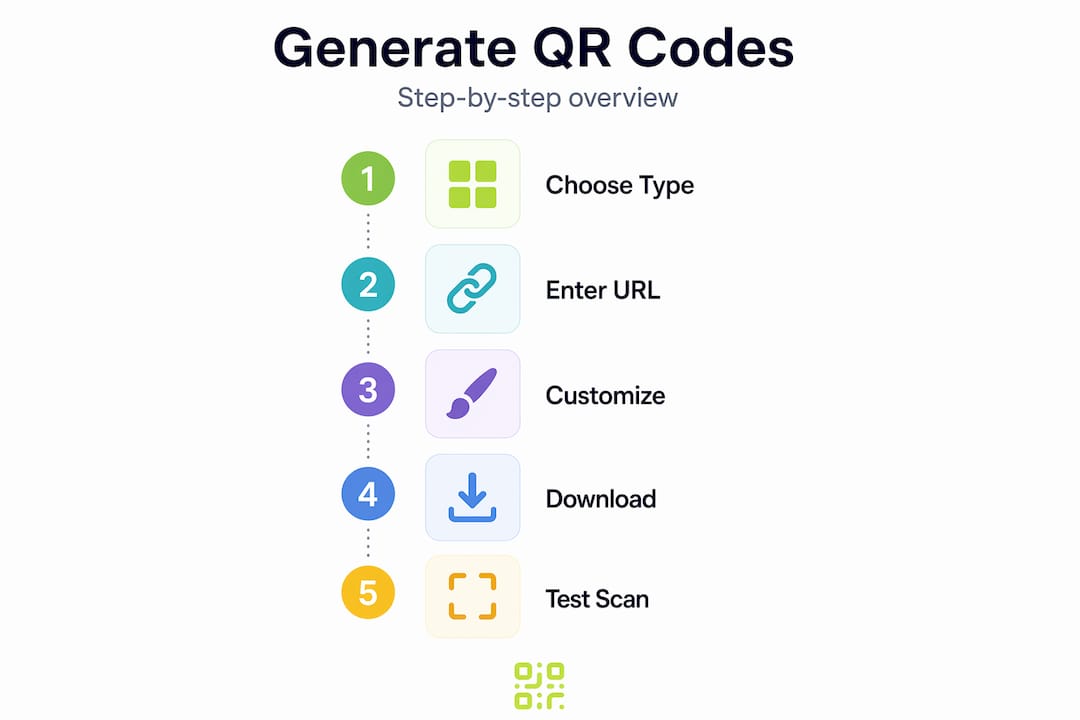
Step-by-step guide to generating QR codes with Adobe Express
Adobe Express is one of the most accessible tools for marketers who want to produce branded QR codes without a steep learning curve. It handles the technical side automatically while giving you enough design control to stay on-brand. Adobe Express QR code generation supports URL input, colour styling, and format selection in a single flow.
Follow these steps:
- Open Adobe Express and navigate to the Quick Actions menu. Select “Generate QR code” from the available tools.
- Paste your destination URL into the input field. This can be a website, payment link, social media profile, video page, or any other web address. If you want to learn how to create a QR code for a video, simply paste the video URL here.
- Choose your file format. SVG is best for print because it scales without quality loss. PNG works well for digital use and most print runs above A5 size.
- Customise the colour and style. Match the QR code’s foreground colour to your brand palette. Keep sufficient contrast between foreground and background — dark on light is the most reliable combination.
- Download a test version before you finalise anything. Do not skip this step.
- Scan the test code using your mobile camera. Confirm the link opens correctly and loads on mobile. Then test with a second device and a dedicated QR scanning app to broaden the check.
- Download the final version or open it in the Adobe Express editor to add it to a larger design.
If Adobe Express is not your preferred route, a free QR code generator built specifically for marketing workflows is available through QRlytics. For teams who want to understand how scan tracking integrates into their broader reporting, the QR code tracking and analytics guide explains the full picture.
Pro Tip: When making QR codes with Google tools like Google Sites or Google Forms, you can generate a QR code for any shareable link using the same process above. The URL is all that matters — the source platform is irrelevant.
Designing QR codes for reliable scanning and strong branding
With the QR code generated, the next focus is designing it for your brand while keeping scan reliability intact. This is where many teams go wrong. They add a logo, tweak the colours, and reduce contrast in the process — only to find the code fails on lower-quality print surfaces.
The key is error correction. QR codes contain redundant data that allows them to be read even when part of the code is damaged or covered. There are four error correction levels defined in the ISO/IEC standard:
| Level | Recovery capacity | Best for |
|---|---|---|
| L (Low) | ~7% | Clean digital displays, ideal conditions |
| M (Medium) | ~15% | General marketing materials |
| Q (Quartile) | ~25% | Branded codes with minor design overlays |
| H (High) | ~30% | Codes with logos or heavy customisation |
If you are placing a logo over your QR code, you must use level H. This error correction level means the code remains readable even when up to 30% of its data is obscured — enough to accommodate a well-placed logo in the centre.
Key design principles to follow:
- Contrast first: The darker your foreground against the background, the easier it scans. Avoid grey-on-white or pastel combinations.
- Logo size: Keep any logo overlay below 20% of the total code area for reliable scanning, even with level H correction.
- Quiet zone: Maintain a clear margin around the code equal to at least four modules (the small squares). Cutting into this margin breaks the scanner’s ability to locate the code.
- Avoid gradients on the QR pattern itself. Gradients on surrounding artwork are fine, but the code’s data modules need solid colour.
For a more detailed walkthrough of campaign-level design decisions, the guide on mastering QR code campaigns covers print production and design integration in depth.
Pro Tip: Branding with QR codes does not mean making every module a different colour. Often, simply matching the foreground to your primary brand colour is enough to make the code feel owned — without adding scan risk.
Testing and verifying your QR codes before distribution
Once designed, thorough testing is essential to ensure your QR codes perform in the real world. Printing thousands of flyers with a broken code is an expensive, avoidable mistake. Testing takes ten minutes and saves hours of damage control.
Before any distribution, test every QR code with a mobile camera to confirm the URL resolves correctly and the page loads as expected on mobile.
Your testing checklist:
- Scan with at least two different mobile devices (iOS and Android)
- Test with the native camera app and a dedicated QR scanner
- Print a physical copy and scan it under typical lighting conditions
- Test at the smallest size the code will appear in your finished materials
- Verify the landing page loads correctly on mobile, not just desktop
- Confirm any UTM parameters or tracking tags in the URL are intact
A QR code that works on screen but fails on paper is one of the most common and costly mistakes in print marketing. Always test on the actual substrate — paper, fabric, or signage material — before approving the final print run.
Common mistakes that cause scan failures include excessive decoration on the data modules, insufficient contrast, incorrect or expired URLs, and printing at too small a size. A QR code smaller than 2.5cm square is likely to fail in real-world conditions with average smartphone cameras.
For ongoing campaigns, build monitoring into your process. The QR code tracking methods available through QRlytics let you catch drop-offs in scan performance early, before they affect campaign results.
Tracking and optimising QR code campaigns for marketing success
After ensuring your QR codes work well, tracking can significantly improve your campaign outcomes. A QR code without analytics is a missed opportunity. You place it in the world, people scan it, and you have no idea how many, from where, on what device, or at what time of day.
Dynamic QR codes solve this. They route scans through a redirect URL, and every redirect is logged. Effective scan monitoring gives marketers the data to compare channels, refine placements, and justify print budgets.
Key metrics to monitor:
- Total scans: The basic measure of reach and engagement
- Unique scans: Distinguishes first-time scanners from repeat visits
- Location data: Identifies which regions or venues generate the most engagement
- Device type: Tells you whether to prioritise Android or iOS in your landing page testing
- Time of scan: Reveals peak engagement windows to inform future distribution timing
| Metric | What it tells you | Action it enables |
|---|---|---|
| Total scans | Overall campaign reach | Compare against distribution volume |
| Location breakdown | Geographic engagement | Adjust spend by region |
| Device split | Platform preference | Prioritise mobile optimisation |
| Peak scan time | Behavioural patterns | Time future drops accordingly |
Integrating your QR scan data with broader analytics and tracking platforms gives you a complete view of the customer journey from offline touch point to online conversion. The marketing solutions available through QRlytics are built specifically for this kind of step-by-step QR code marketing workflow, making campaign iteration straightforward.
Why many QR code campaigns fail and how to avoid common pitfalls
Most QR code campaign failures come down to four things: skipped testing, poor contrast choices, unclear calls to action, and no post-launch tracking. None of these are technical problems. They are process problems — and that makes them entirely preventable.
The testing issue is the most common. Teams generate a code, drop it into a design, and send the file to print. Nobody scans it until a stakeholder notices it does not work at the launch event. The fix is simple: build a scan test into your approval checklist, the same way you would proofread copy.
Contrast is often sacrificed for aesthetics. A pale pink QR code on a cream background might look elegant, but it will fail for a significant portion of scanners, particularly older devices or cameras in low light. The code has to work before it can look good.
Call-to-action clarity is underestimated. A QR code placed on a poster with no surrounding text explaining what it does will see far lower scan rates than one with a simple line like “Scan to see the menu” or “Scan for 10% off.” Users need a reason to lift their phone. Assuming curiosity alone will drive action is optimistic at best.
Not tracking is perhaps the costliest omission. Without scan data, you cannot tell whether a campaign worked because of the QR code or in spite of it. A step-by-step QR code workflow that includes post-launch monitoring is the only way to build genuine insight over time. The detailed breakdown in this guide to mastering QR campaign pitfalls is worth bookmarking for your next campaign debrief.
One final point worth making: the tool you use matters more than most people realise. Several popular free generators deactivate codes when a subscription lapses or a payment fails. That is not a hypothetical risk — it has ruined large print runs for real businesses. Permanence and reliability should be non-negotiable criteria when choosing your QR code platform.
Discover reliable QR code solutions with QRlytics
If this guide has shown you anything, it is that QR code success depends on preparation, thoughtful design, and consistent tracking. Having the right platform behind you makes all three far easier to manage.

QRlytics is built for marketers and small business owners who cannot afford broken codes or blind spots in their data. The free QR code generator lets you get started without a credit card, and the dynamic QR code generator allows you to update destination URLs and track every scan after your materials go to print. Every code created during an active subscription stays functional permanently, regardless of future billing changes. Built-in QR code tracking delivers real-time scan analytics, location heat maps, and device data so you can optimise campaigns with confidence. Try QRlytics today and turn your printed materials into a measurable marketing channel.
Frequently asked questions
What is the difference between static and dynamic QR codes?
Static QR codes permanently encode the URL and cannot be edited after printing, while dynamic QR codes allow you to change the destination URL and track scan data without reprinting. Adobe Express creates static codes by default, so campaigns requiring flexibility or tracking need a dynamic tool.
Can I add my logo to a QR code without affecting its scanability?
Yes, by selecting error correction level H, you can overlay a logo covering up to roughly 30% of the code while maintaining reliable scanning. Keep the logo centred and within that size limit.
How do I test if my QR code works properly before printing?
Scan the code with multiple mobile devices and camera apps to confirm it links correctly, then test again on a physical print sample to check real-world scan reliability.
Are there free tools for generating QR codes that include branding and tracking?
Yes, QRlytics offers a free generator with branding options and advanced tracking features, so you can monitor campaign performance without needing to upgrade immediately.
What file formats should I download the QR code in for marketing materials?
Adobe Express supports PNG, JPEG, and SVG downloads. Use SVG for print production where scalability matters, and PNG for digital placements or smaller print runs.