Google code generator: a practical guide for developers
TL;DR:
- Google’s AI-driven code tools like Gemini Code Assist generate production-ready code from natural language instructions and project context. They enable faster development of API clients and handlers by automating boilerplate and structuring summaries, but require validation and proper setup. Proper use involves detailed prompts, project organization, and iterative review to ensure reliable, accurate output.
A Google code generator is defined as an AI-powered tool that converts natural language instructions into functional, production-ready source code directly within your development environment. The most widely used implementation in 2026 is Gemini Code Assist, available as IDE extensions for VS Code and JetBrains. These tools go far beyond basic autocomplete. They understand project-wide context, maintain consistent coding standards, and generate entire client libraries from API specifications. For developers working with QR code generation and management workflows, understanding how to use these tools correctly is the difference between shipping fast and shipping broken code.
What tools and prerequisites do you need for a Google code generator?
Gemini Code Assist is the standard entry point for Google-powered code generation. It installs as an extension in VS Code or any JetBrains IDE such as IntelliJ IDEA or GoLand. You authenticate via your Google account, and the extension connects to Google’s cloud inference infrastructure. No local GPU is required.
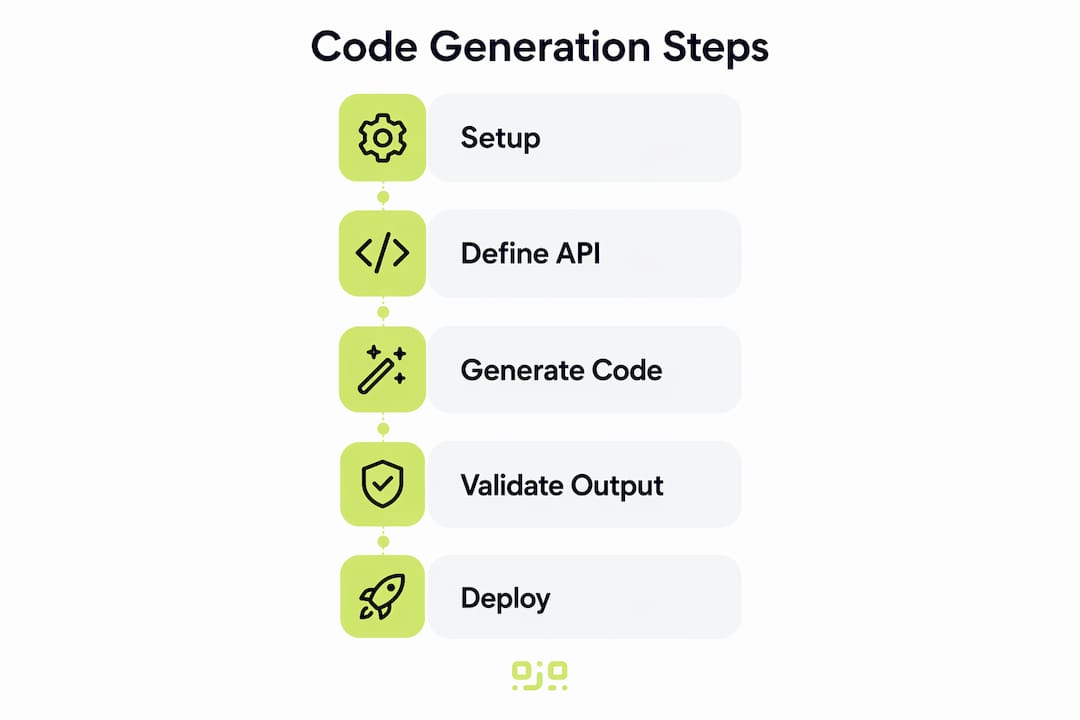
For API client generation, the setup is different. You need the Protocol Buffer compiler (protoc) installed locally, along with the relevant protoc plugin for your target language. For Go projects, the gapic-generator-go plugin reads your .proto files and generates idiomatic client libraries, including types, helper methods, and documentation files. This approach is plugin-based client generation, and it has become the standard for producing API clients from specs rather than writing them by hand.
Before you write a single line of generated code, confirm these prerequisites are in place:
- IDE extension installed and authenticated: Gemini Code Assist must be active and connected to your Google account before context-aware features work.
protocand language plugin installed: Required for API client generation. Verify withprotoc --versionin your terminal.- Protobuf annotations configured: Your
.protofiles need standardgoogle.apiannotations for the generator to produce correct client types. - Project structure consistent: Gemini Code Assist reads open files and project styles. A well-organised project produces more accurate output.
- Linter configured: Set up a linter such as
golangci-lintor ESLint before you start generating code. You will need it.
Pro Tip: Open the files most relevant to your task before triggering any generation. Gemini Code Assist captures project context from all open files, so the more relevant context you provide, the more accurate the output.
For QR code-related projects specifically, this setup matters. If you are building a service that calls a QR generation API, having your .proto definitions and existing handler files open gives the generator enough context to produce code that fits your actual architecture, not a generic template.
How to generate code efficiently with Gemini Code Assist
Gemini Code Assist offers two features that change how you work: Finish Changes and Outlines. Understanding both is the fastest way to get productive output.

Finish Changes completes code based on your stated intent. You write a comment or partial function signature describing what you want, and the tool fills in the implementation. It is not simple autocomplete. It reads your surrounding code, infers the pattern you are following, and produces a complete, contextually appropriate block.
Outlines works differently. It generates interleaved summaries directly within your editor, appearing between code blocks with interactive navigation. This reduces the cognitive load of reading unfamiliar code and cuts ramp-up time on large projects significantly.
A practical workflow for generating a QR code API handler looks like this:
- Write a descriptive comment. Start with something like
// GenerateQRCode accepts a URL string and returns a PNG byte slice. The more specific your intent, the better the output. - Trigger Finish Changes. Accept the suggestion or refine the comment if the output misses the mark. Iteration is normal.
- Open Outlines for the file. Review the generated summary to confirm the logic matches your intent before running the code.
- Run your linter immediately. Do not wait until the end of a session. Catch issues at the point of generation.
- Write or generate a unit test. Automated code creators can produce test scaffolding as well as implementation code. Use this to validate behaviour before committing.
- Refine with follow-up prompts. If the generated function lacks error handling or uses the wrong internal API, describe the gap in a new comment and trigger another completion.
Pro Tip: Keep your prompts specific and scoped to a single function or method. Broad prompts like “generate a QR code service” produce generic output. Narrow prompts like “generate a function that calls the Qrlytics dynamic QR API and returns a redirect URL” produce code you can actually use. This approach also pairs well with digital campaign planning workflows where code outputs feed directly into marketing pipelines.
The Outlines feature is particularly useful when you inherit a codebase. Rather than reading every function manually, you can activate Outlines and get a structured summary of what each block does. This is not a shortcut for understanding code. It is a tool for getting oriented faster so you can make informed decisions sooner.
How do Google API client generators work for QR and related applications?
Google’s API client generator for Go, gapic-generator-go, operates as a protoc plugin. You define your API surface in a .proto file using standard Protocol Buffer syntax, add google.api annotations to specify HTTP bindings and resource names, and then run protoc with the plugin flag. The generator reads the annotated spec and produces a complete Go client library.
The output is not a skeleton. It includes typed request and response structs, retry logic, context propagation, and auto-generated documentation comments. For a QR code management API, this means your client library handles the HTTP transport layer correctly from day one, and your application code stays focused on business logic.
| Generation step | Input | Output artefact |
|---|---|---|
| Define API surface | .proto file with service and message definitions |
Validated API contract |
| Add annotations | google.api.http and resource bindings |
Annotated .proto ready for generation |
Run protoc plugin |
Annotated .proto + gapic-generator-go flag |
Idiomatic Go client package |
| Review generated library | Generated .go files |
Typed client, helpers, and documentation |
| Integrate and test | Client package imported into application | Working API calls with full type safety |
The benefit for QR code applications is concrete. If you are building a service that generates dynamic QR codes and tracks scan analytics, a generated client library means you are not writing HTTP request builders by hand. You call typed methods, pass typed structs, and let the library handle serialisation. This reduces the surface area for bugs in the integration layer.
API client generation has shifted decisively toward this plugin architecture because it produces consistent output across teams. Two developers running the same protoc command against the same .proto file get identical client code. That consistency matters when you are coordinating across a team or maintaining a long-lived integration with a third-party API.
Common mistakes when using Google code generators
The most dangerous mistake is treating raw generated output as production-ready code. A production-scale code generation system combines generative AI with deterministic validation tools such as linters and static analysis. Skipping that validation step is where most errors enter the codebase.
“Building specialised pipelines that integrate generative AI with deterministic validation is a key breakthrough for scalable, quality code generation. Generative output alone is not sufficient for production use. Linters, static analysis, and human review are not optional steps.”
Common pitfalls to avoid:
- Accepting output without reading it. Generated code can be syntactically correct but logically wrong. Always read what the tool produces before running it.
- Ignoring context scope. Gemini Code Assist uses all open files to inform its output. If you have irrelevant files open, the generator may produce code that references the wrong internal APIs or follows the wrong patterns.
- Skipping error handling review. Generated functions often include happy-path logic but miss edge cases. Check every error return explicitly.
- Over-prompting in a single request. Asking the tool to generate an entire service in one prompt produces code that is harder to validate. Break the task into smaller, reviewable units.
- Neglecting iterative refinement. The first output is a starting point. Treat it as a draft and refine with follow-up prompts or manual edits.
AI code generators assist rather than replace developers, acting as intelligent agents that translate architectural intent into code. That framing is accurate and useful. The developer remains responsible for the architecture, the validation, and the final decision on what ships. For QR code tracking and management workflows, where a broken redirect URL means a failed scan in a printed campaign, that responsibility is not abstract. It has a direct business cost. Pairing generated code with a QR code tracking guide helps you understand what correct output should look like before you generate it.
Key takeaways
Effective use of Google code generation tools requires combining AI-powered generation with deterministic validation, correct project context, and iterative human review at every stage.
| Point | Details |
|---|---|
| Set up context before generating | Open relevant files and configure your linter before triggering any Gemini Code Assist completion. |
| Use Finish Changes for implementation | Write a specific comment describing intent, then let the tool complete the function with project-aware context. |
| Use Outlines to review unfamiliar code | Activate Outlines to get inline summaries that reduce ramp-up time on large or inherited codebases. |
| Validate all generated output | Run linters and static analysis on every generated block before committing. Never skip this step. |
Use gapic-generator-go for API clients |
Generate typed Go client libraries from annotated .proto files to eliminate hand-written HTTP integration code. |
What I have learned from working with AI code generation tools
The most common misconception I encounter is that AI code generation tools are either magic or useless. Neither is true. They are precise instruments that reward careful use and punish careless use in equal measure.
The productivity gains are real. Automated tools can enable developers to ship code up to 5 times faster by automating repetitive coding tasks. That number is achievable, but only when the developer maintains discipline around validation and review. The developers I have seen struggle with these tools are the ones who treat generated output as finished work. The ones who thrive treat it as a well-informed first draft.
The shift I find most significant is not in speed. It is in where developer attention goes. When the tool handles boilerplate, you spend more time on architecture, edge cases, and integration logic. That is a better use of your expertise. The text code generator guide covers this shift well in the context of marketing and developer workflows combined.
My practical recommendation: start with Outlines on any codebase you did not write yourself. Get oriented before you generate. Then use Finish Changes for implementation tasks, validate every output with your linter, and treat the first generated version as a conversation starter, not a conclusion.
— The
Qrlytics: generate and track QR codes without the guesswork

If your code generation work involves QR codes, whether you are building a campaign tool, a product integration, or a tracking service, Qrlytics gives you the generation and analytics layer your application needs. The free QR code generator produces high-quality codes instantly, with no credit card required. For production use, the dynamic QR code generator lets you update redirect URLs after printing, track every scan with GDPR-compliant analytics, and monitor performance via global heat maps. Codes created during an active subscription remain functional permanently, regardless of billing status. That permanence matters when your generated code is calling a QR endpoint that printed materials depend on.
FAQ
What is Gemini Code Assist and how does it work?
Gemini Code Assist is Google’s AI-powered IDE extension for VS Code and JetBrains. It uses project-wide context from open files to generate inline code completions and summaries based on your stated intent.
What is the difference between Finish Changes and Outlines?
Finish Changes completes code based on a comment or partial function you write. Outlines generates interleaved summaries within your editor to help you understand existing code faster.
How does the Google API client generator for Go work?
The gapic-generator-go plugin reads annotated .proto files and produces a complete, idiomatic Go client library including typed structs, retry logic, and documentation.
Do I need to validate code produced by a Google code generator?
Yes. Production-scale code generation requires linters and static analysis to validate output before human review. Generated code is a starting point, not a finished product.
Can I use Google code generation tools for QR code API integrations?
Yes. Using gapic-generator-go with an annotated .proto file produces a typed client library for any HTTP API, including QR code generation and tracking services like Qrlytics.