Verifiable QR codes: a practical guide for security teams
A verifiable QR code is a QR matrix that carries a cryptographic proof — either a signed token or a pointer to a signed verifier endpoint — so that any scanner can confirm the code’s authenticity, integrity, and origin without relying on trust in the QR image itself. Most QR codes are unsigned, which means anyone can clone or redirect them; adding a cryptographic signature closes that gap.
For production deployments, the right approach is signed tokens with backend verification, an explicit alg_version field for safe algorithm transitions, and a revocation mechanism. If your team lacks public-key infrastructure (PKI) experience or dedicated audit resources, a managed service is almost always the faster and safer path.
Here is what you need to know before you build or buy:
- The QR matrix is a transport. The verifier backend and its domain provide the actual trust.
- Signatures prove integrity (the payload has not changed) and authenticity (a known key signed it).
- Non-repudiation requires a transparency log, not just a signature.
- Algorithm versioning (
alg_version) lets you migrate from ECDSA to post-quantum schemes without breaking live integrations. - Managed services handle key management, signing pipelines, and audit trails so your team can focus on integration.
Key takeaways
Verifiable QR codes require cryptographic signatures, canonical serialisation, a reliable verifier endpoint, and a revocation mechanism — the QR matrix itself provides no security.
| Point | Details |
|---|---|
| QR is transport only | The signed token or verifier endpoint provides trust; the QR image does not. |
Use alg_version on every token |
Algorithm versioning lets you migrate from ECDSA to post-quantum schemes without breaking live integrations. |
| Merkle batching scales verification | Signing a batch root converts expensive asymmetric operations into fast hash computations at scan time. |
| Hybrid signing is defence-in-depth | Running ECDSA alongside a post-quantum SLH-DSA leg means one compromised algorithm does not break the system. |
| Qrlytics as managed option | Qrlytics provides a hosted signing pipeline, permanent codes, and API-driven issuer and verifier workflows for teams that need rapid rollout. |
Table of Contents
- Where verifiable QR codes solve a real problem
- How the verification flow works, step by step
- Cryptographic building blocks you need to understand
- Self-hosted vs managed SaaS: how to choose your implementation path
- Which QR payloads need online verification and which do not
- Threat model: attacks to defend against and how to mitigate them
- SDK surfaces and API endpoints to build against
- Performance patterns: batching, caching, and scaling the verifier
- Common misunderstandings about verifiable QR codes, corrected
- Pre-launch checklist for deploying verifiable QR codes in production
- Qrlytics gives you a managed path to production-grade verification
- The case for hybrid designs and managed infrastructure
- Sources
- FAQ
Where verifiable QR codes solve a real problem
Not every QR code needs a cryptographic signature. A QR on a café loyalty card carries low risk. A QR on a professional certificate, a boarding pass, or a pharmaceutical package carries significant risk if forged or cloned.
Certificate and credential verification is the highest-value use case. Universities, professional bodies, and HR platforms issue digital certificates that recipients share with employers or regulators. Without a signature, a PDF and its embedded QR can be edited in minutes. A signed token tied to a verifier endpoint means the employer’s scanner confirms the credential is genuine, unaltered, and not revoked — in under a second.
Cross-device authentication is another strong fit. Protocols like SQRAP treat QR codes as a transport between devices rather than a standalone authentication factor. A user scans a QR on a desktop login page with their authenticated mobile device; the QR carries a short-lived signed challenge, not a password. This is a multi-factor flow, not a single-factor one.
Ticketing and access control at events, venues, and transport networks depend on fast, reliable verification. A signed QR ticket cannot be duplicated by screenshotting because the verifier checks the signature and a one-time-use flag simultaneously. The IC3’s public service announcements on fraud consistently highlight credential and ticket fraud as high-volume attack vectors, which is why signed payloads matter here.
Supply-chain anti-counterfeit applications embed signed QR codes on product packaging. A retailer or customs officer scans the code; the verifier confirms the manufacturer’s signature and checks the batch record. Plain QR codes on packaging can be reprinted by counterfeiters; signed ones cannot be forged without the issuer’s private key.
Digital credentials — vaccination records, government-issued permits, professional licences — follow the same pattern. The risk threshold is simple: if a forged or cloned QR causes financial, legal, or safety harm, you need a verifiable QR. If the worst outcome is a broken link, a standard dynamic QR is sufficient.
How the verification flow works, step by step
The sequence below covers the full lifecycle from issuance to verified response. Each step names the actor responsible and the data exchanged.
- Issuer assembles the payload. The issuer system collects the credential fields (subject ID, issuer ID, expiry, claim data) and serialises them into a canonical form — typically JSON Canonical Form (JCF) or CBOR — so that byte-for-byte identical payloads always produce identical hashes.
- Signer hashes and signs. The canonical payload is hashed (SHA-256 or SHA-3) and signed with the issuer’s private key (ECDSA or EdDSA). For batch issuance, payloads are hashed into a Merkle tree and only the root is signed asymmetrically.
- Token is constructed. The signed output is packaged as a compact token containing: payload reference or inline payload, signature bytes,
alg_version,issuerId,expiresAt, and (for Merkle batches) a Merkle index and inclusion path. - QR is generated. The token or a short URL pointing to
/v/:tokenis encoded into the QR matrix and printed or displayed. - Scanner resolves the token. A mobile app or browser scanner reads the QR, extracts the token or URL, and sends a GET request to the verifier endpoint.
- Verifier reconstructs and checks. The verifier: decodes the token, reconstructs the canonical payload, verifies the signature (or walks the Merkle inclusion path to the signed root), checks the
alg_versionfield, and queries the revocation registry. - Revocation and expiry check. The verifier confirms
expiresAthas not passed and that the token is not listed in the revocation set (a certificate revocation list, OCSP endpoint, or status list). - Structured response is returned. The verifier returns a JSON object the scanning app can render directly.
A minimal verifier response looks like this:
{
  "signatureValid": true,
  "issuerId": "org.example.university",
  "alg_version": "ecdsa-sha256-v2",
  "expiresAt": "2027-03-01T00:00:00Z",
  "revocationStatus": "active",
  "subject": { "name": "Jane Smith", "credential": "BSc Computer Science" }
}
Offline vs online verification: online verification (calling /v/:token) enables revocation checks and real-time audit logging. Offline verification (verifying the signature locally without a network call) is feasible when the verifier app caches the issuer’s public key and the token carries the full payload inline. Offline mode cannot check revocation, so it suits short-lived tokens or low-risk contexts only.
Cryptographic building blocks you need to understand
The QRVA protocol and related signing architectures converge on a small set of primitives. Choosing correctly affects token size, verification latency, and your ability to migrate algorithms later.
Digital signatures are the core primitive. ECDSA with P-256 and SHA-256 is the most widely deployed choice: compact signatures (~64 bytes), hardware support in most HSMs, and broad library coverage. EdDSA (Ed25519) is faster to verify, produces equally compact signatures, and avoids the nonce-reuse vulnerability that affects ECDSA. For new deployments, EdDSA is the better default.
Hashing serves two roles: pre-image for signing and leaf construction in Merkle trees. SHA-256 is the safe baseline; SHA-3 (Keccak) is the alternative when you want a structurally different hash function as a second layer.
Batching with Merkle trees is the key scaling technique. Instead of signing each token individually, you hash all payloads in a batch into a binary Merkle tree and sign only the root. Each token then carries its Merkle index and inclusion path. The verifier recomputes the path, arrives at the root, and verifies one asymmetric signature regardless of batch size. This approach converts expensive asymmetric operations into cheap hash computations at scan time, which is why high-volume issuers (ticketing platforms, national credential systems) adopt it.
Transparency logs record every signed batch root with a timestamp. They provide non-repudiation: an auditor can prove that a specific root was published at a specific time, and that the inclusion path for a given token was valid at issuance. Logs are append-only; entries are committed using Merkle-based inclusion proofs, so tampering is detectable.
Algorithm versioning is non-negotiable in production. Every token must carry an alg_version field. When you migrate from ECDSA to a post-quantum scheme, old tokens remain verifiable under the old algorithm while new tokens use the new one. Production hybrid designs run two signing legs simultaneously — a classical ECDSA leg and a post-quantum SLH-DSA leg — so that a compromise of one leg does not break verification.
Payload sizing and compression matter because QR capacity is finite. A Version 40 QR at error-correction level M holds roughly 2,953 bytes. CBOR serialisation typically reduces payload size by 20–40% compared with JSON, and LZ-based compression can reduce it further. A practical approach: inline a short reference token in the QR and keep the full payload server-side.
| Approach | Token size | Verification cost | Revocation support | Offline feasible? |
|---|---|---|---|---|
| Per-token asymmetric signature | Medium (64 bytes + payload) | One asymmetric verify per scan | Yes, via revocation list | Yes, with cached public key |
| Merkle batch root signature | Small (index + inclusion path) | Hash path walk + one cached root verify | Yes, via batch invalidation | Yes, with cached root |
| Hybrid ECDSA + SLH-DSA | Larger (two signature legs) | Two verifies per scan | Yes | Partial (large payload) |
Self-hosted vs managed SaaS: how to choose your implementation path
The build-vs-buy decision comes down to five questions: Do you have PKI expertise in-house? Can you operate an HSM or cloud KMS? Do you have capacity to build and maintain a transparency log? Can you meet uptime SLAs for a verifier endpoint? Do you have audit and compliance resources?
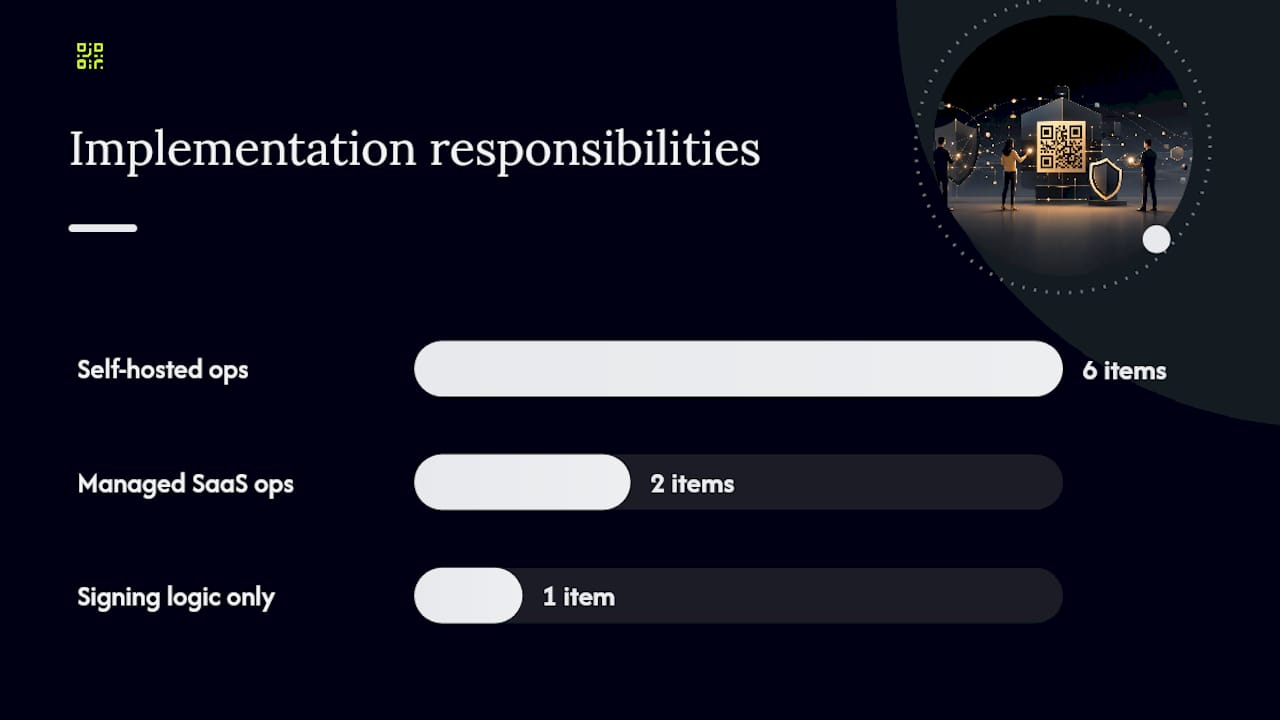
If you answer “no” to two or more of those, a managed SaaS is the right starting point.
Self-hosted architecture gives you full control over keys, signing pipelines, and data residency. The responsibility matrix is demanding:
- Key management: your team generates, rotates, and safeguards root and intermediate keys, ideally in an HSM (AWS CloudHSM, Azure Dedicated HSM, or a hardware device like a Thales Luna).
- Signing pipeline: you build and operate the issuer API, the signer service, and the batch scheduler.
- Transparency log: you run or integrate with an append-only log service and expose audit endpoints.
- Verifier endpoint: you operate
/v/:tokenwith the latency and availability your use case demands. - SDKs: you build or adapt client libraries for mobile (iOS, Android) and web.
- Revocation: you maintain a revocation registry and expose it to the verifier.
Managed SaaS offloads key management, signing, transparency logging, and verifier infrastructure to the provider. Your team integrates via an issuer API and embeds the provider’s SDK. The trade-off is reduced control over key custody and dependency on the provider’s uptime.
A practical signed-QR prototype demonstrates that the signing logic itself is not complex — compress the payload, sign it, generate the QR. What is complex is everything around it: key rotation, revocation, audit trails, and production-grade availability. That is precisely where managed services earn their place.
Integration points every implementation needs, regardless of approach:
POST /qrcodes— issuer endpoint to create a signed token and return a QR image or token string.GET /v/:token— verifier endpoint that validates and returns the structured response.- JWKS discovery endpoint — so verifier clients can retrieve current public keys.
- Mobile and web SDKs — for scanning, token parsing, and result rendering.
- Telemetry and audit log access — for operational monitoring and compliance evidence.
When you need rapid rollout, lack PKI practice, or face audit requirements you cannot staff internally, a managed provider is the faster path. Qrlytics operates as a managed option with a hosted signing pipeline, permanent code infrastructure, and scan analytics that feed directly into your operational telemetry.
Which QR payloads need online verification and which do not
Not every QR payload should call a verifier endpoint. Getting this distinction right prevents unnecessary complexity and avoids misleading users about what has actually been verified.
Payloads that require online verification:
- URL tokens pointing to
/v/:token— the entire trust model depends on the backend check. - Credential tokens (certificates, licences, permits) — revocation status must be confirmed at scan time.
- Short-lived authentication tokens — expiry and one-time-use flags require a live check.
- Supply-chain batch tokens — Merkle inclusion and batch revocation require server-side state.
Payloads that can remain offline:
- vCard (contact information) — the OS handles these natively; users expect to add a contact, not verify an identity.
- iCalendar/event data — calendar apps import these directly; no verification endpoint is expected or useful.
- Plain URLs to public web pages — appropriate for marketing QR codes where the destination is not sensitive.
Rules to follow regardless of payload type:
- Never encode long-lived secrets (API keys, passwords, private tokens) in a static QR. Static QR content cannot be rotated.
- Always include
alg_versionandexpiresAtfields in any token intended for verifier processing. - For offline-capable tokens, include the full payload inline and the issuer’s public key fingerprint so the verifier app can validate without a network call.
- Display the issuer’s domain and signature status clearly in the scanning UI. The verifier backend and its domain are what users should trust, not the QR image.
Threat model: attacks to defend against and how to mitigate them
Security teams need a concrete checklist, not a general warning. Here are the primary attack vectors and the mitigations that address each.
Quishing (QR phishing): an attacker replaces a legitimate QR with one pointing to a malicious site. Mitigation: signed payloads mean the verifier rejects any token not signed by a known issuer key. Domain pinning in the scanning app ensures the verifier endpoint must match an expected domain. UI indicators (green/red verification status) make the result visible to users.
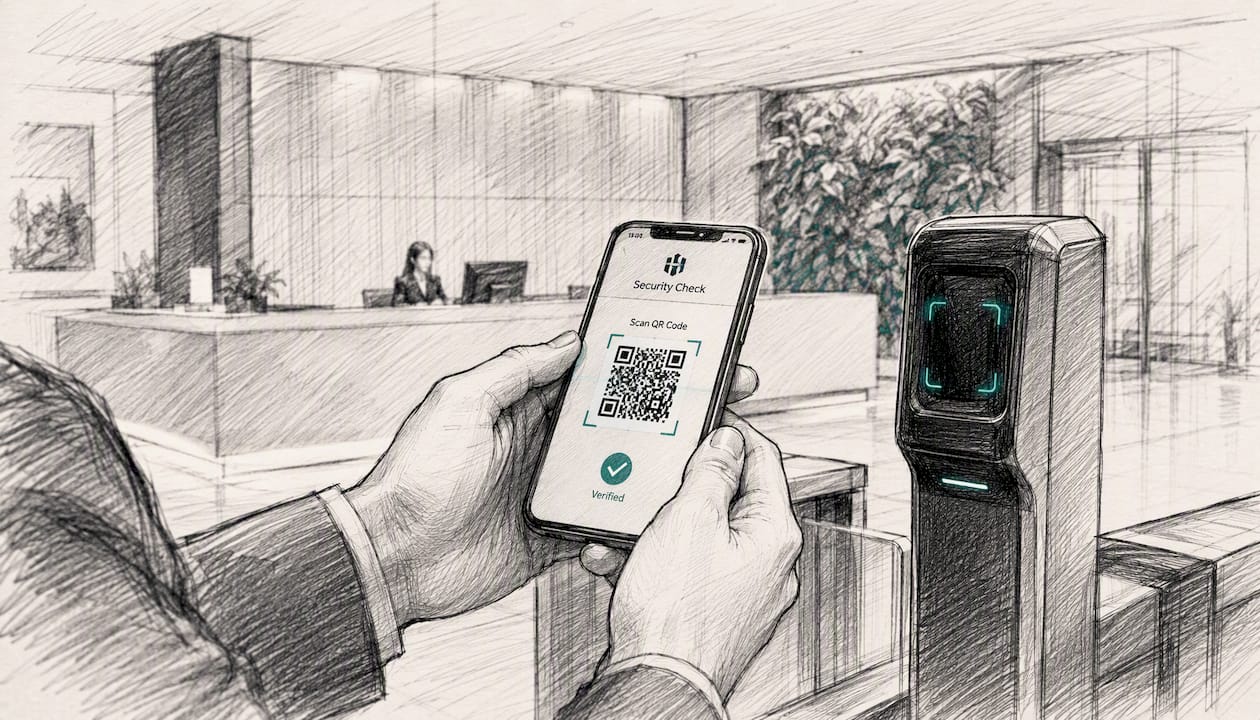
Sticker overlay and cloning: a physical sticker printed with a different QR is placed over the original. Mitigation: the cloned QR either carries no valid signature (rejected by verifier) or carries a replayed token (caught by one-time-use flags or short expiry).
MITM redirection: a network attacker intercepts the verifier request and returns a forged response. Mitigation: TLS with certificate pinning on the verifier endpoint. The verifier response itself should be signed so the scanning app can verify it independently of the TLS channel.
Replay attacks: a valid token is captured and reused after the legitimate scan. Mitigation: short expiresAt windows (minutes for auth tokens, hours for tickets) and one-time-use flags enforced server-side.
Signing-key compromise: an attacker obtains the issuer’s private key. Mitigation: keep root keys offline or in an HSM. Use intermediate signing keys with short validity periods. Rapid revocation of the compromised key and all tokens signed by it must be possible within minutes, not hours.
Transparency log abuse: an attacker attempts to insert fraudulent entries into the log. Mitigation: append-only logs with Merkle-based inclusion proofs make tampering detectable. Separate the log writer from the signer with strict access controls.
Operational mitigations:
- Rotate intermediate signing keys on a defined schedule (quarterly is a common baseline).
- Keep root keys offline; use them only to sign new intermediate keys.
- Use an HSM or cloud KMS (AWS KMS, Google Cloud KMS, Azure Key Vault) for all online signing operations.
- Enforce separation of duties: the team that operates the signer should not have direct access to the transparency log writer.
Pro Tip: Deploy a MAC-based fast path for high-volume verification checks — a shared symmetric key lets you pre-filter obviously invalid tokens in microseconds — but keep the asymmetric or Merkle check authoritative. The MAC fast path reduces load on your asymmetric verifier without weakening the trust model.
SDK surfaces and API endpoints to build against
A complete integration covers four surfaces: the issuer pipeline, the verifier endpoint, client SDKs, and the audit interface.
Issuer API (POST /qrcodes) — required request fields:
payload— the canonical serialised credential or token data.alg_version— the signing algorithm identifier (e.g.ecdsa-sha256-v2).expiresAt— ISO 8601 expiry timestamp.issuerId— the issuer’s registered identifier.batchId(optional) — for Merkle batch issuance.
Verifier endpoint (GET /v/:token) — the response must include signatureValid, issuerId, alg_version, expiresAt, revocationStatus, and the decoded subject object. Standardise this response schema across all integrations so scanning apps have a single contract to code against.
SDK surfaces your team needs:
- Canonicaliser — converts raw payload fields into a deterministic byte string before signing or hashing.
- Signer client — wraps the signing call to the KMS or HSM and attaches the result to the token.
- Verifier client — handles token decoding, signature verification, Merkle path walking, and revocation queries.
- Merkle proof utilities — leaf construction, path computation, and root verification helpers.
alg_versionenforcement helpers — reject tokens with unknown or deprecated algorithm identifiers.
Minimal test plan:
- Unit test canonical strings: given a fixed input, the canonicaliser must produce a byte-for-byte identical output across languages and platforms.
- Interoperability tests: use published canonical test vectors to confirm your implementation matches the reference.
- Replay and revocation tests: issue a token, revoke it, confirm the verifier returns
revocationStatus: revoked. - Load tests: simulate peak scan volume against the verifier endpoint; confirm latency stays within SLA under batch-root caching.
- TLS and JWKS tests: confirm the verifier endpoint uses valid TLS configuration and that JWKS discovery returns current public keys.
For a practical starting point, the signed-QR prototype demonstrates payload compression and signing in the browser — useful for understanding the mechanics before building a production pipeline. Production needs canonicalisation, key management, and revocation on top.
Performance patterns: batching, caching, and scaling the verifier
The single biggest performance lever in a verifiable QR system is reducing the number of asymmetric operations on the hot path.
Why Merkle batching scales: a single asymmetric verification (ECDSA or EdDSA) takes roughly 0.1–1 ms depending on hardware. At 10,000 scans per second, per-token asymmetric verification becomes a bottleneck quickly. With Merkle batching, the verifier caches the signed batch root and reduces each scan to a series of SHA-256 hash computations plus one root comparison. Hash operations are orders of magnitude faster than asymmetric verifications.
Caching strategies:
- Cache signed batch roots at the edge (CDN or regional cache) with a TTL matching the batch validity window. Verifier nodes retrieve the root once and serve thousands of inclusion-path checks from memory.
- Cache JWKS responses (issuer public keys) with a TTL of several hours. Key changes are infrequent; fetching the JWKS on every scan is unnecessary overhead.
- For MAC fast-path checks, the shared symmetric key lives in memory on the verifier node. No network call needed.
Batch sizing trade-offs: small batches (hundreds of tokens) reduce the delay between issuance and availability but increase the number of root-signing operations. Large batches (tens of thousands) amortise signing cost further but introduce latency between issuance and the token being verifiable. A batch window of 1–5 minutes is a practical starting point for most credential issuance volumes.
Metrics to monitor:
- Verifier endpoint p50/p95/p99 latency.
- Cache hit rate for batch roots and JWKS.
- Revocation query latency (a slow revocation check dominates total verification time).
- Signing pipeline queue depth (a growing queue signals a bottleneck in the signer).
Accepting slightly higher first-scan latency (the cold-cache case) is a reasonable trade-off when it buys you stronger auditability through transparency log writes on every batch root publication.
Common misunderstandings about verifiable QR codes, corrected
Several misconceptions circulate in technical teams evaluating signed QR codes. The evidence is clear on each.
“The QR code itself is the security mechanism.” It is not. The QR matrix is a transport — a way to encode a string for optical scanning. Security comes from the signed token or the verifier endpoint the QR points to, not from the QR image. A QR code printed on a certificate adds no security unless the encoded token is cryptographically signed and the verifier checks that signature.
“A QR code can be an authentication factor.” According to the SQRAP specification, QR codes are a cross-device transport, not an authentication factor. Treating a scanned QR as proof of identity — without a second factor — creates a significant vulnerability. Use QR as the channel for a signed challenge; authenticate the user separately.
“Blockchain-linked QR schemes are inherently secure.” The Certifichain research demonstrates that schemes focusing solely on object integrity (proving the credential data has not changed) can still be vulnerable to impersonation if they do not bind the credential to the issuing subject. Subject authentication — confirming that the entity presenting the credential is the one it was issued to — must be included alongside object integrity.
“Hybrid signing is overkill.” Production hybrid designs running ECDSA alongside a post-quantum SLH-DSA leg are not overkill; they are defence-in-depth. If a classical algorithm is broken, the post-quantum leg remains valid. The alg_version field makes the transition transparent to verifier clients.
“A browser demo proves production readiness.” A browser-based signed-QR prototype is an excellent proof of concept for understanding payload compression and signing mechanics. Production requires canonicalisation standards, key management infrastructure, revocation, and audit trails on top — none of which a demo addresses.
Pre-launch checklist for deploying verifiable QR codes in production
Work through these items before your first production token is issued. Assign an owner and a target date to each.
Pre-launch (weeks 1–4):
- Canonicalisation tests pass across all issuer languages and platforms (owner: backend lead).
- Signing pipeline deployed to staging with HSM or KMS integration confirmed (owner: infrastructure lead).
- Root key generated offline; intermediate signing key generated in KMS with defined rotation schedule (owner: security lead).
- Transparency log configured and append-only access controls verified (owner: security lead).
- Revocation policy documented: maximum time from compromise detection to revocation propagation (owner: product/security).
alg_versionfield enforced on all token issuance and verifier paths (owner: backend lead).
Launch tasks (week 5):
- SDK rollout to mobile and web scanning apps with verifier client integrated (owner: mobile/web leads).
- Verifier endpoint live with monitoring and alerting on p95 latency and error rate (owner: infrastructure lead).
- Incident response plan documented: who to contact, how to revoke a compromised key, communication template for affected users (owner: security/product).
- QR placement and print quality verified for all physical materials before print run (owner: design lead).
Post-launch (ongoing):
- Quarterly key rotation for intermediate signing keys.
- Annual review of algorithm choices against NIST PQC guidance.
- Developer onboarding documentation updated with canonical test vectors.
- Compliance review: confirm token data handling meets applicable US privacy requirements (CCPA for California-resident data, HIPAA if health credentials are in scope).
- SLA review: verifier endpoint availability and latency commitments reviewed against actual metrics.
Qrlytics gives you a managed path to production-grade verification
Building a signing pipeline, operating an HSM, maintaining a transparency log, and keeping a verifier endpoint at production availability is a significant engineering commitment. For most organisations, the faster path is a managed service that handles those layers so your team focuses on integration.

Qrlytics provides dynamic QR code management with permanent code infrastructure, a hosted signing pipeline, and GDPR-compliant scan analytics — all accessible via API. Codes created during an active subscription remain functional permanently, which matters when you are embedding verifiable tokens in printed certificates or packaging that cannot be reprinted. The platform’s real-time analytics feed scan telemetry directly into your operational dashboards, and the API supports issuer and verifier workflows without requiring you to build or operate the underlying cryptographic infrastructure. Building digital trust into your QR-based workflows is straightforward when the signing and verification layers are already in place.
Start with the free QR generator to explore the platform — no credit card required — and contact the team to discuss a pilot for your certificate or credential use case.
The case for hybrid designs and managed infrastructure
The organisations that struggle most with verifiable QR deployment are not the ones that lack cryptographic knowledge. They are the ones that underestimate the operational layer: key rotation schedules, revocation propagation times, transparency log maintenance, and the incident response plan for a compromised signing key. Those are not engineering problems — they are operational discipline problems, and they take time to build.
Hybrid signing designs (classical plus post-quantum) are the right architectural choice now, not in five years. The NIST PQC standardisation process has produced concrete algorithm choices, and the cost of retrofitting alg_version support into a live system is far higher than including it from day one. The teams that will handle the post-quantum transition smoothly are the ones that built versioning in at the start.
Managed services accelerate this. When the signing pipeline, key management, and verifier infrastructure are operated by a provider, your team’s job is integration and policy — not infrastructure. Qrlytics is built for exactly this: organisations that need production-grade verifiable QR infrastructure without the overhead of operating it themselves. If you are evaluating a pilot, the platform is the practical starting point.
Sources
- What Makes a QR Code Verifiable? | UNMITIGATED RISK
- QRVA (QR Verification & Attestation) protocol guide
- Certifichain: Secure QR Codes for Blockchain-Verified Digital Credentials | Digital Threats: Research and Practice
FAQ
How do you verify the authenticity of a QR code?
Scan the QR to extract the signed token or URL, then send it to the issuer’s verifier endpoint. The verifier checks the cryptographic signature, confirms the token has not expired, and queries the revocation registry — returning a structured response that confirms authenticity.
What makes a QR code scanner safe to use?
A safe scanner validates the verifier endpoint’s domain and TLS certificate, displays the issuer identity and signature status clearly, and does not auto-follow redirects before showing the user the destination. The scanner itself is not the security layer; the signed token and verifier backend are.
Can someone get your information from a QR code?
Only if the QR encodes sensitive data directly in the payload. A well-designed verifiable QR encodes a short reference token, not personal data. The verifier returns only the fields the scanning app is authorised to display, keeping sensitive credential data server-side.
What is the difference between a static and a verifiable QR code?
A static QR encodes a fixed string with no cryptographic proof; anyone can clone or redirect it. A verifiable QR carries a signed token tied to an issuer’s private key, so the verifier can confirm the code is genuine, unaltered, and not revoked — something a static QR cannot provide.
How does Qrlytics support verifiable QR code workflows?
Qrlytics provides a managed platform with a hosted signing pipeline, dynamic URL management, permanent code infrastructure, and API access for issuer and verifier workflows — so teams can deploy authenticated QR codes without building or operating cryptographic infrastructure themselves.