Marketers: Test URL Length to Keep QR Codes Live Under 100 Characters
A QR code can technically hold thousands of characters, but reliable scanning depends on staying far below that ceiling. The technical maximum for a Version 40 code at the lowest error correction is 4,296 alphanumeric characters, yet most URLs use byte mode, which caps usable payload much lower. For dependable scans across devices, aim for a URL under a moderate character count, and keep it as short as practical. Shortening or dynamic redirects almost always outperform pushing raw capacity.
TL;DR:
- Short URLs under 100 characters improve scan reliability and reduce print size requirements across most devices and conditions.
- Using URL shortening services or dynamic redirects can significantly lower payload length, but depend on third-party uptime and stability.
- Longer URLs require larger print size, higher version QR codes, and higher error correction levels, increasing failure risk in unpredictable environments.
- Testing on multiple devices, lighting conditions, and actual print stock helps identify issues before mass printing, preventing costly reprints.
- Prioritizing permanence by owning your short domain and avoiding services with uncertain uptime ensures long-term code functionality.
Table of Contents
- How QR code capacity actually works
- What’s a good size for a QR code URL?
- How URL length changes print size and scan distance
- Shortening URLs for QR codes: what you gain and what you risk
- Testing checklist: devices, lighting, and print quality
- Why permanence matters more than raw capacity
- Keep your QR codes working long after they’re printed
- Sources
- FAQ
How QR code capacity actually works
QR codes come in 40 defined versions, each adding a ring of modules (the black and white squares) around the previous one. Version 1 measures 21 by 21 modules; Version 40 reaches 177 by 177, governed by the ISO standard that underpins the whole QR code specification. More modules mean more data capacity, but the code also gets denser, and each module shrinks if you keep the print size fixed.
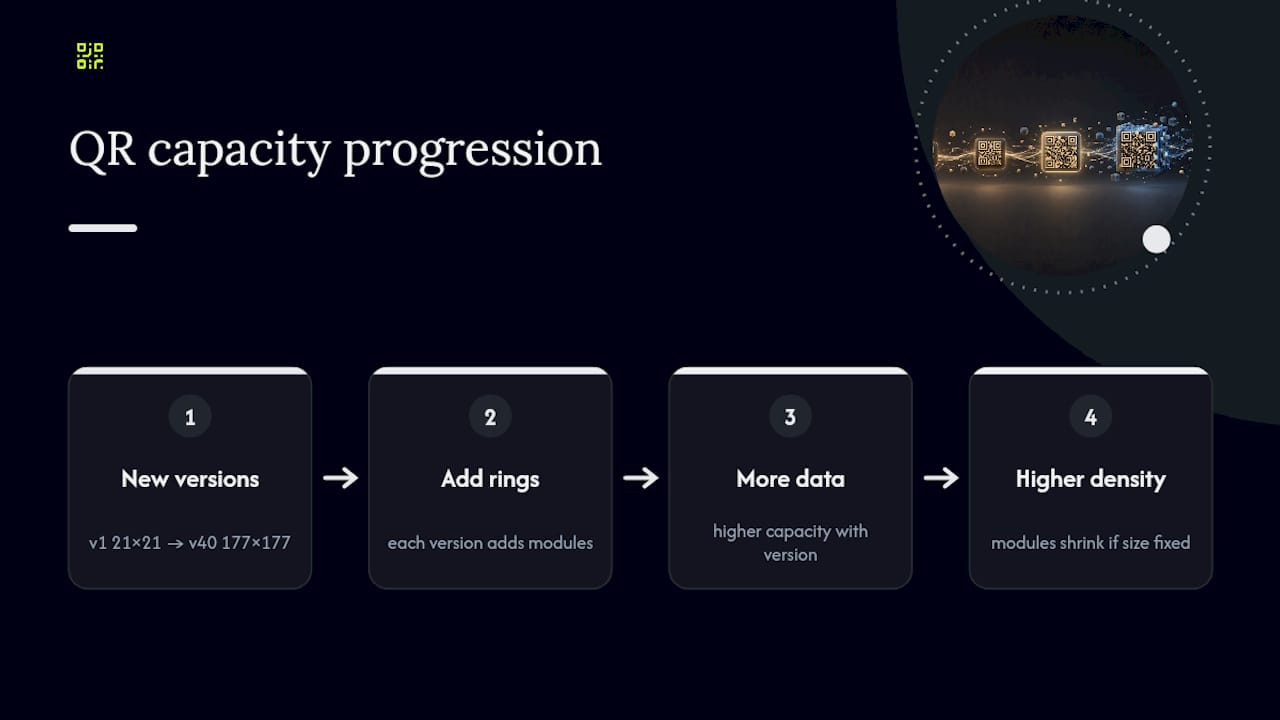
Four encoding modes determine how efficiently that data gets packed in. Numeric mode is the tightest, handling digits only. Alphanumeric mode covers uppercase letters, numbers, and a handful of symbols. Byte mode, which is what most URLs use because they contain lowercase letters and special characters like colons and slashes, is considerably less efficient. Kanji mode exists for Japanese text and rarely applies to web addresses.
Error correction adds another layer of trade-off. Higher levels let a code keep working even when part of it is scratched, dirty, or poorly printed, but that resilience eats into the space available for your actual data. A URL that fits comfortably at level L might force the generator to jump a version, and increase module density, at level H.
What’s a good size for a QR code URL?
Three practical bands cover most real-world use cases. Short URLs scan fastest and tolerate smaller print sizes, while medium-length URLs perform reliably on most devices with proper print size and contrast. Longer URLs demand larger codes, better cameras, and closer scanning distances, increasing failure risks.
Long URLs aren’t automatically wrong. They can work fine on large-format posters viewed up close, on packaging where the code sits at arm’s length, or on screens you control, like a kiosk display where lighting and distance are fixed. The risk shows up when a long URL ends up on a business card, a flyer handed out on the street, or anything scanned in unpredictable conditions.
Before you accept a long payload, try these quick fixes:
- Strip tracking parameters you don’t strictly need, or shorten them.
- Use clean, short paths instead of deep folder structures with session IDs.
- Choose a brief, memorable domain rather than a long subdomain chain.
- Move optional data (campaign names, timestamps) to a redirect service instead of the raw URL.
A UTM builder helps keep campaign tags consistent and short, which matters more than it sounds. Every extra character in a UTM string adds density to the final code.
How URL length changes print size and scan distance
Longer URLs force higher QR versions, which means more modules packed into the same printed area unless you scale the whole code up. A code meant to be scanned from three metres away needs to print at roughly 30 centimetres per side, regardless of how much data it holds — though denser payloads need that minimum size increased further.
As a rough guide at error correction level M: a short URL (under 25 characters) can print reliably at 2 centimetres per side for close-range scanning. A medium URL (around 50 to 80 characters) usually needs at least 3 centimetres. A long URL (over 150 characters) often needs 4 centimetres or more to keep individual modules scannable by an average phone camera.
- Check your final module size, not just the overall code size, especially at high error correction levels.
- Keep a quiet zone (blank border) of at least four modules around the code; cropping it is one of the most common print mistakes.
- Avoid low contrast combinations like light grey on white, which break scanning even when the size is correct.
- Test on the actual print stock and finish you’ll use, since matte and gloss surfaces behave differently under glare.
Pro Tip: Run your final URL through a QR code data capacity calculator before you send anything to print. It shows exactly which version your payload triggers, so you can catch a size jump before it becomes a reprint.
Shortening URLs for QR codes: what you gain and what you risk
Shortening is the single most reliable way to bring a long URL back into a scannable range, but the method you choose changes what happens if things go wrong. Public shorteners are fast to set up and often free, but you’re trusting a third party to keep those links alive indefinitely, and to keep resolving them quickly.
A self-hosted short domain gives you more control. You choose the redirect logic, you keep the branding, and you’re not exposed if a public shortener service changes its terms or shuts down. It generally also redirects faster since there’s no intermediate service to hop through.
Dynamic QR codes solve a different problem: they keep the encoded payload small and fixed (pointing to a stable redirect URL) while letting you change the destination behind the scenes. That’s genuinely useful for print materials you can’t easily replace, but it makes you dependent on whichever platform manages that redirect layer staying operational.
Before committing to either approach, weigh:
- Whether the provider guarantees redirect uptime, and what happens if you stop paying.
- How short and brand-consistent the domain can realistically be.
- Whether the path structure stays clean enough to avoid creeping back up in length.
Choosing how to shorten QR code URLs properly the first time avoids the far more expensive problem of reprinting materials because a redirect quietly stopped working.
Testing checklist: devices, lighting, and print quality
Most scan failures come from environmental and production factors rather than the URL itself. Nielsen Norman Group’s usability research points to lighting, camera quality, and print contrast as the dominant causes, ahead of raw data length.
- Test on at least three device classes: a recent iPhone, a mid-range Android, and an older or budget Android with a weaker camera.
- Record scan time and fail rate for each device at your intended print size.
- Sweep across lighting conditions (bright daylight, dim indoor, direct glare) and scanning angles, not just a straight-on test under office lighting.
- Confirm actual print DPI matches your proof, and check the quiet zone hasn’t been trimmed during production.
- A/B test a short payload against a long one on the same print stock, and compare average scan time and failure rate side by side.
Statistic Callout: A Version 40 code at the lowest error correction level can theoretically hold up to 2,953 bytes, but almost no real deployment approaches that figure once print size, device variance, and error correction are factored in.
Use a print-size guide as your baseline, then adjust based on what your own test round actually shows.
Why permanence matters more than raw capacity
Chasing maximum QR capacity misses the real risk: a code that scans perfectly on day one but silently breaks months later because a redirect service lapsed or a shortener account went unpaid. Testing across devices and lighting catches size problems before print. It does nothing for a link that stops resolving after the campaign’s already on ten thousand flyers.
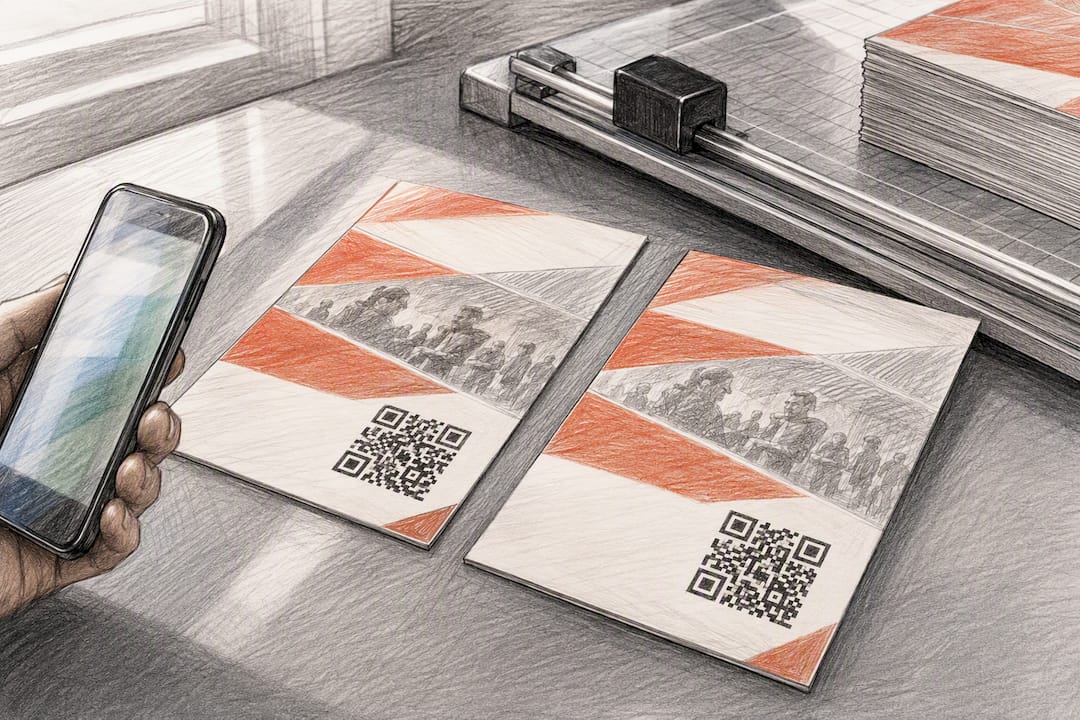
Owning your short domain and building a habit of pre-print testing, at the sizes discussed above, solves most of what actually causes reprints. Permanence-first platforms like Qrlytics exist precisely because “the code still scans” and “the code still redirects correctly a year later” are two different guarantees.
Three takeaways worth acting on: keep your URL under 100 characters wherever possible, test on real devices before mass printing, and never let a code’s destination depend on a service with no uptime commitment.
— The
Keep your QR codes working long after they’re printed
Short, well-tested URLs solve half the scanning problem. The other half is making sure the redirect behind that QR code still works in six months. Some platforms guarantee that QR codes created during an active subscription keep functioning permanently, even if billing lapses, preventing printed materials from becoming wasted stock due to expired redirects.

You can update the destination URL on a dynamic QR code at any time without reprinting anything, and track scan performance by device, location, and time through real-time analytics with heat maps. If you want to test your own URL length and payload before committing to print, the free QR code generator lets you do that with no credit card required. When you’re ready for unlimited codes and advanced tracking, compare the Free and Pro plans and pick the one that matches your campaign volume.
Sources
- How Much Data Can a QR Code Hold? | QR Puppy
- How a QR code works inside: technical guide · QRcito
- Complete
FAQ
How do I shorten a URL for a QR code?
Remove unnecessary query parameters, use a short branded domain instead of a long one, and route the link through a dynamic redirect so the encoded payload stays small even if the destination changes later.
How do I make a URL for a QR code?
Take your destination link, trim it down using the shortening steps above, then generate the code through a tool that lets you preview the resulting QR version and module density, such as Qrlytics’s free generator.
What is the URL in a QR code?
It’s the web address encoded into the code’s data pattern using byte mode, which a scanner’s camera reads and decodes back into the original link before opening it.
What’s a good size for a QR code?
For reliable scanning, keep the encoded URL under 100 characters, and print the code so its side length is at least one-tenth of the expected scanning distance, adjusting upward for longer payloads or higher error correction.