QR-powered attendance: a complete guide for event planners

TL;DR:
- QR-powered attendance uses dynamic QR codes to record attendee check-ins in real time, improving security and efficiency. Implementing browser-based, rotating codes with geofencing and back-end integration offers faster, more accurate, and contactless event registration. The system enhances the attendee experience while reducing staffing needs and manual errors.
QR-powered attendance is defined as the use of QR codes to record, verify, and manage attendee check-ins at events in real time. The industry term for this practice is “QR code attendance tracking,” and it sits within the broader category of digital attendance management. For event planners, the core appeal is clear: attendees scan a code with their mobile device, the system records their presence instantly, and organisers gain live data without a single paper register. Platforms like Qrlytics make this process reliable by generating dynamic QR codes that remain active and trackable throughout your event. The ISO/IEC 18004 standard governs QR code structure globally, giving the technology a solid, recognised foundation.
How does a QR code attendance system work?
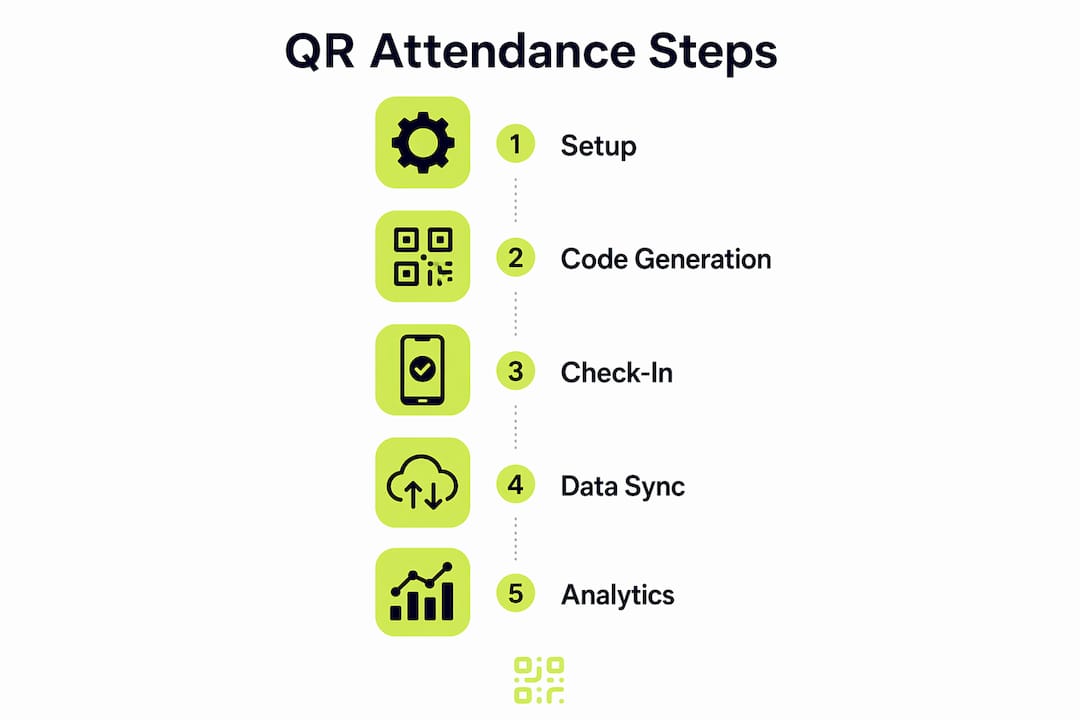
A QR code attendance system follows a straightforward sequence from code creation to data capture. Understanding each step helps you plan a check-in process that runs without delays.
- Code generation. The organiser creates a unique QR code for the event or for each session. Dynamic codes are preferable because you can update the destination URL without reprinting anything.
- Distribution. The code appears on confirmation emails, event apps, printed badges, or display screens at the venue entrance.
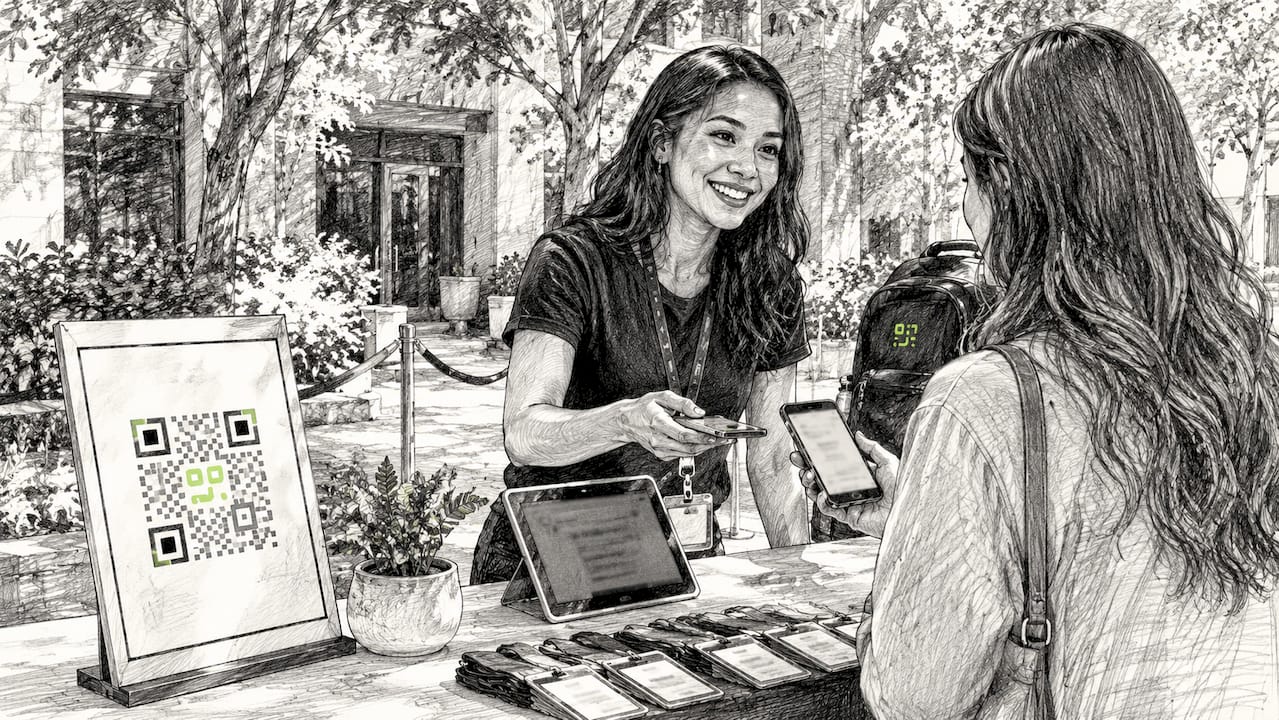
- Attendee scanning. The attendee opens their phone camera or a dedicated scanning page and points it at the code. No app download is required when the system uses a browser-based interface.
- Real-time verification. The scan triggers an instant check against a cloud database. The system confirms the attendee’s identity, logs the timestamp, and flags duplicates or invalid codes immediately.
- Data recording. Attendance records update in real time. Organisers can view live dashboards showing who has arrived, who has not, and how quickly the queue is moving.
- Export and integration. Systems that integrate with event platforms push attendance data directly into reporting tools, CRM systems, or payroll software, removing the need for manual data entry after the event.
Pro Tip: Set up a test scan station before doors open. Run five to ten test scans across different device types to catch any browser compatibility issues before your first real attendee arrives.
The back-end database is where the real value lives. A scan without a reliable data layer is just a camera action. When the database records each scan with a timestamp, device identifier, and session tag, you gain a complete picture of attendee behaviour across every part of your event.
What security features make QR attendance fraud-resistant?
Static QR codes are a security liability. Anyone can screenshot a static code and share it, allowing people who never registered to walk in, or enabling “buddy punching” where one person checks in on behalf of another.
Dynamic QR codes solve this directly. Dynamic codes refresh every 15 seconds, making a screenshot worthless within moments of being taken. A code captured at 10:00 AM is invalid by 10:00:15 AM. This single mechanism eliminates the most common form of QR attendance fraud.
Additional security layers strengthen the system further:
- GPS geofencing. The system checks whether the scan originates from within the event venue’s geographic boundary. A scan from three miles away is automatically rejected.
- Device binding. The system ties a valid scan to a specific device identifier, preventing the same code from being used on multiple phones simultaneously.
- Facial recognition. Some enterprise-grade systems add a photo verification step, matching the attendee’s face against their registration photo at the point of scan.
- Time-limited session codes. Each session within an event can carry its own rotating code, so a morning workshop code cannot be used to access the afternoon keynote.
Research confirms that dynamic codes with geofencing systematically reduce fraudulent attendance across multiple deployment contexts. The combination of time-sensitivity and location validation is more effective than either measure alone.
Dynamic QR codes combined with geofencing and randomised generation address the core vulnerabilities of static code systems. When codes expire in seconds and location is verified at the point of scan, proxy attendance becomes practically impossible to execute at scale.
For event planners, the practical takeaway is this: always choose a system that generates dynamic codes. A static code printed on a badge or poster is a shared key that anyone can copy.
What are the practical benefits of QR attendance for event planners?
The efficiency gains from QR attendance tracking are measurable. QR code systems reduce attendance marking time by over 60% compared to manual methods. For a conference with 500 attendees, that difference translates directly into shorter queues, fewer staff at the door, and a better first impression.
Beyond speed, the benefits stack up across the full event lifecycle:
- Accuracy. Manual errors and proxy attendance drop significantly when scanning replaces paper registers. Every record carries a precise timestamp and a device identifier, making disputes easy to resolve.
- Contactless check-in. Mobile scanning requires no physical contact, which reduces health risks and speeds up throughput at busy entrances.
- Live reporting. Organisers see attendance figures update in real time rather than waiting for a post-event count. You can spot a session that is filling faster than expected and redirect staff before a bottleneck forms.
- Data export. Systems that support real-time data export let you pull a CSV mid-event to share with sponsors, venue managers, or catering teams without waiting until the following day.
- Reduced staffing costs. Fewer people are needed at registration desks when scanning is self-service and verification is automatic.
The attendee experience improves too. Nobody enjoys standing in a slow-moving queue while a volunteer searches a printed list. A scan that takes under two seconds feels professional and sets a positive tone for the rest of the event.
How can event organisers implement QR attendance effectively?
Choosing the right system matters as much as the technology itself. Usability and system performance explain 75.1% of user acceptance in QR attendance deployments. A technically capable system that frustrates attendees will see low adoption and create the very queues you were trying to avoid.
The table below compares key implementation approaches by feature category:
| Feature category | Basic setup | Full implementation |
|---|---|---|
| Code type | Static QR code | Dynamic, rotating QR code |
| Check-in interface | Dedicated app download | Browser-based, zero install |
| Data storage | Local spreadsheet | Cloud database with live dashboard |
| Fraud prevention | None | Geofencing and device binding |
| Reporting | Manual export after event | Real-time export and integration |
Start with these implementation priorities:
Choose browser-based check-in. Frictionless, app-free check-ins are the single biggest factor in adoption. Forcing attendees to download an app before they can enter creates delays and frustration. A mobile-optimised web page that loads instantly removes that barrier entirely.
Plan for code rotation. Set your dynamic codes to refresh every 15–30 seconds. Brief your door staff so they understand why the code on the screen changes and do not assume the system is broken.
Integrate with your existing tools. A QR attendance system that connects to your event management platform or CRM removes the need for manual data transfer. Integration with back-end systems is where the long-term time saving comes from, not just the scan itself.
Address data privacy from the start. Attendance data is personal data. Confirm that your chosen system stores records in compliance with GDPR, particularly if you are collecting device identifiers or location data through geofencing.
Pro Tip: Place QR code displays at eye level and in multiple locations near the entrance. Attendees should be able to scan without stopping or crouching. Poor placement is one of the most common causes of check-in delays at otherwise well-organised events.
For a detailed look at attendee tracking workflows, including how to structure your data capture across multi-session events, the Qrlytics blog covers the full process step by step.
Key takeaways
QR-powered attendance works best when dynamic codes, browser-based check-in, and back-end integration are combined into a single, frictionless system.
| Point | Details |
|---|---|
| Dynamic codes prevent fraud | Codes refreshing every 15–30 seconds make screenshot sharing and proxy attendance ineffective. |
| Browser-based check-in drives adoption | Removing the need for app downloads is the most direct way to reduce check-in delays. |
| Time savings are significant | QR systems cut attendance marking time by over 60% compared to manual methods. |
| Integration multiplies value | Connecting scan data to event platforms and CRM tools removes post-event manual entry. |
| Data privacy must be planned upfront | GDPR compliance is required when collecting device identifiers or location data at check-in. |
Why the check-in experience defines your entire event
Event planners often focus on the technology and overlook the human moment it creates. The check-in is the first physical interaction an attendee has with your event. If it takes 30 seconds and involves a queue, their first impression is frustration. If it takes two seconds and they walk straight in, their first impression is competence.
What I have observed across event deployments is that the systems which fail are rarely the ones with the weakest technology. They are the ones that added friction at the wrong moment. Forcing an attendee to download an app, create an account, or wait for a staff member to find their name on a list undermines the entire purpose of going digital.
The security features matter enormously, but they should be invisible to the attendee. Geofencing, device binding, and rotating codes all operate in the background. The attendee sees a scan and a green tick. That simplicity is not accidental. It is the result of careful implementation choices made well before the event opens.
QR attendance technology will continue to develop. Biometric layering, NFC integration, and AI-driven anomaly detection are all moving into mainstream event tooling. But the fundamental principle will not change: the best system is the one your attendees barely notice, because it works so well.
— The
Qrlytics for event attendance: where to start
Event planners who want reliable QR attendance tracking without a complex setup will find Qrlytics a practical starting point.

Qrlytics generates dynamic QR codes that you can update, track, and manage from a single dashboard. Codes created during an active subscription remain functional permanently, so there is no risk of a printed badge becoming useless mid-event due to a billing issue. The platform includes real-time scan analytics, GDPR-compliant tracking, and global heat maps showing where your attendees are scanning from. You can also start with the free QR code generator to test the workflow before committing to a full event deployment. No credit card is required to begin.
FAQ
What is QR-powered attendance?
QR-powered attendance is a digital check-in method where attendees scan a QR code to record their presence at an event. The scan logs their attendance in real time to a cloud database, replacing paper registers and manual counting.
Are dynamic QR codes necessary for event check-in?
Dynamic QR codes are the secure choice for event check-in because they refresh every 15–30 seconds, preventing attendees from sharing or reusing codes. Static codes can be copied and used fraudulently.
How do QR code systems prevent buddy punching?
QR attendance systems prevent buddy punching by combining time-sensitive rotating codes with GPS geofencing and device binding, making it impossible to check in from a different location or on behalf of another person.
Do attendees need to download an app to use QR check-in?
The most effective QR attendance systems use browser-based interfaces that require no app download. Research shows that frictionless check-in without account requirements maximises adoption and minimises entry delays.
How much time does QR attendance save compared to manual methods?
QR code attendance systems reduce marking time by over 60% compared to manual methods, making them significantly faster for events of any size.