Event attendee tracking workflow: 2026 guide
TL;DR:
- An event attendee tracking workflow integrates registration, check-in, engagement data, and CRM synchronization to enhance event outcomes. It relies on offline-capable hardware, GDPR-compliant consent processes, and thorough testing to ensure accurate, real-time data collection throughout the event. Proper execution of this process provides valuable insights and measurable ROI for organizers and sponsors alike.
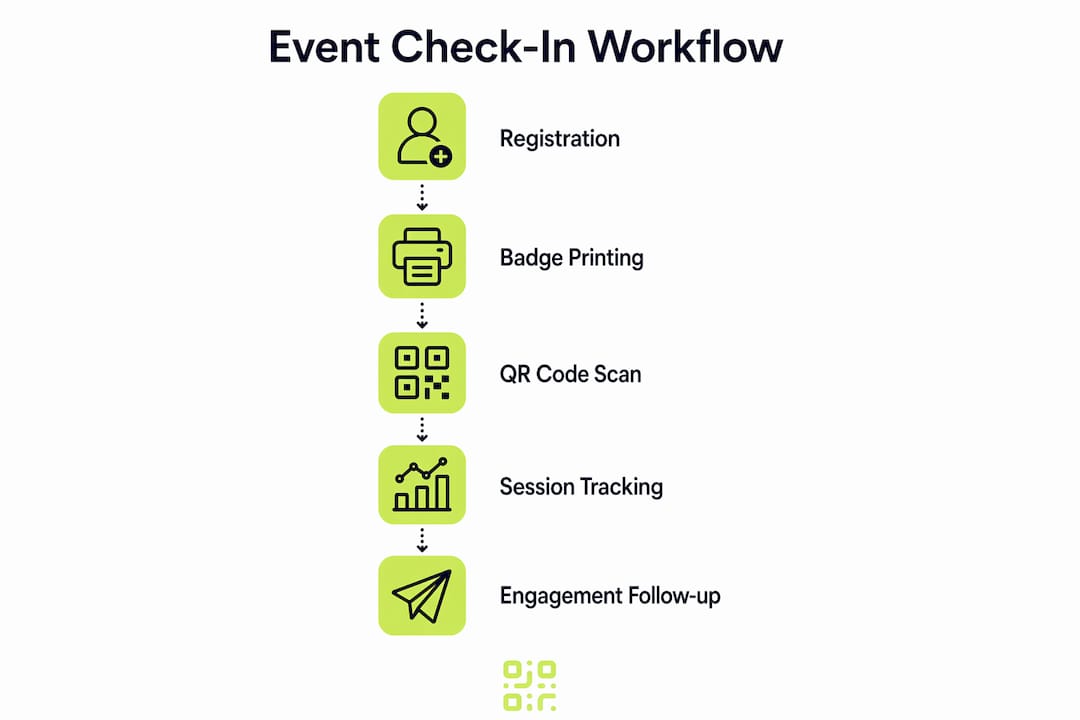
An event attendee tracking workflow is a structured process that connects registration, onsite check-in, engagement tracking, and CRM integration to capture comprehensive attendee data and optimise event outcomes. In practice, this means every touchpoint from the moment someone registers to the final post-event follow-up email is recorded, synchronised, and made useful. Platforms like Bizzabo, Micepad, and Klik SmartBadges™ have made this end-to-end approach accessible to coordinators managing events of any scale. The result is richer engagement data, more accurate attendance records, and a measurable return on investment for sponsors and organisers alike.
What are the essential prerequisites for an attendee tracking system?
A reliable attendee tracking system begins well before event day. The foundation is a unified registration platform that feeds data directly into your CRM, so every attendee record is complete and current before anyone walks through the door. Bizzabo describes this workflow as linking registration data to onsite platforms, using badges for session, booth, and networking tracking. Without this connection, you end up with disconnected data silos that slow down follow-up and frustrate sponsors.
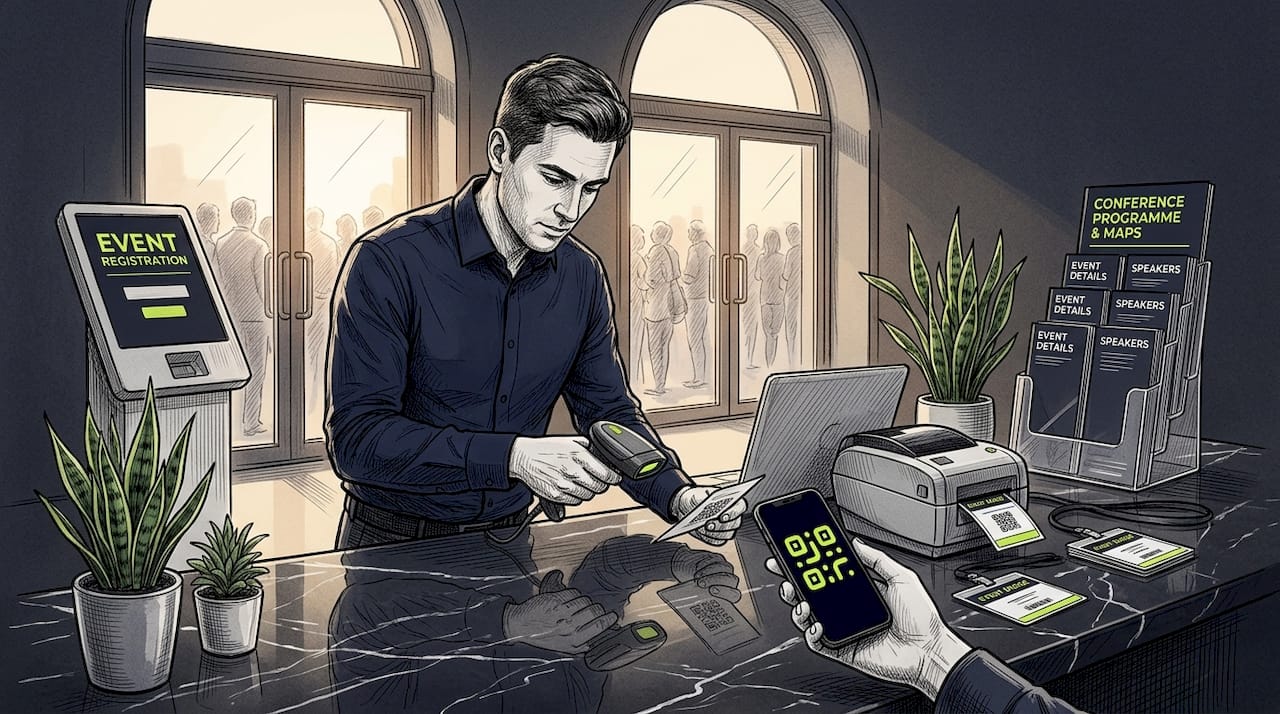
On the hardware side, you need QR code scanners, self-service kiosks, and badge printers positioned at entry points and session rooms. Software requirements include an event management platform with real-time sync capability, a CRM connector, and an offline fallback mode. GDPR compliance is non-negotiable: you must capture documented consent or establish a legitimate interest basis before processing any attendee data, and you need a clear audit trail to demonstrate this.
Here is a quick comparison of common tools and their core capabilities:
| Tool | Check-in method | CRM sync | Offline mode | Badge printing |
|---|---|---|---|---|
| Bizzabo | QR code, kiosk | Real-time | Yes | Yes |
| Micepad | QR code, name search | Real-time | Yes | Yes |
| Klik SmartBadges™ | Smart badge tap | Real-time | Partial | Integrated |
| Momentive | QR code, manual | Batch | Limited | Yes |
Key prerequisites to confirm before event day:
- CRM integration tested with live data from your registration platform
- All scanning devices charged, updated, and connected to the event network
- Consent capture forms embedded in the registration process with clear opt-in language
- Printed attendee lists available as a manual fallback
Pro Tip: Run a full end-to-end test at least 48 hours before the event. Scan a test badge, verify the record updates in your CRM, and confirm the offline cache loads correctly on every device.
How to execute a step-by-step event check-in automation workflow
The execution phase is where preparation pays off. A well-run workflow management process for events follows a clear sequence, and deviating from it mid-event is costly. CRM integration should update attendance status in real time and synchronise onsite engagement back into a unified record, which means your sales team can act on data while the event is still running.
Follow this numbered sequence for a reliable onsite workflow:
-
Sync registration data 24 hours before doors open. Pull the latest attendee list from your registration platform into your check-in system. Validate for duplicates, missing fields, and incomplete consent records. Flag any issues for manual resolution on arrival.
-
Distribute QR codes to registered attendees. Send unique QR codes via confirmation email at least 48 hours in advance. Each code should be tied to a single attendee record and contain no personally identifiable information in the code itself, only a reference ID that resolves server-side.
-
Set up check-in stations with role-specific badge printing. Separate queues for speakers, sponsors, press, and general attendees reduce congestion. Klik SmartBadges™ and similar smart badge solutions print on demand and encode session access permissions directly into the badge.
-
Capture session check-in and check-out data. Station scanners at session room entrances and exits. Momentive’s dashboards import check-in time, check-out time, and duration to measure engagement and award attendance credits where required. This data is far more useful than a simple headcount.
-
Track booth visits and networking interactions. Sponsor booths should have their own scanning stations. Every badge scan at a booth creates a timestamped interaction record, giving sponsors the interaction depth data they need to justify their investment.
-
Monitor offline sync queues throughout the day. Assign one team member to watch the sync dashboard. If connectivity drops, the system should cache scans locally and queue them for upload. Confirm queued records sync correctly when the connection restores.
-
Run post-event data synchronisation within two hours of close. Push all engagement data back into the CRM before your team disperses. This includes session attendance, booth visits, networking scans, and any manual overrides logged during the day.
Pro Tip: Do not conflate check-in attendance with engagement. Track separate events for entry, session participation, and sponsor interactions so your reporting reflects actual behaviour rather than just presence at the venue.
What common challenges arise when tracking event attendees?
Even well-prepared events encounter operational friction. Knowing the most common failure points and having a documented runbook ready is the difference between a minor delay and a queue that backs up into the street.
Wi-Fi degradation is the most frequent culprit. About one in three events suffer connectivity issues during peak arrivals, which is precisely when your check-in system is under the most load. An offline-first design, where the attendee list is cached locally on each scanning device, prevents this from becoming a crisis. Queued scans upload automatically once connectivity returns, and timestamps are preserved accurately.
QR code scan failures are the second most common issue. Damaged codes on printed materials, low-brightness phone screens, and poor scanner angles all cause read errors. Your fallback here is name search: a staff member types the first three letters of the attendee’s surname and selects the correct record manually. This process typically takes 15 to 30 seconds per attendee, so staff training on the fallback procedure is worth the investment.
Walk-in attendees without pre-registration require a separate workflow. Create a dedicated walk-in station with a short registration form, consent capture, and on-demand badge printing. Keeping this station physically separate from the pre-registered queue prevents bottlenecks.
Additional challenges to prepare for:
- Duplicate scan prevention: Your system should display a clear warning if a badge is scanned twice at the same entry point, rather than silently creating a duplicate record.
- Timestamp synchronisation: When scans are captured offline and synced later, capture both the local device time and the server time. Allow a tolerance window to avoid incorrect session credit calculations.
- Staff fatigue at peak times: Rotate staff every 90 minutes at high-volume scanning stations to maintain accuracy and speed.
Pro Tip: Prepare a printed runbook with step-by-step fallback procedures for every failure scenario. Laminate one copy per scanning station. When connectivity drops and stress rises, staff need instructions they can read without unlocking a device.
How to leverage engagement data and stay GDPR-compliant
Capturing engagement data is only valuable if you use it correctly and handle it lawfully. The metrics that matter most go well beyond a headcount. Dwell time at sponsor booths, session duration, foot-traffic patterns, and networking interaction frequency all tell a richer story about attendee behaviour. Proximity beacons and heat map analytics provide real-time insights that allow you to adjust staffing, rearrange layouts, and respond to crowd flow during the event itself.
Heat map data is particularly useful for post-event optimisation. If foot traffic consistently bypasses a sponsor area, that is a layout problem you can fix for the next event. If a session room fills to capacity 20 minutes early, you know to schedule that speaker in a larger space next time.
For CRM integration, map each engagement metric to a specific field in your contact record. Session attendance becomes a tag. Booth visits become a lead score increment. Networking scans become a relationship flag. This structured approach means your sales team receives a contact record that tells them exactly what the attendee cared about, not just that they attended.
GDPR compliance for attendee data requires three things:
- A lawful basis for processing. Consent is the most transparent option. Legitimate interest is permissible for certain operational purposes but requires a documented balancing test.
- Clear consent workflows at registration. Attendees must be told what data you collect, how you use it, and who you share it with. Opt-in checkboxes must be unticked by default.
- An audit trail. Record when consent was given, through which form, and what version of your privacy notice was displayed. GDPR compliance for event data mandates this documentation.
Here is a comparison of consent methods commonly used in event workflows:
| Consent method | Transparency | Audit trail | Sponsor data sharing |
|---|---|---|---|
| Opt-in checkbox at registration | High | Automated | Requires separate consent |
| Badge scan opt-in at booth | Medium | Manual log | Explicit at point of scan |
| Legitimate interest (operational) | Low | Documented assessment | Not applicable |
| Verbal consent (onsite) | Low | Difficult to prove | Not recommended |
GDPR-compliant analytics should be built into your attendee tracking system from the start, not added as an afterthought. Sponsors increasingly expect engagement data beyond badge scans, with 30% preferring smart badges over business cards for lead quality measurement. Giving them that data lawfully protects both your organisation and theirs.
Key takeaways
A reliable event attendee tracking workflow requires CRM integration, offline resilience, and GDPR-compliant consent capture to deliver accurate data and measurable event ROI.
| Point | Details |
|---|---|
| Start with CRM integration | Connect your registration platform to your CRM before event day to avoid disconnected data. |
| Design for offline first | Cache attendee lists locally on every scanning device to handle connectivity failures without disruption. |
| Separate check-in from engagement | Track entry, session attendance, and booth visits as distinct events for accurate reporting. |
| Capture consent at registration | Use unticked opt-in checkboxes and document the consent version for every attendee record. |
| Use engagement metrics purposefully | Map dwell time, session duration, and booth visits to CRM fields to support personalised follow-up. |
What I have learned from building attendee tracking workflows
The most common mistake I see event coordinators make is treating the check-in system as a standalone tool rather than the first step in a data pipeline. A badge scan that does not update a CRM record within seconds is a missed opportunity. The entire value of onsite tracking depends on what happens to that data afterwards.
The second lesson is about operational honesty. Offline fallback is not a nice-to-have feature. Connectivity failures affect roughly one-third of events during peak arrivals, and that statistic has not improved significantly as events have grown larger. Build your workflow assuming the Wi-Fi will fail at the worst possible moment, and you will never be caught unprepared.
On the privacy side, I think the industry is still catching up to where it needs to be. Collecting rich engagement data and maintaining genuine attendee trust are not opposing goals, but they require deliberate design. Transparent consent workflows and clear data handling policies are not just legal requirements. They are what makes attendees willing to engage with your tracking systems in the first place.
The emerging technologies worth watching are AI-driven session analytics and smart badge platforms that capture interaction data passively. These tools will make engagement measurement significantly more granular over the next few years. The coordinators who invest in understanding their current digital engagement tracking workflows now will be best placed to adopt those advances without rebuilding from scratch.
— The
How Qrlytics supports your event tracking workflow
If you are building or refining your event attendee tracking setup, QR code reliability is the foundation everything else depends on. Qrlytics provides dynamic QR codes with real-time scan analytics, an offline-compatible architecture, and GDPR-compliant tracking built in from the start.

Unlike free QR code generators that deactivate codes when a subscription lapses, Qrlytics guarantees that codes created during an active subscription remain functional permanently. For event coordinators using print marketing materials with embedded QR codes, this permanence matters enormously. You can update the destination URL without reprinting a single badge or brochure. Start with the free QR code generator to create your first event check-in codes, or explore the full QR code analytics platform to track every scan in real time.
FAQ
What is an event attendee tracking workflow?
An event attendee tracking workflow is the structured process of capturing attendee data from registration through onsite check-in, session and booth engagement, and post-event CRM synchronisation. It connects every touchpoint into a single, unified record for reporting and follow-up.
How do I track event attendees without reliable Wi-Fi?
Use an offline-first check-in system that caches the attendee list locally on each scanning device and queues scans for upload when connectivity returns. About one in three events experience Wi-Fi degradation during peak arrivals, so this design is a practical necessity rather than an optional feature.
What engagement metrics should I capture at events?
The most useful metrics are session check-in and check-out times, dwell time at sponsor booths, foot-traffic patterns, and networking interaction counts. Momentive’s tracking dashboards demonstrate how session duration and attendance credits can be calculated from these data points.
How do I handle walk-in attendees in my check-in workflow?
Set up a dedicated walk-in station with a short registration form, consent capture, and on-demand badge printing. Keep this station separate from the pre-registered queue to prevent bottlenecks, and prepare fallback procedures including manual name lookup for attendees whose QR codes fail to scan.
What does GDPR require for event attendee data?
GDPR requires a documented lawful basis for processing, clear opt-in consent captured at registration with unticked checkboxes by default, and an audit trail recording when and how consent was given. WebMobi’s GDPR guidance confirms that data sharing with sponsors requires separate, explicit consent from each attendee.