QR codes for events: the marketer’s playbook for 2026
Use dynamic QR codes that point to mobile-optimised landing pages with built-in analytics, not static images pasted onto a poster and forgotten. That single decision determines whether your QR strategy produces attribution data you can report on or just a scan count nobody trusts.
Three steps get you live today. First, build or confirm the destination: a ticket link or event page that renders cleanly on a phone. Second, generate a dynamic QR code with an editable destination, so a wrong link or last-minute venue change doesn’t ruin printed signage. Third, test it on at least two device types and print one physical proof before committing to a full run.
Permanence matters because printed materials outlive campaigns. A badge, banner or lanyard printed in March might still be scanned in September, and if the code has expired or the destination has moved, that scan becomes a dead end instead of a lead.
- Create the destination page first, not the code
- Generate a dynamic QR with a trackable, editable URL
- Print and scan-test on multiple phones before mass production
Pro Tip: Print one physical proof and scan it under venue-style lighting, not office lighting, before you approve the full batch. Glare and glossy card stock kill more scans than bad design ever does.
Key Takeaways
Dynamic QR codes pointed at mobile-optimised, analytics-tracked landing pages consistently outperform static codes for event marketing, check-in and lead capture.
| Point | Details |
|---|---|
| Default to dynamic codes | Editable destinations and per-placement analytics matter more once printed materials are already distributed. |
| Size and contrast decide scans | Follow minimum sizing of 2.5cm on invites and 8 to 15cm on posters, with a clear quiet zone. |
| Fraud-proof ticketing | Use unique per-attendee codes with single-use tokens or signed codes to prevent duplicate entry. |
| Track scans by placement | Assign separate codes per location and layer UTM parameters for real attribution data. |
| Choose permanence over price | Qrlytics keeps codes functional regardless of subscription status, avoiding the dead-code problem free generators cause. |
Table of Contents
- What are QR codes used for at events?
- How do I create a QR code for an event?
- What size and design get the most scans?
- Should you use a dynamic or static QR code?
- How should event check-in and ticketing work?
- What metrics should you track from event QR codes?
- How do you make QR codes accessible to all attendees?
- How do I test QR codes before an event?
- Why does platform reliability matter for event QR codes?
- What the data actually tells event marketers
- Get your event QR codes working, and stay working
- Sources
- FAQ
What are QR codes used for at events?
Every scannable code you deploy should map to a specific job, not just “more engagement.” Marketers who treat QR codes as a single tool tend to waste them on generic links that produce flat data. Treat them as a set of distinct instruments instead.
Registration and ticketing links go on invitations, confirmation emails and pre-event social posts, usually feeding straight into your ticketing platform. Calendar QR codes let attendees add the event to Google, Apple or Outlook calendars in one scan, which meaningfully improves show-up rates because the event lands on a device instead of in a forgotten inbox.
Session and agenda codes placed on room signage or printed programmes give attendees instant access to slide decks, speaker bios or live polling without printing a 40-page booklet. Exhibitor lead capture codes on booth signage let sales teams collect verified contact details in seconds rather than scribbling on a stack of business cards. Wayfinding and menu codes at entrances, food stations and breakout rooms reduce staff workload on the day.
- Registration and ticket confirmation: direct URL to ticket or check-in page
- Save-the-date: calendar-format QR for one-tap calendar adds
- Session agendas: URL linking to slides, live polls or speaker notes
- Exhibitor booths: lead-capture form embedded behind the code
- Signage and wayfinding: short URL to a venue map or digital directory
Placement follows function: invites carry registration codes, badges carry check-in codes, and booth signage carries lead-capture codes. Mixing these up is the most common reason QR analytics come back confusing.
How do I create a QR code for an event?
Building a working code takes four decisions, in this order.
- Decide the destination first. A mobile-optimised landing page almost always outperforms a direct PDF or raw ticketing URL, because it loads faster and lets you swap content without reprinting anything.
- Choose dynamic over static. A dynamic QR code lets you edit the destination after the code is printed and gives you scan-level analytics, both of which matter for event marketing QR codes that need to survive schedule changes or last-minute link swaps.
- Brand it without breaking it. Add your logo centrally and keep it under roughly 20% of the code’s total area. Maintain strong colour contrast between the foreground and background, and increase the error correction level slightly when adding branding, since higher correction lets the code still scan even if part of the design covers data cells.
- Export for the right medium. Use SVG for anything going to print, since it scales without pixelation at banner size. Use PNG at high resolution (at least 300 dpi at final print size) for anything smaller, like invites or badges. For personalised tickets, batch-generate from a CSV of attendee data rather than creating codes one by one.
You can build this whole sequence using QRlytics’ generator, which handles dynamic destinations, branding and export formats in one pass.
Pro Tip: Keep a spreadsheet mapping each code to its destination URL, placement and creation date. When you have a dozen codes live across a multi-day conference, that log is the only thing standing between you and a very confused Tuesday morning.
What size and design get the most scans?
Size and contrast decide whether a code gets scanned at all, before design or branding even enters the conversation. Guidance from print specialists puts the practical minimums at 2.5cm square on invites and 8 to 15cm on posters and banners, scaled up further for anything viewed from more than a metre away.
- Business cards and invites: minimum 2.5cm x 2.5cm
- A4 posters and table signage: 6 to 10cm square
- Large format banners and step-and-repeats: 15cm or larger, scaled to viewing distance
- Badges and lanyards: at least 3cm square for reliable scanning by handheld readers
Keep a clear “quiet zone”, the blank border around the code, since a design element crowding that margin is one of the most common reasons a scan fails on the first attempt. Dark code on a light background scans more reliably than the reverse, and glossy laminate under bright venue lighting causes glare that a scanner simply cannot read through.
Pair every code with a short, direct CTA: “Scan to check in”, “Scan for today’s agenda”, or “Scan to add to calendar” outperforms a bare code with no instruction. Always print a short fallback URL beneath the code for attendees whose cameras won’t cooperate.
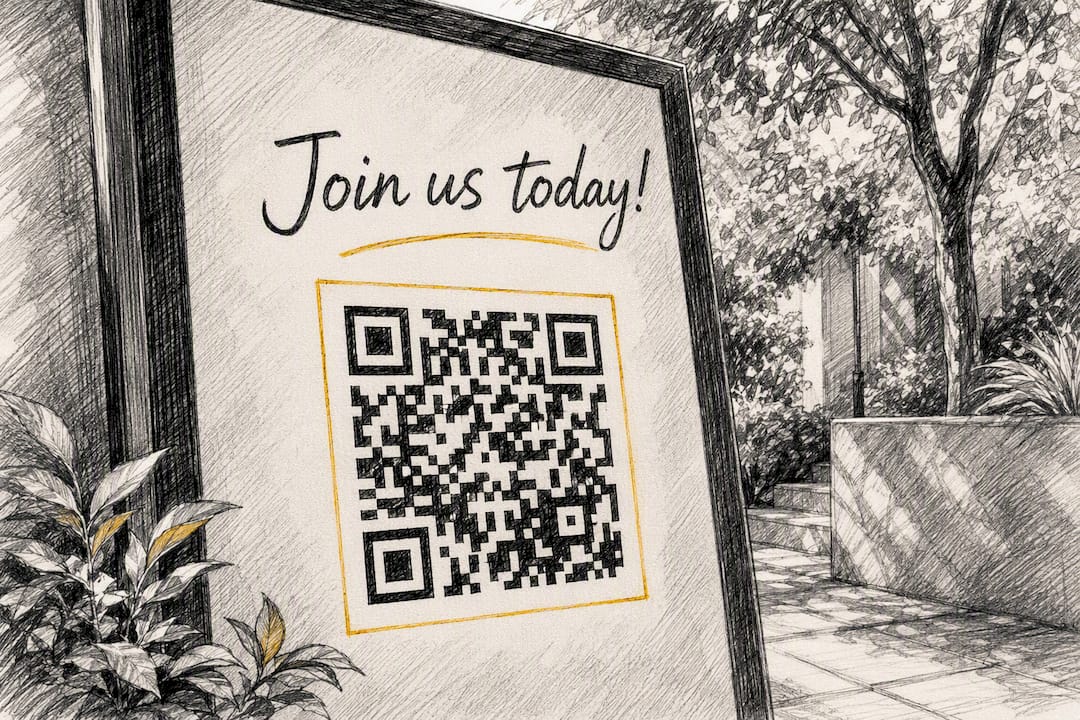
A quick reality check on failure rates: the two most common scan failures organisers report are codes printed too small for their viewing distance and codes placed too close to a page edge or fold line, both fixable at the proofing stage rather than after 500 posters are already printed.
Should you use a dynamic or static QR code?
A static QR code encodes a fixed destination directly into the pattern. Once printed, it cannot be changed. A dynamic code encodes a short redirect URL that points to a destination you control, which means you can update where it sends people at any time, even after the code is already on a banner in a warehouse.
For events, dynamic almost always wins. Dynamic codes let you edit destinations after printing and collect analytics per placement, which matters enormously when a venue changes, a speaker drops out, or you simply want to know whether the booth code or the poster code drove more scans.
Dynamic codes fit best when:
- The destination might change after printing (schedule, room, or link updates)
- You need scan counts, timestamps or location data by placement
- You’re running the same code across multiple channels and want attribution
Static codes still make sense for genuinely permanent, offline-only assets: a single-use raffle ticket link, a one-off Wi-Fi password card, or a code that will never need editing and will be discarded after the event. If there’s any chance you’ll need to change the destination or measure performance, dynamic is the safer default.
How should event check-in and ticketing work?
Check-in is where QR codes either save your door team hours or create a queue nobody wants to stand in. The choice between unique per-attendee codes and one shared entry code is the first fork in the road.
Unique codes cost more setup time but let you flag duplicate entries, track exactly who arrived and when, and stop one ticket being screenshotted and shared. Shared codes are faster to produce for low-stakes internal events but offer no fraud protection and muddy your attendance data.
- Export your registration list to CSV, including name, email and ticket tier.
- Batch-generate personalised codes from that file rather than creating them manually, which is the only realistic approach once you’re past a few dozen attendees.
- Choose your scanning method. Dedicated check-in apps let staff scan without requiring attendees to install anything, which speeds up walk-up registration considerably versus app-based alternatives.
- Plan for weak signal. Download attendee lists locally to scanning devices beforehand so check-in doesn’t stall the moment venue Wi-Fi struggles under load.
- Add fraud safeguards. Signed codes or single-use tokens let scanners verify authenticity and flag duplicate scans, stopping a screenshot from getting a second person through the door on the same ticket.
Pro Tip: Assign one staff member per door to watch for duplicate-scan alerts specifically. A scanner that beeps “already used” is only useful if someone is actually looking at the screen when it happens.
QRlytics customers building badge and check-in workflows often start with the complete attendance guide for the batch-export and scanner-setup detail this section only summarises.
What metrics should you track from event QR codes?
Scan count alone tells you almost nothing useful. The metrics that actually inform next year’s budget are scans by placement, unique users versus repeat scans, conversion rate after the scan (did they register, download, or just look), and time-to-conversion.
Assign a separate dynamic code to every physical placement, poster, badge insert, booth banner, so you can compare which location actually drove action. Layering UTM parameters onto the destination URL behind each code lets you attribute offline placements the same way you’d attribute a paid ad, which is the piece most organisers skip and then regret when asked to justify signage spend.
| Placement | What to measure |
|---|---|
| Invitations and confirmation emails | Scan-to-registration conversion rate |
| Booth and exhibitor signage | Unique scans and lead-form completion |
| Session and agenda signage | Scans versus session attendance count |
| Badges and lanyards | Repeat scans across the event duration |
Run simple A/B tests between events: swap the CTA wording, move the code’s position on a poster, or change its size, then compare scan rates. On privacy, anonymise IP-level data where possible, give attendees a clear opt-out for tracking, and set a retention window rather than storing scan data indefinitely. Reviewing scan tracking data at each placement level turns a stack of posters into a measurable channel.
How do you make QR codes accessible to all attendees?
Never make a QR code the only way to reach critical information. Print the destination as a short, readable URL directly beneath every code, so attendees with an older phone, poor signal, or simply no interest in scanning still get to the same content.
- Print a plain-text fallback URL under every printed code, no exceptions
- Offer language selection on the landing page itself rather than printing separate codes per language
- Use high-contrast, large-point text on any printed signage near the code
- Provide captioned or transcribed versions of video content the code links to
Multilingual events benefit from a landing page that detects browser language automatically or offers a simple toggle, rather than a wall of separate QR codes for each language, which confuses attendees more than it helps. Resources on QR-code translation and multilingual signage cover the practical side of this in more depth.
Pro Tip: Run your accessibility check the same day as your print proof, not as a separate step. Testing contrast, fallback URLs and language toggles together catches conflicts before the invoice for 2,000 posters lands.
How do I test QR codes before an event?
Testing happens in two phases: before you print, and again once printed materials physically exist.
- Test across devices and browsers. Scan with at least two iOS and two Android phones, using both the native camera and a dedicated scanner app, since default camera behaviour varies more than most organisers expect.
- Proof the print run. Pull a physical sample from the actual printer and paper stock you’ll use, not a laser printout from the office, then scan it under lighting similar to the venue.
- Check scanning distance. Stand back to the realistic distance an attendee will be from a poster or banner and confirm the scan still works, adjusting size upward if it fails.
- Pack a day-of kit. Bring spare printed codes, a second scanning device, a one-page staff quick-reference, and printed fallback URLs in case the network drops.
- Set an escalation path. Decide in advance who fixes a broken code on the day: is it a reprint, a redirect update, or a verbal workaround at the door?
Testing across devices before the event is one of the most consistently cited safeguards against day-of scanning failures, and it costs almost nothing beyond twenty minutes and a few borrowed phones.
Why does platform reliability matter for event QR codes?
Every event marketer has a story about a QR code that stopped working mid-campaign, usually because a free generator deactivated it after a subscription lapsed or a payment failed. That single failure point is the reason permanence has become a genuine buying criterion, not just a nice-to-have feature line.
Qrlytics is built around a straightforward guarantee: codes created during an active subscription keep working permanently, regardless of later billing status. For an events marketer who’s already paid to print 5,000 lanyards, that guarantee is the difference between a working badge system and a stack of expensive scrap paper.
- Dynamic URL updates let you redirect a code after printing, no reprint required
- Real-time analytics show scans by location, device and time, feeding straight into post-event reporting
- GDPR-compliant tracking keeps attendee data handling defensible
- Branding options and cryptographic authentication support both marketing polish and ticket-fraud prevention
The practical test of any QR platform isn’t how the code looks on day one. It’s whether the same code still redirects correctly six months later, after the invoice, the subscription renewal, or the account change that so often breaks a free-tier code without warning.
Onboarding requires no credit card, so you can test the free generator against your own print files before committing to a paid tier.
What the data actually tells event marketers
Most advice on QR codes at events stops at “make one and print it,” which misses the point entirely. The organisers who get real value treat every code as a tagged marketing asset, not a decoration, and that mindset shift matters more than any design tip in this guide.
The conventional wisdom oversells design and undersells operations. A beautifully branded code with perfect contrast still fails if nobody assigned separate tracking per placement, or if the destination link breaks the week after printing because a free generator account lapsed. Design gets the scan. Infrastructure decides whether that scan means anything afterwards.
If you take one thing from this article, prioritise permanence and attribution before aesthetics. Get the destination right, make the code dynamic, tag it by placement, and only then worry about how the logo sits inside it. Marketers who reverse that order end up with attractive codes and no usable data, which defeats the purpose of running the campaign at all.
— The
Get your event QR codes working, and stay working
Qrlytics gives event marketers the one thing free generators routinely fail to deliver: codes that keep redirecting correctly no matter what happens to a billing cycle later. Every code created on an active subscription stays functional permanently, so a badge printed for a March conference still works if scanned in October.

Beyond permanence, you get dynamic URL editing for last-minute schedule changes, real-time scan analytics by placement, and GDPR-compliant tracking that keeps attendee data handling clean. Branding options let codes match your event’s visual identity without sacrificing scan reliability. If you’re already using dynamic codes for check-in or lead capture, QR codes with built-in analytics show you exactly which placement is earning its print budget.
Start with the free QR generator, no credit card required, and build your first dynamic code for your next event before you commit to a paid plan.
FAQ
How do I get a QR code for an event?
Choose a QR code generator that supports dynamic codes, create your event landing page or ticket link first, then generate a code pointing to that destination. Qrlytics offers a no-card free tier suited to this exact starting point.
How can I generate a QR code for an event?
Pick your destination URL, select a dynamic code type for editability and analytics, add branding if needed, then export in SVG for print or PNG for digital use. Batch generation from a CSV handles personalised tickets or badges at scale.
Is there a free QR code option for event attendance?
Yes, several platforms including Qrlytics offer free tiers for generating basic QR codes without a credit card, though advanced analytics and unlimited codes typically require a paid plan.
Can I generate a QR code for free?
Yes, free QR code generators exist and work fine for simple, permanent links. The risk is that many free services deactivate codes if you later cancel a subscription or miss a payment, which is why permanence guarantees matter for anything already printed.