Generador de código QR: guía para marketers en 2026

TL;DR:
- A QR code generator encodes data into a scannable image, offering instant access to URLs and contact info. Static codes are permanent, while dynamic codes can be updated but risk deactivation if subscriptions lapse. Proper design and testing ensure reliable scanning and protect your marketing investment.
A QR code generator is an online tool that encodes your data directly into a scannable image, giving customers instant access to URLs, WiFi credentials, contact cards, and more without downloading any app. The right generador codigo qr makes the difference between a campaign that performs and printed materials that go to waste. Tools like Coddy, DuneTools, Abundera QR, and Go Tools each offer browser-based generation with no registration required, exporting codes in both PNG and SVG formats. Choosing between them comes down to your branding needs, privacy requirements, and whether you need static or dynamic codes for your campaigns.

What types of QR codes exist and which suits your marketing needs?
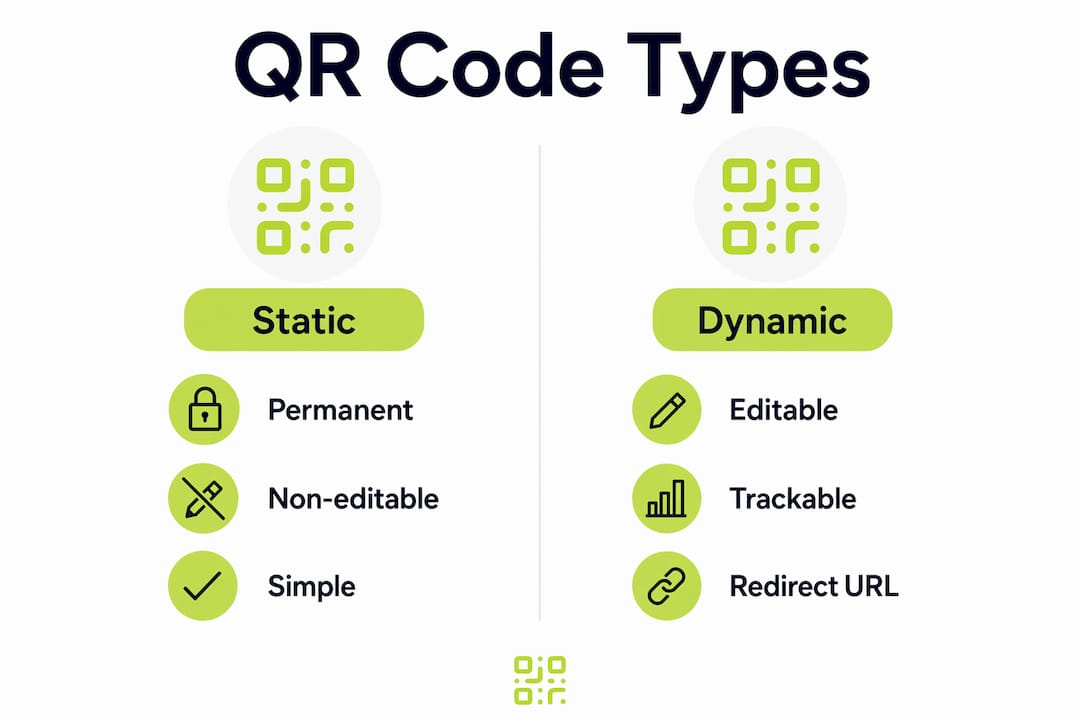
The two core types of QR codes are static and dynamic, and they behave very differently in practice.
Static QR codes encode data directly into the image pixels. The destination is permanent and built into the code itself. Static codes never expire because they carry no server dependency. A static code printed on a business card in 2024 still works in 2026 with no maintenance required. That reliability makes them ideal for WiFi credentials, vCards, and any destination that will not change.
Dynamic QR codes work differently. They encode a short redirect URL, and a server resolves that redirect to your final destination. This means you can update the destination after printing, which is genuinely useful for seasonal campaigns or product pages that change. The risk is real, though. Dynamic codes can be deactivated if a subscription lapses or a payment fails. That is a serious problem when codes are already printed on packaging or signage.
| Feature | Static QR code | Dynamic QR code |
|---|---|---|
| Destination editable after print | No | Yes |
| Server dependency | None | Required |
| Expiry risk | None | Yes, if subscription lapses |
| Scan analytics | Not available | Available |
| Best for | Permanent content | Campaigns, trackable links |
The right choice depends on your use case. Static codes suit anything permanent. Dynamic codes suit campaigns where you need to track QR code scans or update destinations after printing.
Pro Tip: If you use dynamic codes, choose a provider that guarantees code permanence even after billing changes. Qrlytics, for example, keeps codes active regardless of subscription status, protecting your printed materials.
What features matter most for professional QR code branding?
A professional QR code generator gives you control over both the visual output and the technical settings that affect scan reliability.
The most important visual options are:
- Colour customisation: Change module and background colours to match your brand palette. Always maintain strong contrast between the two.
- Logo integration: Place your brand mark at the centre of the code. This requires setting error correction to level H, which allows up to 30% of the code to be obscured while remaining scannable.
- Module shapes: Some generators let you round the corners of individual modules or use custom dot shapes for a more polished look.
- Frames and call-to-action text: Adding a frame with text like “Scan me” increases scan rates on printed materials.
The export format matters as much as the design. Vector SVG files are the correct choice for large-format printing such as posters, banners, and billboards. SVG scales infinitely without any loss of quality. PNG files work well for digital use and smaller print formats like business cards or flyers.
ISO/IEC 18004-compliant generators produce codes that work across all devices without special apps. That standard compliance removes friction for your audience and guarantees universal readability.
Pro Tip: Always test your finished QR code with at least two different mobile cameras before sending files to print. Lighting conditions and print quality vary, and a scan test takes under a minute.
Privacy is another factor worth considering. Browser-based generators that run entirely locally never upload your data to a server. WiFi passwords, private URLs, and contact details stay on your device throughout the generation process. For security-conscious businesses, this is a non-negotiable requirement.
How to generate a QR code step by step
Creating a QR code with a professional tool takes under five minutes. The process is consistent across most browser-based generators.
- Open the generator in your browser. Tools like Coddy and Abundera QR require no registration and work entirely in your browser. No account setup is needed.
- Select your data type. Choose from URL, WiFi, vCard, email, SMS, or plain text. Each type formats the encoded data correctly for its purpose.
- Enter your content. Paste your URL or fill in the relevant fields. Keep URLs short where possible. Long strings increase code density and can reduce scan reliability.
- Customise the design. Set your brand colours, choose a module shape, and upload your logo if needed. If you add a logo, switch error correction to level H before proceeding.
- Run a scan test. Use your phone camera to confirm the code resolves correctly before exporting.
- Export in the right format. Choose SVG for print and PNG for digital. Download and save both versions if you are unsure of the final use.
For large campaigns, batch generation removes the need to repeat this process hundreds of times. Abundera QR supports batch creation of up to 500 codes via CSV upload, with individual design settings applied to each entry. The table below shows which data types suit which campaign formats.
| Data type | Best campaign use | Recommended format |
|---|---|---|
| URL | Product pages, landing pages | SVG for print, PNG for digital |
| WiFi | In-store, hospitality | PNG (small print) |
| vCard | Business cards, networking events | PNG or SVG |
| SMS | Customer service, opt-ins | PNG |
| Lead capture, newsletters | PNG or SVG |
Batch generation via CSV is particularly useful for retailers managing multiple store locations or marketers running localised campaigns with unique landing pages per region. You can read more about maximising QR code scans for campaign-specific tactics.
What mistakes should you avoid when generating QR codes?
The most costly QR code mistake is printing dynamic codes tied to a subscription that later lapses. Dynamic codes marketed as free often rely on redirect servers that go offline when payments stop. Once that happens, every printed piece carrying that code becomes useless. The fix is to use static codes for permanent content, or to choose a dynamic code provider with a clear permanence guarantee.
Other common mistakes include:
- Poor contrast: Light modules on a light background fail to scan. Always use a dark module colour against a light background, or test carefully if you invert this.
- Oversized data payloads: Encoding a 500-character URL into a QR code creates a dense, difficult-to-scan image. Use a URL shortener first.
- Skipping the scan test: Testing with a mobile camera before printing catches errors that are invisible on screen.
- Logo without high error correction: Adding a logo at error correction level L or M causes scan failures. Level H is required.
- Exporting PNG for large-format print: PNG files pixelate when scaled up. Large-format printing requires SVG to preserve scan stability.
A QR code that fails to scan in the field is worse than no QR code at all. It signals to your audience that your brand is unreliable. Test every code before it reaches print.
Avoiding QR code mistakes at the generation stage costs nothing. Fixing them after print runs can cost thousands.
Pro Tip: Print a test sheet at the actual intended size before committing to a full print run. A code that scans perfectly at 10cm may fail at 2cm if the module density is too high.
Key takeaways
A reliable QR code generator combines correct technical settings, appropriate export formats, and a clear understanding of static versus dynamic code behaviour to protect your marketing investment.
| Point | Details |
|---|---|
| Static codes never expire | Use static QR codes for permanent content to eliminate server dependency and expiry risk. |
| Dynamic codes carry subscription risk | Only use dynamic codes with a provider that guarantees permanence after billing changes. |
| SVG is required for large-format print | Export as SVG for posters and banners to maintain scan quality at any size. |
| Logo integration needs level H error correction | Set error correction to H before adding a logo, allowing up to 30% code obstruction. |
| Always test before printing | Scan every code with two different mobile cameras under realistic lighting before sending to print. |
My honest view on QR code tools in 2026
The QR code generator market is crowded, and most free tools look identical on the surface. My experience tells me the real differences show up only after something goes wrong.
The privacy argument for browser-based generation is stronger than most marketers realise. Locally processed generation means your WiFi passwords, internal URLs, and customer-facing links never touch a third-party server. For regulated industries or businesses handling sensitive data, that matters more than any design feature.
The dynamic code subscription trap is the issue I see cause the most damage. A marketer invests in a campaign, prints 10,000 leaflets, and six months later the provider changes its pricing or shuts down a free tier. Every one of those codes stops working overnight. The answer is not to avoid dynamic codes entirely. The answer is to choose a platform that separates code permanence from billing status, which is exactly what Qrlytics is built to do.
Branding and functionality are not in conflict if you follow the technical rules. High error correction, strong contrast, and a scan test before print will give you a code that looks good and works reliably. The marketers who skip the test step are the ones who end up reprinting.
— The
Qrlytics: QR code generation built for marketers
Generating a QR code is straightforward. Managing it across a live campaign, tracking every scan, and knowing your codes will never break mid-campaign is a different matter entirely.

Qrlytics gives you a free QR code generator for quick setups with no credit card required, and a dynamic QR code generator for campaigns that need editable destinations and real-time scan analytics. Every code created during an active subscription stays live permanently, regardless of future billing changes. That guarantee protects your printed materials and your campaign investment. For marketers who need to measure performance, Qrlytics provides GDPR-compliant tracking, global heat maps, and a clear analytics dashboard to show you exactly where and when your codes are being scanned.
FAQ
What is a QR code generator?
A QR code generator is a tool that encodes data such as a URL, WiFi password, or contact card into a scannable image. Browser-based generators like Coddy and Abundera QR do this locally without uploading your data.
What is the difference between static and dynamic QR codes?
Static QR codes encode data permanently into the image and never expire. Dynamic QR codes use a redirect URL that can be updated but may stop working if the provider’s subscription lapses.
Do I need an account to generate a QR code for free?
Most browser-based generators require no registration. Tools like Coddy generate unlimited QR codes without an account and export in both PNG and SVG formats.
What format should I use for printing QR codes?
Use SVG for any large-format print such as posters, banners, or signage. SVG scales without quality loss, which preserves scan reliability at any size.
Can I add my logo to a QR code?
Yes, but you must set error correction to level H first. This setting allows up to 30% of the code to be covered by a logo while keeping the code fully scannable.