QR asset management: a practical guide for 2026
TL;DR:
- QR asset management links physical assets to digital records using scannable QR codes accessible by smartphones. It provides instant, accurate access to asset history, condition, and maintenance, replacing manual data entry and costly equipment. Successful implementation hinges on embedding scanning into daily routines and using durable labels suited to the environment.
QR asset management is the practice of linking physical assets to digital records via unique, scannable QR codes that any smartphone can read. Scan a code on a piece of equipment and you get instant access to its maintenance history, location, condition, and work orders in under two seconds. The system creates an automated audit trail with timestamps and GPS coordinates, removing the need for manual data entry. Qrlytics and similar platforms have made this approach accessible to businesses of all sizes, and in 2026 it has become a standard method for asset lifecycle management.
How does QR asset management work?
QR asset management works by encoding a unique URL or asset ID into a QR code, which is then printed on a label and fixed to a physical item. When a member of staff scans the code with a smartphone camera, the system retrieves the asset’s digital profile instantly. That profile holds everything relevant: purchase date, maintenance schedule, current condition, and custody history.
The process follows a clear sequence:
- Generate unique QR codes for each asset, either individually or in bulk. Platforms can generate 500 codes in approximately five minutes, making large-scale deployment practical.
- Print and apply labels to assets. Choose label materials appropriate to the environment (more on this in the implementation section).
- Scan to verify the link between the physical label and the correct digital record before the asset enters service.
- Scan during operations to log inspections, maintenance requests, condition updates, and custody changes. Each scan records a timestamp and GPS coordinates automatically.
- Review data in the platform dashboard to monitor asset utilisation, compliance status, and maintenance schedules.
The distinction between static and dynamic QR codes matters here. A static code encodes a fixed URL that cannot be changed after printing. A dynamic code points to a redirect URL that you can update at any time without reprinting the label. For assets with long lifecycles or frequently changing records, dynamic QR codes are the better choice. Static codes suit low-value, short-lifecycle items where reprinting is not a burden.
Pro Tip: After applying a label, scan it immediately and confirm the asset profile that opens matches the physical item. This one step prevents data mismatches that are costly to untangle later.

What are the advantages of QR asset management?
The primary advantage of QR code asset tracking over traditional methods is accuracy. Manual data entry introduces human error at every step. Scanning a QR code with a smartphone removes that risk entirely, because the system logs the correct asset ID automatically.
Key benefits include:
- No specialist hardware required. Smartphone scanning replaces dedicated barcode readers, which reduces equipment costs and increases adoption among staff who already carry their phones.
- Richer data than barcodes. QR codes hold far more data than traditional barcodes and can encode full URLs linking directly to detailed asset profiles.
- Automated audit trails. Every scan logs a timestamp and GPS location without any manual input. This is particularly valuable for compliance audits and insurance claims.
- Instant access to full asset history. Maintenance records, manuals, warranty documents, and work orders are available at the point of need, not back at a desk.
- Low label cost. QR labels are inexpensive compared to RFID tags or GPS trackers, making the technology accessible even for high-volume asset inventories.
- Mobile workflow integration. Mobile scanning links physical assets to digital workflows including work request submission, preventive maintenance verification, and condition documentation.
The cost argument is particularly strong for organisations managing hundreds or thousands of assets. RFID infrastructure requires readers at fixed points and tags that cost significantly more per unit. QR labels cost pennies each, and the reader is already in every employee’s pocket.
What practical tips ensure success when implementing QR asset management?
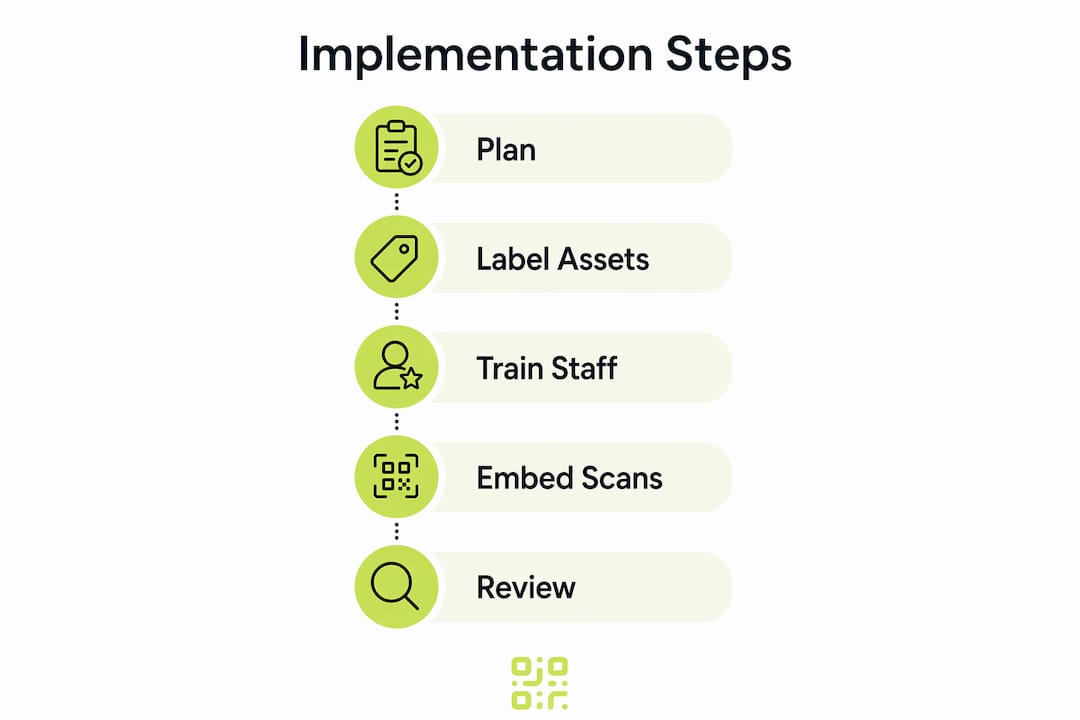
Implementing QR asset management successfully depends on decisions made before the first label is printed. Getting these right saves significant rework later.
Choose the right label material
Standard paper labels fail quickly on equipment exposed to heat, moisture, chemicals, or abrasion. High-durability labels such as laminated polyester or metal-backed aluminium are necessary for industrial environments. A damaged or unreadable label creates a gap in your audit trail and forces manual reconciliation.
- Use laminated polyester labels for general indoor assets and office equipment.
- Use metal-backed or anodised aluminium labels for outdoor assets, vehicles, and manufacturing equipment.
- Use UV-resistant materials for assets stored or used in direct sunlight.
Embed scanning into daily routines
The most common reason QR asset management fails is that scanning becomes an occasional task rather than a standard part of operations. Without workflow integration, asset data becomes static and inaccurate within weeks. The fix is simple: attach scanning to actions staff already perform. Require a scan at equipment check-out, at the start of an inspection, and at the close of a maintenance job.
Pro Tip: Embed a QR scan step into your existing inspection checklists and work order forms. Staff complete the scan as part of a familiar process rather than as an extra task, which drives consistent adoption.
Train staff on the smartphone workflow
QR tracking eliminates specialist hardware by using smartphones, but staff still need a brief orientation. Show them how to open the scanning app, what the asset profile looks like, and how to log a condition update or maintenance request. A fifteen-minute session is usually sufficient. Pair this with a short reference card fixed near the asset storage area for the first few weeks.
Match your software to your operational needs
Your asset management software platform determines what you can do with each scan. Look for platforms that offer mobile scanning apps, maintenance scheduling, digital audit trails, and integration with your existing systems. Platforms that support workflow automation and QR integration can connect asset scan data to broader operational processes, reducing manual handoffs between teams.
What tools and technologies support QR asset management?
The right combination of software and label technology determines how much value you extract from QR asset management.
Software features to prioritise
| Feature | Why it matters |
|---|---|
| Bulk QR code generation | Speeds up initial asset tagging for large inventories |
| Dynamic code support | Allows URL updates without reprinting labels |
| Mobile scanning app | Enables field staff to log data without returning to a desk |
| Scan analytics and dashboards | Shows asset utilisation patterns and flags overdue maintenance |
| Audit trail with GPS and timestamp | Provides verifiable records for compliance and insurance |
| Integration with maintenance systems | Connects scan events to work orders and scheduling tools |
Qrlytics offers bulk QR code generation, dynamic URL updates, and detailed scan analytics including real-time reporting and global heat maps. Codes created on Qrlytics remain functional permanently, which matters for assets with long service lives where a broken QR code means a gap in the audit trail.
Hybrid tracking approaches
Asset tracking methods often combine QR codes, barcodes, RFID, and GPS tracking, with the choice depending on asset type, mobility, and value. QR codes suit most fixed and semi-mobile assets. RFID adds value where hands-free scanning at access points is needed. GPS trackers are justified for high-value mobile assets such as vehicles or heavy plant. A hybrid approach lets you apply the right technology to each asset category without over-investing across the board.
For organisations starting out, free QR code generation tools allow proof-of-concept testing on up to 50 assets before committing to a full deployment. This is a practical way to validate the workflow and build internal confidence before scaling.
Key takeaways
QR asset management delivers its full value only when QR code scanning is embedded into daily operational workflows, not treated as a standalone technology layer.
| Point | Details |
|---|---|
| Define before deploying | Map every asset type and its data requirements before generating codes or printing labels. |
| Choose dynamic codes for long-lifecycle assets | Dynamic QR codes allow URL updates without reprinting, protecting your investment in labels. |
| Use durable label materials | Industrial environments require laminated or metal-backed labels to maintain readable codes. |
| Integrate scanning into existing workflows | Attach scan steps to check-out, inspection, and maintenance routines to keep data current. |
| Select software with analytics | Platforms with scan dashboards and audit trails turn raw scan data into operational insight. |
Why QR asset management is about workflow, not just technology
The organisations that get the most from QR code asset tracking are not the ones with the most sophisticated software. They are the ones that made scanning a habit. I have seen well-funded deployments fail because the scan step was optional, and I have seen simple setups on free-tier platforms deliver clean, reliable audit trails because every team member scanned at every touchpoint.
The technology itself is not the hard part. QR codes are cheap, smartphones are universal, and good platforms are accessible. The hard part is changing the operational habit. Skipping label verification after application is the single most common mistake I observe. It takes thirty seconds to scan a freshly applied label and confirm the asset profile. Skipping it means discovering a mismatch six months later during an audit, at which point the correction costs hours, not seconds.
The future of asset lifecycle management points firmly toward digital linkage. As maintenance systems, compliance platforms, and procurement tools become more connected, the QR code on an asset becomes the entry point to a much richer data environment. Organisations that build clean, consistent scan habits now will find that integration far easier to achieve. Start with the workflow. The technology will follow.
— The
Qrlytics makes QR asset management straightforward
Getting started with QR asset management does not require a large budget or a long implementation project. Qrlytics gives you a free QR code generator that produces high-quality codes instantly, with no credit card required. You can tag your first assets today and begin building an audit trail from the first scan.

For assets that need long-term flexibility, Qrlytics supports dynamic QR codes that you can update without reprinting labels, along with real-time scan analytics, GDPR-compliant tracking, and global heat maps. Codes created during an active subscription remain functional permanently, which means your asset labels will not break if your billing situation changes. That reliability is exactly what asset management requires.
FAQ
What is QR asset management?
QR asset management is the practice of affixing unique QR codes to physical assets and linking each code to a digital record. Scanning the code with a smartphone gives instant access to the asset’s history, condition, and maintenance data.
How does QR code asset tracking differ from barcode tracking?
QR codes hold significantly more data than traditional barcodes and can encode full URLs linking to detailed asset profiles. They also scan with any standard smartphone camera, removing the need for dedicated barcode readers.
Do I need specialist hardware for QR asset management?
No specialist hardware is required. Any modern smartphone camera reads QR codes, which removes the cost of dedicated scanners and increases adoption among staff who already carry their phones.
What is the difference between static and dynamic QR codes for assets?
A static QR code encodes a fixed URL that cannot be changed after printing. A dynamic QR code points to a redirect URL that you can update at any time, making it the better choice for assets with long service lives or frequently changing records.
How do I prevent QR labels from failing on industrial equipment?
Use high-durability label materials such as laminated polyester or metal-backed aluminium for harsh environments. Scan each label immediately after application to verify it links to the correct asset record before the item enters service.