QR decoder online: quick, private and free
TL;DR:
- Free online QR decoders like ZXing Decoder Online, qr-codes.com, and QRCodeRaptor quickly and privately interpret QR codes from images or camera feeds within your browser. They support multiple formats and use client-side processing to ensure sensitive data remains on your device, with QRCodeRaptor offering multi-engine fallback for damaged codes. For businesses managing QR campaigns, platforms like Qrlytics provide dynamic updates, analytics, and secure tracking beyond basic decoding.
The fastest free options right now are ZXing Decoder Online, qr-codes.com QR Code Decoder, and QRCodeRaptor. All three work directly in your browser, require no account, and can decode a QR code from an uploaded image in seconds. For most people, any of the three will do the job immediately.
- ZXing Decoder Online — open-source ZXing engine, paste an image URL or upload a file
- qr-codes.com QR Code Decoder — clean interface, supports upload and live camera
- QRCodeRaptor — multi-engine fallback, good for damaged or low-contrast codes
Table of Contents
- Which free online QR decoder should you use?
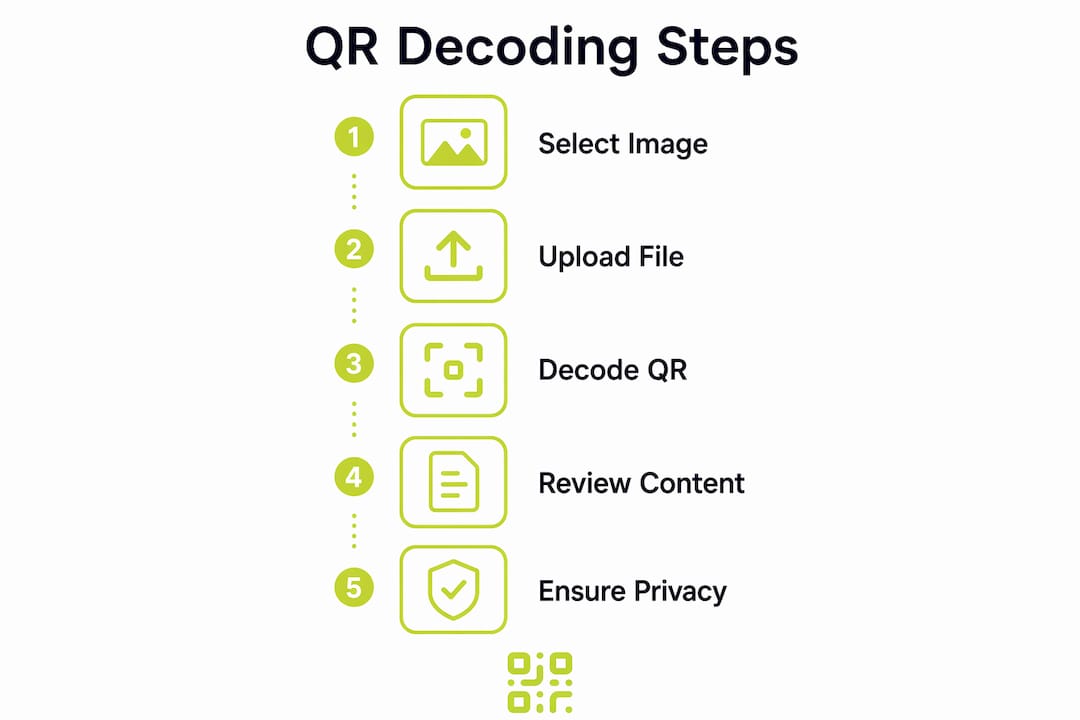
- How do you decode a QR code online from an image or camera?
- What content will a decoded QR code reveal?
- Is decoding a QR code online safe?
- Troubleshooting: when the decoder cannot read your QR code
- Which decoder should you use for each situation?
- Key takeaways
- Why privacy-first decoding is the only sensible default
- Qrlytics: built for businesses that need more than a one-off decode
- Useful sources and further reading
- FAQ
Which free online QR decoder should you use?
| Feature | ZXing Decoder Online | qr-codes.com Decoder | QRCodeRaptor |
|---|---|---|---|
| Input methods | Upload, image URL | Upload, live camera | Upload, clipboard, live camera |
| Supported formats | QR + many barcode types | QR Code | QR + multiple formats |
| Privacy model | Server-side processing | Client-side (browser) | Client-side (browser) |
| Mobile / desktop | Both | Both | Both |
| Parsing extras | Raw text output | URL, Wi-Fi, vCard | URL, vCard, Wi-Fi, event |
A few concrete strengths worth knowing:
- ZXing Decoder Online is backed by the well-established open-source ZXing project and handles a wide range of barcode formats beyond QR, making it useful when you are unsure what type of code you have scanned.
- qr-codes.com Decoder keeps decoding local to your browser, so your image never leaves your device — a clear advantage for sensitive content.
- QRCodeRaptor chains multiple decoding engines (jsQR, ZXing, and preprocessing steps) so a failed first pass is retried automatically, which is particularly helpful for damaged or heavily styled codes.
How do you decode a QR code online from an image or camera?
Open your chosen decoder page, then pick the input method that matches what you have.
- Upload an image file — click the upload button, select your PNG, JPG, WEBP, GIF, or BMP file, and the result appears within a second or two.
- Paste from clipboard — on desktop, press Ctrl+V (Windows) or ⌘+V (Mac) directly into the decoder page. Many browser-based scanners accept a pasted screenshot without you needing to save a file first.
- Paste an image URL — copy the direct URL of a QR image hosted online and paste it into the URL field (ZXing Decoder Online supports this natively).
- Use your live camera — click the camera button, grant the browser permission when prompted, and hold the code steady in frame. The decoder reads the video stream locally; camera frames are drawn to an offscreen canvas, decoded, then discarded immediately.
Common image formats accepted are PNG, JPG, WEBP, GIF, and BMP. File-size limits vary by tool but most handle typical screenshots without issue.
Pro Tip: To verify a decoder is truly client-side, open DevTools (F12), go to the Network tab, then decode an image. If no XHR or fetch requests appear, your image stayed in the browser and was never uploaded.
What content will a decoded QR code reveal?
The payload depends entirely on what was encoded. Common types include:
- HTTP/HTTPS URLs — rendered as clickable links so you can inspect the destination before tapping
- Plain text — displayed as-is with a copy button
- Wi-Fi credentials (WIFI: format) — parsed into network name, password, and security type
- vCard / contact cards — shown as raw text for copy-and-paste into your contacts app
- tel:, mailto:, sms: — telephone numbers, email addresses, and SMS links
- geo: locations — latitude and longitude coordinates
- Calendar events (BEGIN:VEVENT) — event title, date, and location
- Cryptocurrency addresses — wallet strings for Bitcoin, Ethereum, and others
Good decoders detect URI prefixes and render appropriate UI automatically, so a URL becomes a clickable link while a Wi-Fi payload surfaces a readable credentials block. Always inspect the decoded text before acting on it.
Is decoding a QR code online safe?

Client-side decoders are the safest option. The decoding library (typically jsQR or the native BarcodeDetector API) runs entirely within your browser tab, meaning your image and any camera frames never reach a remote server. Once the page has loaded, decoding can even work offline.
Quick safety checks to keep in mind:
- Copy the decoded payload and inspect it before clicking any link
- Do not enter credentials into an unfamiliar site a QR code points you to
- Prefer client-side decoders for sensitive content such as MFA codes or private vCards
- For product provenance or eSIM QR codes, client-side processing is especially important since the payload may contain provisioning data
Pro Tip: Load the decoder page, open DevTools, and watch the Network tab while you decode. A completely silent Network panel confirms the image was processed locally and not sent anywhere.
Troubleshooting: when the decoder cannot read your QR code
Most failures come down to a handful of fixable causes:
- Camera permission denied — go to your browser’s site settings, find the camera permission for the decoder page, and set it to “Allow”, then refresh
- Blurry or low-contrast image — crop the image tightly around the QR symbol; raising pixel density this way frequently resolves failures without any other changes
- Low resolution — re-capture the image at a higher resolution or zoom in before screenshotting
- Partial damage or logo overlay — try a tool with multi-engine fallback; QRCodeRaptor retries with alternative engines automatically
- Pasted screenshot not accepted — save the screenshot as a PNG file and upload it, or try Ctrl+V/⌘+V on a tool that explicitly supports clipboard paste
Pro Tip: Crop the image so the QR fills at least 80% of the frame before uploading. More pixels per module gives the decoder far more to work with, and this single step fixes the majority of failed scans.
Which decoder should you use for each situation?
- Fast camera decode on mobile or desktop — use qr-codes.com Decoder or QRCodeRaptor; both support live camera with client-side processing
- Damaged, low-contrast, or heavily styled codes — QRCodeRaptor’s multi-engine fallback is the most reliable choice
- Occasional one-off use with the simplest possible UI — ZXing Decoder Online: paste a URL or upload a file and you are done
- Full payload parsing (vCard, Wi-Fi, event) — QRCodeRaptor or qr-codes.com Decoder both surface structured output for these types
- Businesses needing tracking, dynamic URLs, and analytics — a one-off decoder is not enough; Qrlytics gives you dynamic QR code management with real-time scan analytics and GDPR-compliant tracking built in
Key takeaways
Free browser-based QR decoders handle the vast majority of decode tasks instantly, privately, and without any installation.
| Point | Details |
|---|---|
| Three reliable free tools | ZXing Decoder Online, qr-codes.com Decoder, and QRCodeRaptor all work without an account or app. |
| Privacy check | Open DevTools Network tab while decoding; a silent panel confirms client-side-only processing. |
| Supported formats | PNG, JPG, WEBP, GIF, and BMP are accepted by most tools; clipboard paste (Ctrl+V/⌘+V) saves extra steps. |
| Fix most failed scans | Crop the image tightly around the QR symbol to raise pixel density before retrying. |
| For business use | Qrlytics adds dynamic URL updates, scan analytics, and GDPR-compliant tracking beyond what a free decoder offers. |
Why privacy-first decoding is the only sensible default
The gap between a client-side decoder and a server-side one is not just technical. When you decode a QR containing an MFA token, a private contact card, or a Wi-Fi password, uploading that image to a third-party server creates a log of sensitive data you never intended to share. Most people do not think about this until something goes wrong.
The practical rule is simple: always check the Network tab before trusting a decoder with anything sensitive. Tools that process locally, work offline once loaded, and discard camera frames immediately after decoding are the ones worth bookmarking. Speed matters, but not more than knowing your data stayed on your device.
Qrlytics: built for businesses that need more than a one-off decode
Free decoders are the right tool for reading an unknown code. But if your business is creating QR codes for campaigns, packaging, or events, a decoder tells you nothing about how those codes perform.

Qrlytics is the managed alternative for teams that need control after the print run:
- Dynamic URL updates — change where a printed QR points without reprinting anything
- Real-time scan analytics — see who scanned, when, and from where, with GDPR-compliant tracking and global heatmaps
- Permanent codes — codes created during an active subscription stay live regardless of billing status
No credit card is needed to start. Create your first QR code free and see the difference a managed platform makes.
Useful sources and further reading
The claims in this article about client-side decoding, camera frame handling, and multi-engine fallback draw on the following sources, which you can use to verify details or try the tools directly:
- ZXing Decoder Online — the canonical open-source decoder; paste a URL or upload a file
- BarcodeDetector API / Shape Detection incubator — browser-native decoding on Chromium; jsQR fallback for Firefox and Safari
- Client-side decoding and camera frame handling — explains how frames are discarded and how to verify local processing via DevTools
- Multi-engine fallback documentation — details the jsQR → ZXing → preprocessing chain used for damaged codes
- CISA QR code security advisory — guidance on malicious QR payloads and safe scanning practice
- ScanQR clipboard and webcam support — confirms Ctrl+V paste and webcam input on desktop and mobile
FAQ
What is the best free QR decoder online?
ZXing Decoder Online, qr-codes.com Decoder, and QRCodeRaptor are all reliable free options. For damaged codes, QRCodeRaptor’s multi-engine fallback gives the best chance of a successful decode.
Does an online QR decoder upload my image to a server?
Not always. Client-side decoders process your image entirely within the browser tab using libraries like jsQR or the native BarcodeDetector API, so nothing is uploaded. Check the DevTools Network tab while decoding to confirm.
Which image formats does a web-based QR decoder accept?
Most tools accept PNG, JPG, WEBP, GIF, and BMP. Desktop users can often paste a screenshot directly with Ctrl+V or ⌘+V, skipping the need to save a file.
Why does my QR code fail to scan online?
The most common causes are low resolution, poor contrast, or motion blur. Cropping the image tightly around the QR symbol raises pixel density and fixes most failures without any specialist software.
When should I use Qrlytics instead of a free decoder?
Use a free decoder to read an unknown code once. Use Qrlytics when you need to create, manage, and track QR codes over time, with dynamic URL updates, real-time analytics, and GDPR-compliant scan data.