Link redirection for QR campaigns: boost tracking
TL;DR:
- Link redirection allows marketers to update QR code destinations seamlessly, maintaining campaign continuity and preserving SEO value. Properly implemented redirects enhance user experience, ensure accurate analytics, and prevent broken links when URLs change. Using dynamic QR codes with short, managed redirect chains ensures long-term flexibility and effective tracking for evolving campaigns.
Most marketers treat their QR code destinations as fixed points, print them on materials, and assume the job is done. The reality is far more flexible and, frankly, more powerful than that. Link redirection gives you the ability to update destinations, preserve tracking continuity, and keep campaigns alive long after the ink has dried. This guide explains what link redirection is, how the different redirect types affect your SEO and analytics, and exactly how to build redirect strategies into your QR campaigns from day one.
Table of Contents
- What is link redirection and why does it matter?
- Exploring redirect types: 301, 302, and beyond
- How redirection preserves tracking and campaign value
- Redirection strategies for QR code marketing
- Our perspective: the hidden cost of static QR codes and link management
- Power up your QR campaigns with advanced link redirection
- Frequently asked questions
Key Takeaways
| Point | Details |
|---|---|
| Link redirection defined | Link redirection automatically routes users and search engines to updated URLs in campaigns. |
| Redirect types explained | 301 and 302 redirects serve different campaign needs, with 301 best for permanent moves and SEO. |
| Preserving analytics | Redirection ensures QR campaigns don’t lose tracking or engagement if links change. |
| Practical setup | Encoding UTMs in QR code URLs increases control and data quality for marketers. |
| Campaign resilience | Using dynamic QR codes and managed redirects protects campaign ROI and future flexibility. |
What is link redirection and why does it matter?
Link redirection is a mechanism that automatically sends users from one URL to another, typically when a page has moved, changed, or been replaced. For QR code campaigns, this is not a technical curiosity. It is a core operational tool.
Think about what happens when a product landing page gets redesigned, a seasonal campaign ends, or your platform migrates to a new domain. Without a redirect, anyone who scans your printed QR code lands on a broken page or a generic 404 error. With a redirect in place, they arrive exactly where you intend, without interruption.
Here is why link redirection matters for marketers and business owners specifically:
- Campaign continuity: Your physical materials, such as flyers, posters, packaging, and signage, cannot be edited once printed. Redirection lets you update destinations without reprinting.
- User experience: A broken link erodes trust immediately. Redirection prevents that friction entirely.
- Analytics integrity: Redirects can funnel all scan data through a single tracking layer, giving you a cleaner picture of engagement across multiple channels.
- SEO preservation: When URLs change, properly configured redirects transfer link equity so you do not lose organic search value accumulated over time.
“A poorly managed URL change without proper redirection can quietly destroy months of campaign investment. The QR code still works, but the destination does not.”
For marketers relying on QR code guides and printed material campaigns, understanding redirection is the difference between a flexible, long-running campaign and one that breaks the moment circumstances change. It also intersects with broader link building strategies that depend on stable, authoritative URLs.
With a clear definition in mind, let us examine how link redirection functions in practice and the different types you will encounter.
Exploring redirect types: 301, 302, and beyond
HTTP redirect types like 301 and 302 differ in how they signal intent and are often used for permanent versus temporary changes. Understanding which type to use is not just a technical decision. It directly affects your campaign tracking and SEO performance.
Here is a comparison of the most relevant redirect types for QR campaigns:
| Redirect type | Status | SEO equity passed | Best use case |
|---|---|---|---|
| 301 | Moved permanently | Yes, nearly full | Permanent URL changes, long-running campaigns |
| 302 | Found / temporary | No | Short-term promotions, A/B testing |
| 307 | Temporary redirect | No | Same as 302 but preserves HTTP method |
| Meta refresh | Page-level | Minimal | Rarely recommended; slow and unreliable |
For most QR code campaigns, the decision comes down to 301 versus 302. Here is how to think about it practically:
- Assess the campaign lifespan. If your campaign runs for more than a few weeks and the destination URL will remain consistent, a 301 is the right choice. It signals permanence to search engines and preserves any accumulated link equity.
- Identify temporary needs. For limited-time promotions, flash sales, or seasonal events, a 302 gives you flexibility without permanently committing to a destination.
- Consider your tracking architecture. If you use a URL shortener or a QR management platform to handle redirects, check whether it uses 301 or 302 at the server level. This affects how analytics platforms attribute scan traffic.
- Plan for updates. Even if a redirect starts as a 302, you can upgrade it to a 301 once the destination is confirmed as permanent. This is especially useful for printed material tracking where physical reprints are expensive.
- Avoid meta refreshes. These are HTML-level redirects that trigger after a page loads. They are slow, unreliable on mobile, and pass almost no SEO value. For QR campaigns where mobile scanning is the primary interaction, this matters a great deal.
Pro Tip: If your printed QR codes are tied to a major campaign, configure them with a 301-equivalent redirect from the start. Even if you update the destination several times, the redirect chain should remain short. More than two hops in a redirect chain noticeably slows load times, which is a significant problem for mobile users scanning on the go. You can learn more about building advanced tracking QR codes that account for this from the beginning.
Now that you understand the basic redirect options, let us see how these shape analytics and campaign ROI, especially when URLs evolve.
How redirection preserves tracking and campaign value
One of the most underappreciated roles of link redirection is what it does for your campaign data. Properly configured redirects transfer ranking power and link equity, helping you avoid traffic loss during URL changes. The same principle applies to your marketing analytics: managed redirects keep traffic flowing and data coherent.

When a QR code destination changes without a redirect, you lose all historical scan data attribution. New scans appear to come from nowhere, breaking your conversion funnel reporting. A redirect preserves the data trail.
Here is a practical look at the tracking benefits redirection provides:
| Scenario | Without redirection | With redirection |
|---|---|---|
| Product page URL changes | 100% scan traffic lost | Traffic flows to new destination seamlessly |
| Campaign migrates to new platform | Analytics data fragmented | Attribution maintained across platforms |
| Seasonal page taken down | Users hit 404 error | Redirected to relevant evergreen content |
| A/B test on landing page | Only one variant trackable | Both variants tracked via redirect rules |
The data table above illustrates how much campaign value redirection actively protects. For any business investing in printed materials with QR codes, each row in that table represents real revenue.
Key benefits for your tracking setup:
- Consistent attribution: Scan traffic attributed correctly to the originating campaign, medium, and source.
- Funnel integrity: Users arrive at the right stage of the journey, preserving conversion rate data.
- Historical comparison: You can compare campaign performance over time without gaps in the data caused by broken links.
- Global insights: With platforms that use heat map analytics and QR code tracking, you can overlay redirection data with geographic and temporal patterns.
Tracking QR code scans with redirection enabled gives you a live feed of engagement even as your campaign evolves. You are not locked into the original URL structure you used when you first created the code.
Pro Tip: Build a redirect audit into your campaign review process. Every quarter, check your active QR code destinations, confirm the redirect chain has no more than one hop, and verify the analytics are flowing correctly. This ten-minute habit prevents costly gaps in your campaign data.
With the technical benefits outlined, let us translate these concepts into actionable marketing strategies for QR campaigns.
Redirection strategies for QR code marketing
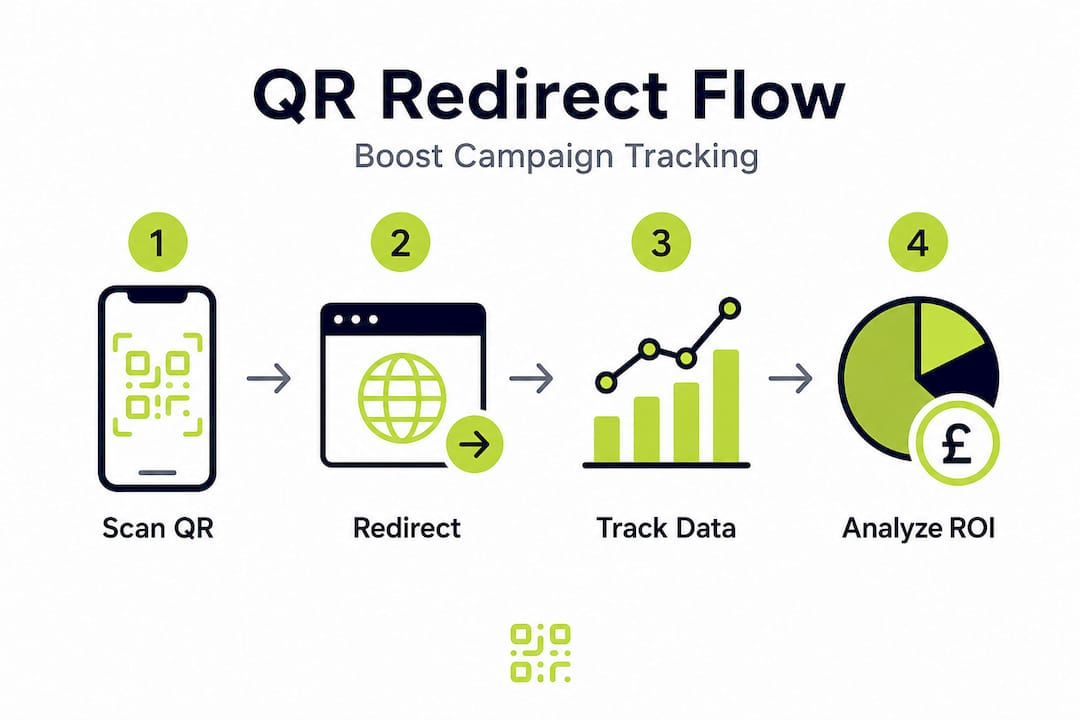
Knowing why redirection matters is useful. Knowing how to set it up effectively is what drives results. Here is a step-by-step approach to building link redirection into your QR campaigns from the start.
-
Choose a dynamic QR code platform. Static QR codes encode a fixed URL that cannot be changed. Dynamic QR codes use a short redirect URL that you can update at any time from a dashboard. This single decision future-proofs every campaign.
-
Structure your destination URLs with UTMs before encoding. Encoding your UTMs directly into the QR code URL rather than relying on third-party redirect tracking domains improves resilience and keeps attribution under your control. A well-structured UTM looks like this: "https://yoursite.com/landing-page?utm_source=poster&utm_medium=qr&utm_campaign=spring2026`.
-
Set up redirect rules before printing. Once your dynamic QR code is generated, configure the redirect destination and test it across multiple devices. Confirm the redirect resolves in under two seconds on a mobile connection.
-
Document your redirect architecture. Keep a simple spreadsheet that maps each QR code to its current destination, the redirect type in use, and the date last updated. This becomes invaluable when you scale to dozens or hundreds of codes across campaigns.
-
Test redirect chains regularly. A single extra hop in a redirect chain, such as going from the short URL to an intermediate tracker and then to the final page, can add 300 to 500 milliseconds of load time. On mobile, this is noticeable and increases bounce rates.
-
Integrate with your analytics platform. Connect your marketing QR code solutions to Google Analytics 4 or your preferred platform. Confirm that UTM parameters are passing through the redirect correctly before your campaign goes live.
-
Plan for campaign end states. Every campaign has an end date. Decide in advance where a scan should go once the campaign is over. Redirecting to an evergreen page, a new offer, or a brand homepage keeps the user journey intact and prevents wasted scans. Even a free QR generator should offer basic redirect update functionality for this reason.
Pro Tip: Never encode your final destination URL directly into a static QR code for any campaign tied to physical materials. The cost of reprinting far exceeds the cost of a dynamic QR platform. Treat the ability to update your redirect as a non-negotiable feature, not an optional upgrade.
By applying these strategies, you can ensure your campaigns stay flexible and actionable, no matter how they evolve.
Our perspective: the hidden cost of static QR codes and link management
Here is something the QR code industry rarely says plainly: the biggest risk in most QR campaigns is not the code itself. It is the assumption that links will never need to change.
We have seen this pattern repeatedly. A business invests in high-quality printed materials, a well-designed QR code, and a solid launch campaign. Then, six months later, the landing page URL changes during a website migration. The QR codes still scan perfectly. They just point to a broken page. Nobody notices until a customer complains or analytics reveal a sudden drop in conversions.
This is the hidden cost of static thinking. Static QR codes are cheap to generate, but they become expensive the moment your business evolves, and every business does. A product gets relaunched. A campaign moves to a new platform. A subscription lapses and the third-party QR service deactivates the code entirely. These are not edge cases. They are common outcomes.
The solution is not complicated, but it requires a mindset shift. Link redirection should be treated as infrastructure, not an afterthought. Every QR code you create for a physical material should sit behind a redirect layer that you control. Full stop.
Managing redirects well also means thinking about lasting QR campaigns from a systems perspective. A code printed on packaging today might be scanned two years from now. Your redirect architecture needs to account for that lifespan, not just the next quarter. That is genuinely future-proof campaign management, and it is entirely achievable with the right platform and a clear process.
Power up your QR campaigns with advanced link redirection
Link redirection is the engine that keeps QR campaigns running long after launch. But the strategy only works when your platform supports it reliably.

QRlytics gives you full control over your redirect destinations through a straightforward dashboard, with no technical expertise required. Every code you create during an active subscription stays functional permanently, meaning your printed materials never become dead ends. Our dynamic QR code generator lets you update destination URLs instantly, while tracking QR code scans gives you real-time data on every interaction. With GDPR-compliant analytics, global heat maps, and zero credit card required to get started, QRlytics is built for marketers and businesses who take campaign continuity seriously.
Frequently asked questions
What is the main purpose of a link redirect?
A link redirect automatically guides users to the correct destination when a URL changes, ensuring continuity and an optimised user experience without requiring updates to existing QR codes or printed materials.
How do redirects impact SEO for marketing campaigns?
Redirects help maintain SEO value by transferring link equity and preventing traffic loss when campaign URLs change, keeping your organic search performance intact through transitions.
Which redirect type should I use for a QR code marketing campaign?
Use a 301 for permanent changes and a 302 for temporary moves; 301s are generally the best choice for ongoing campaigns as they pass link equity and signal a stable destination.
Can I track QR code campaigns with link redirection?
Yes, link redirection enables robust tracking by funnelling HTTP redirect responses through a trackable layer, capturing user flows and engagement analytics every time a QR code is scanned.
How can I make QR code tracking more resilient?
Encode your destination with UTMs directly into the QR code URL to avoid dependency on third-party redirect trackers, keeping attribution fully under your control.